
Comparison · prices checked October 9, 2026
Veras alternative: render a sketch or drawing without a BIM model
Veras by Chaos renders inside your 3D model: a plugin for Revit, SketchUp, Rhino, Archicad, Vectorworks, Forma and Allplan, plus a web app. If the design is a model, that is its strength. If it is a hand sketch, an elevation or a photo, AI Architectures renders it in the browser in about 30 seconds with no model and no annual licence. Try it right below.
By AI Architectures, which makes the render tool on this page. Every claim about Veras comes from its own public pages, read on October 9, 2026 (links below). We did not buy a plan. Spotted something out of date? Tell us.
Short answer: who should pick which
Pick Veras if your design lives in Revit, SketchUp, Rhino or Archicad and the render must follow that model, or if you want image-to-3D and video. Pick AI Architectures if you start from a sketch, an elevation, a plan or a photo, want monthly billing instead of an annual licence, and want measured floor plans on the same account.
Render your drawing ↓Upload a sketch, elevation or plan and render it
The prompt is filled in to keep your proportions, roof and openings. Change materials, light and view, then generate. About 30 seconds.
Starter $29/month for 50 generations ($14.50 the first month; $19/month billed yearly), Pro $79 for 200, Studio $199. No free tier, no trial. + VAT where applicable (EU)
Veras vs AI Architectures, side by side
| Veras | AI Architectures (ours) | |
|---|---|---|
| What you start from | Your 3D model in Revit, SketchUp, Rhino, Archicad, Vectorworks, Forma or Allplan; sketches and images in the web app; image to editable 3D scene | A hand sketch, a 2D elevation, a floor plan, a model screenshot or a photo, plus a written prompt |
| Where it runs | Plugins for 7 design programs plus a web app | In the browser; nothing to install |
| Time per render | Not stated on the product page | About 30 seconds |
| Output | Images (Nano Banana 2 at 1K in the credit examples) and AI videos from one shared credit pool | 2K PNG/JPG (4K with the 4K pack); download, or keep editing with a follow-up prompt |
| Price (October 2026) | Starter €15.90/month (500 credits, about 50 images), Pro €27.50/month (2,000 credits, about 200 images), both billed annually (€190.80 and €330); Ultra price not shown. Prices excl. tax, as shown in Europe | Starter $29/month for 50 generations ($14.50 the first month; $19/month billed yearly), Pro $79 for 200, Studio $199 |
| Cost per render (entry plan) | About €0.32 an image (Starter, billed yearly) | $0.58 (Starter, $29 for 50) |
| Refunds | "Use of AI credits voids the right to a refund" (pricing notes, Chaos) | Full refund if you write within 14 days of your first payment; no usage limit attached |
| Free use and trial | 14-day free trial with 100 Chaos credits (about 10 images) | None: no free tier, no trial, no free credits |
| Also in the same account | Chaos products: V-Ray, Corona, Enscape | Plan Chat (measured floor plans with PDF, DXF, IFC), the Listing Kit for real estate photos, remodel previews |
Prices before tax, from each public page on October 9, 2026. Per-render costs are the plan price divided by the renders the vendor says it covers.
Where Veras is better
- Renders straight from your Revit, SketchUp, Rhino or Archicad model, so the geometry follows the model.
- Image to editable 3D scene and AI video in the same credit pool.
- Lower price per image on an annual licence (about €0.32 on Starter).
- A 14-day free trial, and it sits in the Chaos family with V-Ray, Corona and Enscape.
Where AI Architectures is better
- No 3D model, plugin or install: upload a sketch, an elevation, a plan or a photo.
- Monthly billing from $29 ($14.50 the first month); the Veras prices shown are annual licences.
- 14-day money-back on the first payment; at Chaos, using AI credits voids the refund right.
- Measured floor plans with DXF and IFC (Plan Chat) and real estate photo tools on the same account.
Real output: drawing in, render out
Unretouched single generations from the tool above. The captions say what went wrong when something did.
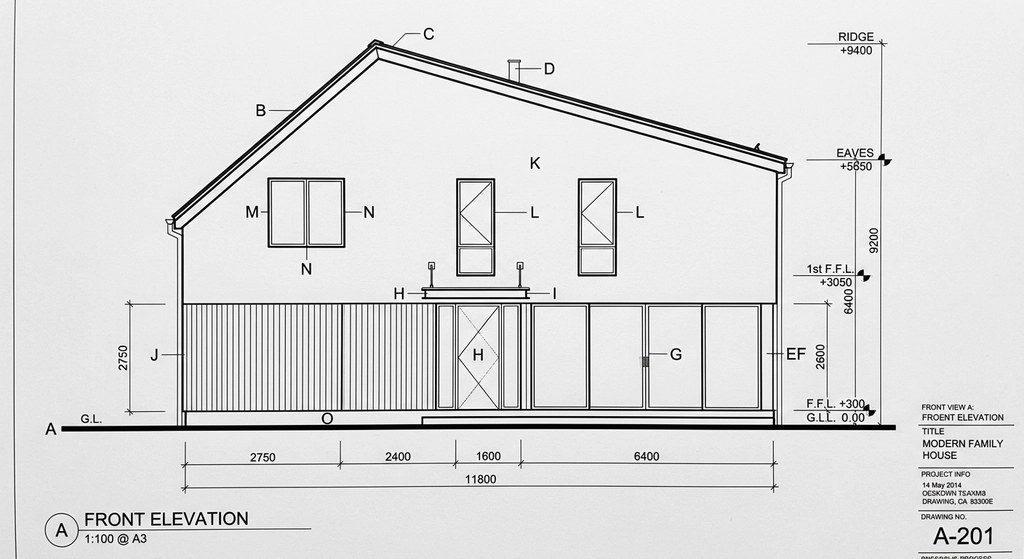 Before
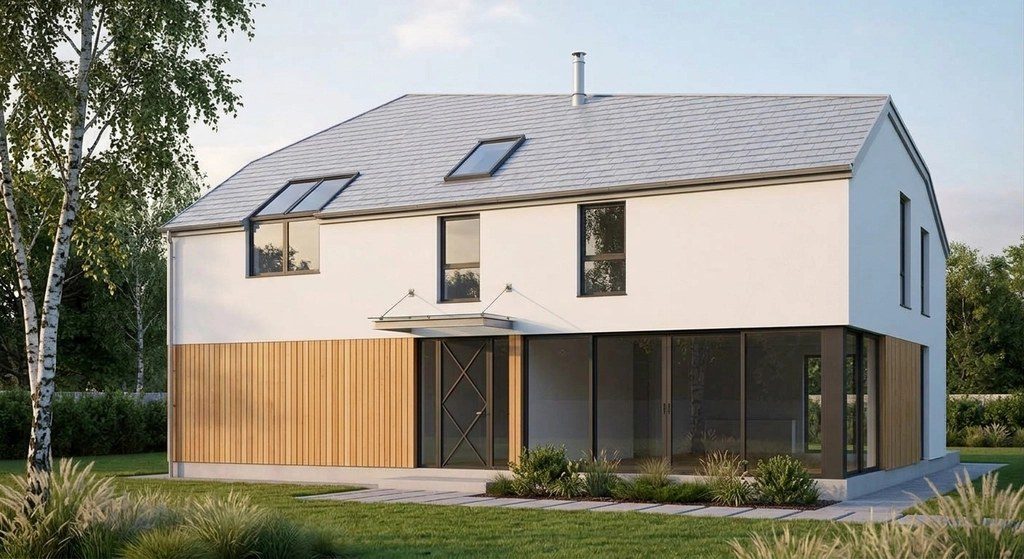 After
After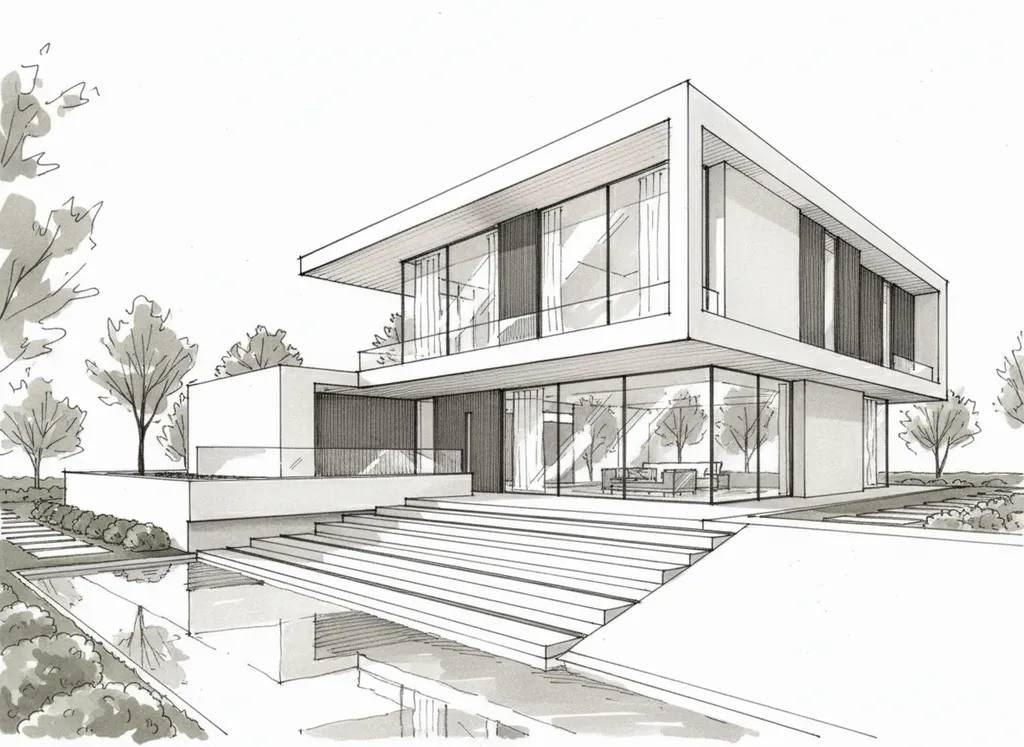 Before
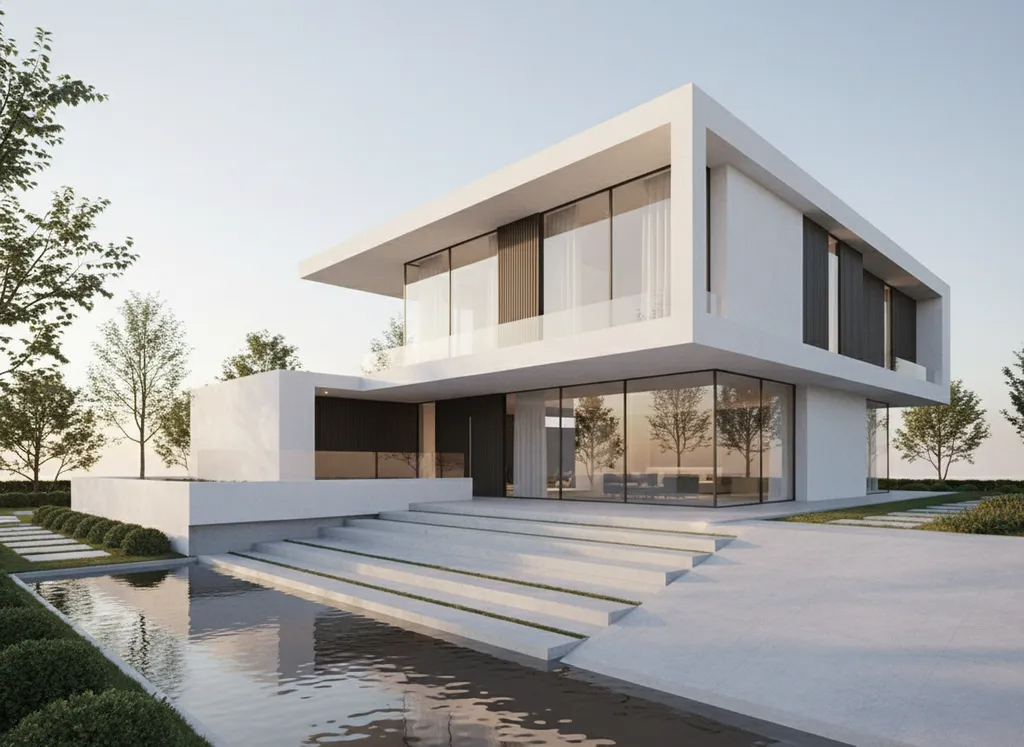 After
AfterHow we checked
We read Veras's own pages on October 9, 2026 in a fresh browser from Vienna and copied prices and terms as published (prices in euros where the page showed euros). We did not buy a plan, so nothing here judges its image quality. Neither tool, ours included, makes construction documents from a render: use renders for concepts, client meetings and planning talks.
Sources: Veras Veras product and pricing · Veras Refunds (Chaos help center)
Veras vs AI Architectures: questions
What is a Veras alternative that works without Revit or SketchUp?
A browser render tool that starts from a drawing: AI Architectures turns a hand sketch, a 2D elevation, a floor plan or a model screenshot into a photoreal render in about 30 seconds, $29 a month for 50 renders. Veras is the better choice when the design already lives in a BIM model.
How much does Veras cost in 2026?
On October 9, 2026, seen from Europe: Veras Starter €15.90 a month (500 credits, about 50 images) and Veras Pro €27.50 a month (2,000 credits, about 200 images), both billed annually (€190.80 and €330), excluding tax. A 14-day trial includes 100 credits.
Does Veras offer refunds?
Chaos states on the Veras pricing that use of AI credits voids the right to a refund; details are in the Chaos help center refund section.
Which AI model does Veras use?
Its pricing describes credits in "Nano Banana 2 1K images" and AI videos, from one shared monthly pool.