
Developers · Partner API v1
API for virtual staging, floor plans, CAD and architecture renders
One REST API for real-estate photographers, house-plan sellers, prefab builders and proptech platforms: stage and fix listing photos, redraw floor plans, turn sketches and briefs into DXF/DWG/PDF, render sketches and preview remodels. Async jobs, signed webhooks, free sandbox, white-label output.
https://api.20.vision/v1Auth Authorization: Bearer sk_live_…100 credits per image · CAD by usageReal outputs
Inputs on the left, API results on the right. Same models and prompts as the AI Architectures apps.
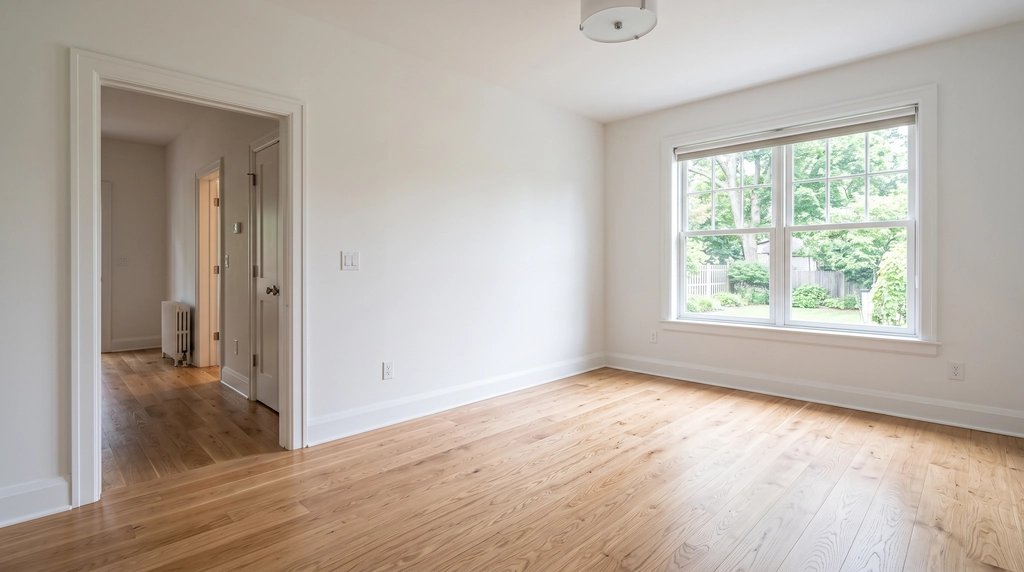

Virtual staging
POST /v1/virtual-staging
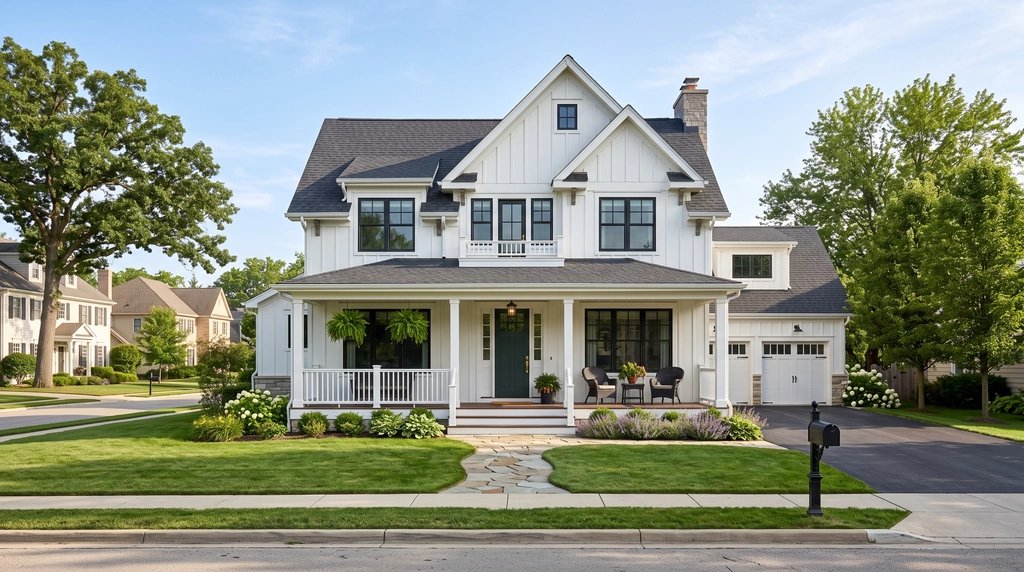
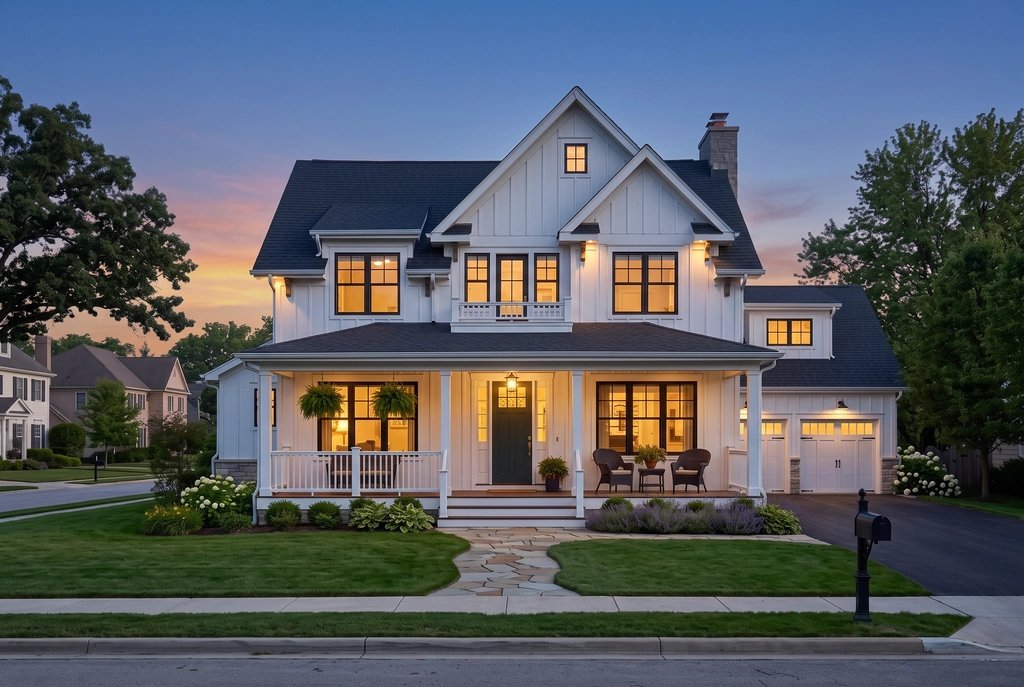
Day to twilight
POST /v1/photo-edits task=day_to_twilight
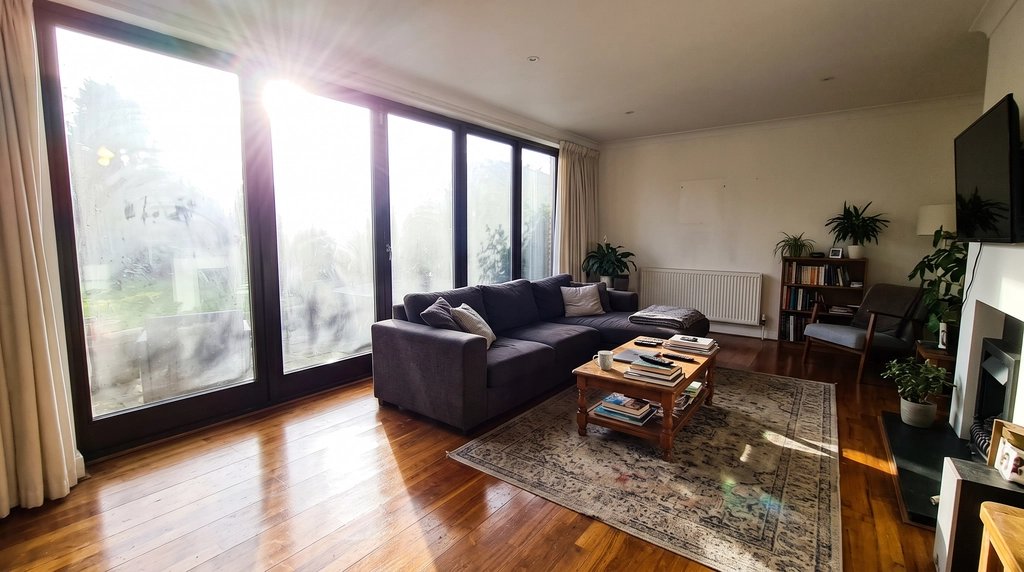
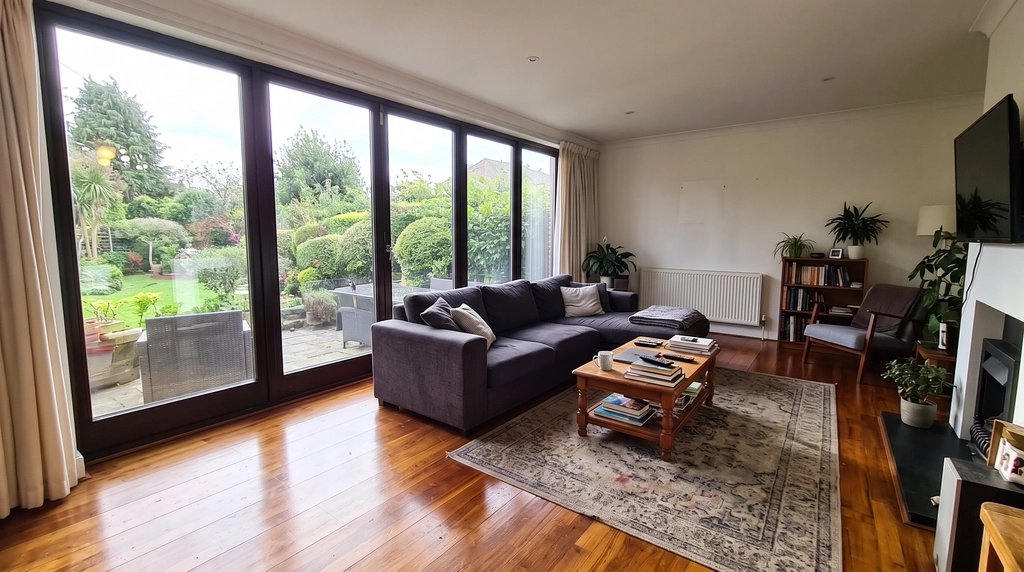
Window glare
POST /v1/photo-edits task=window_glare
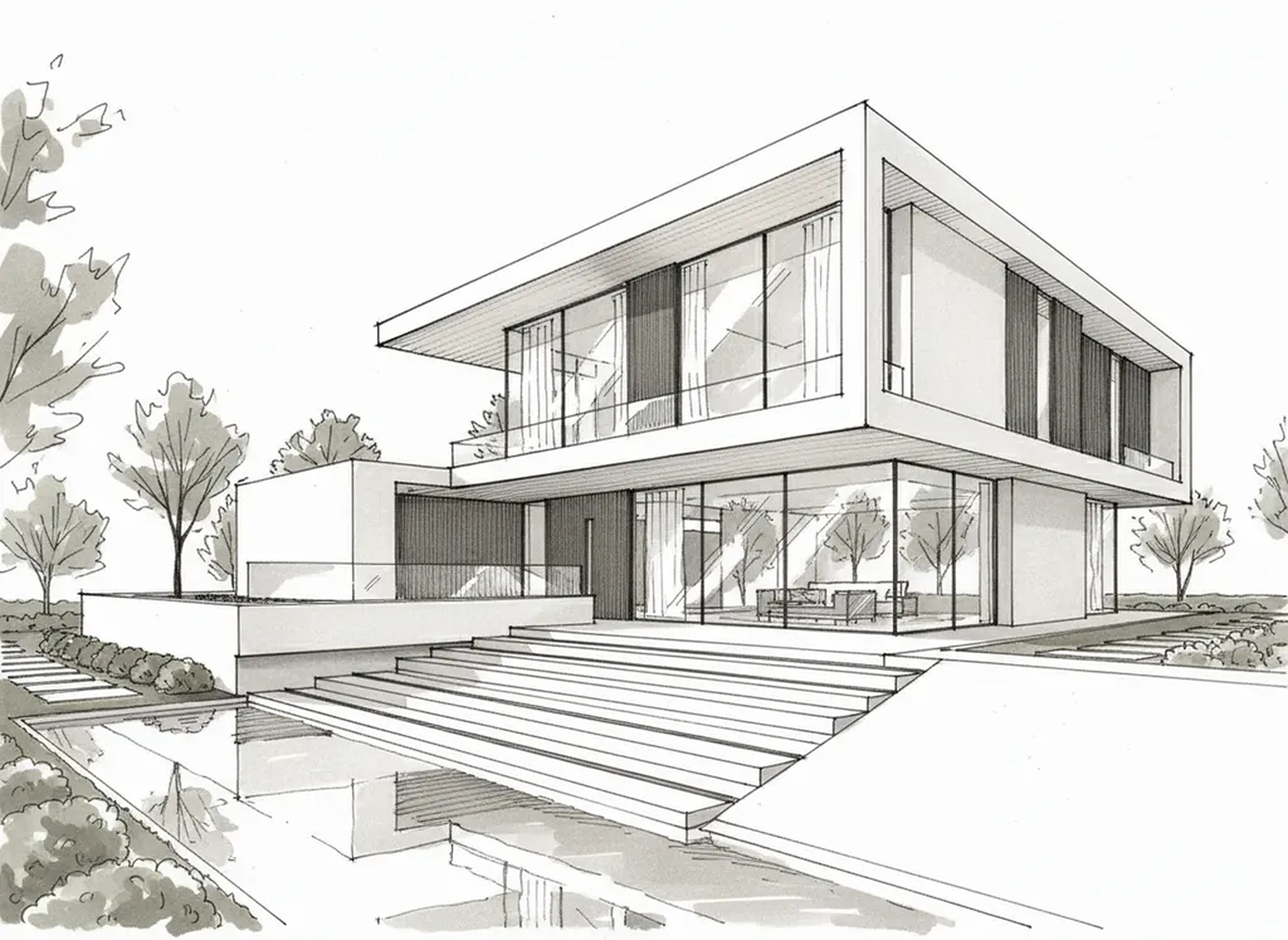
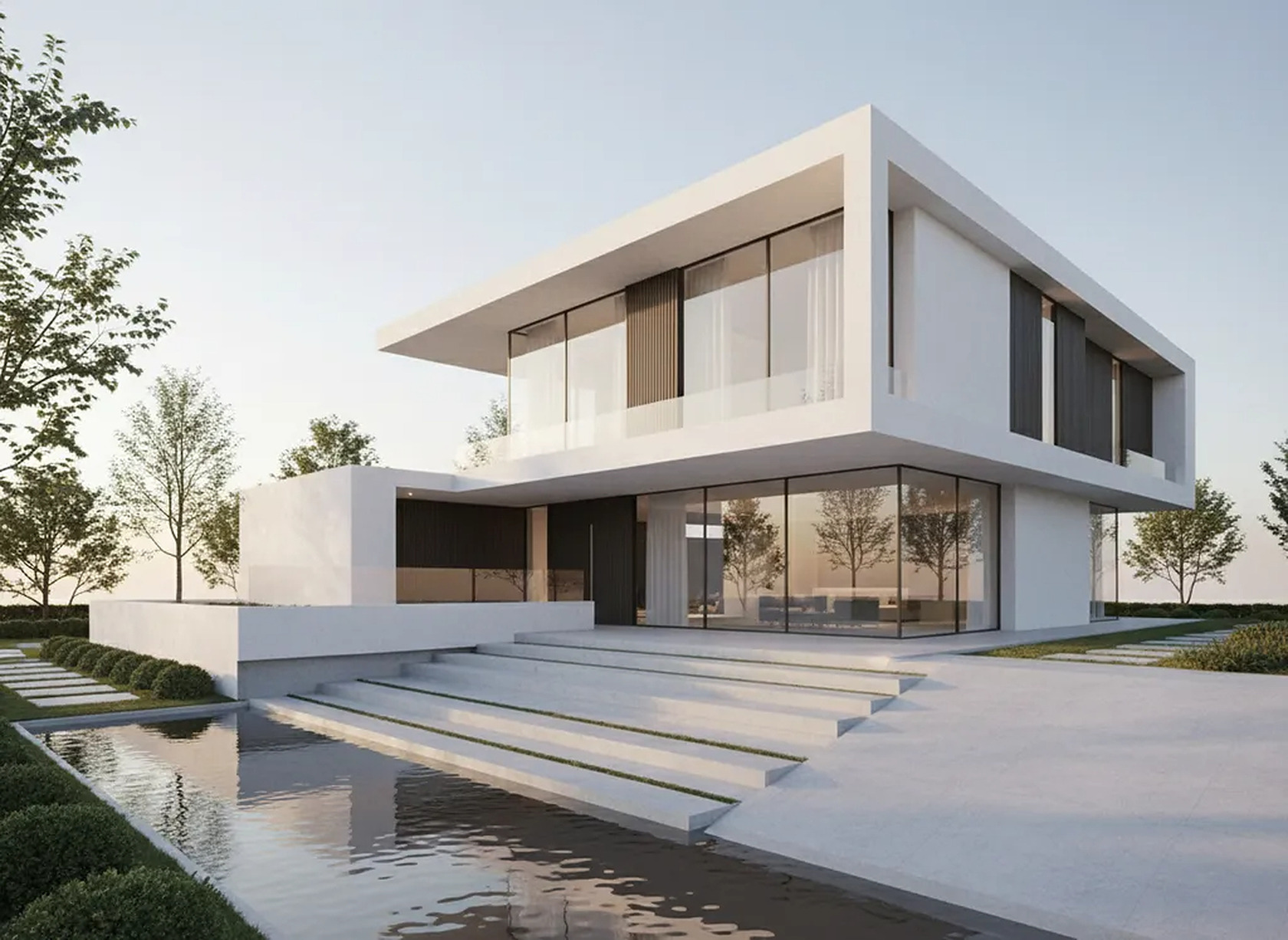
Sketch to render
POST /v1/renders
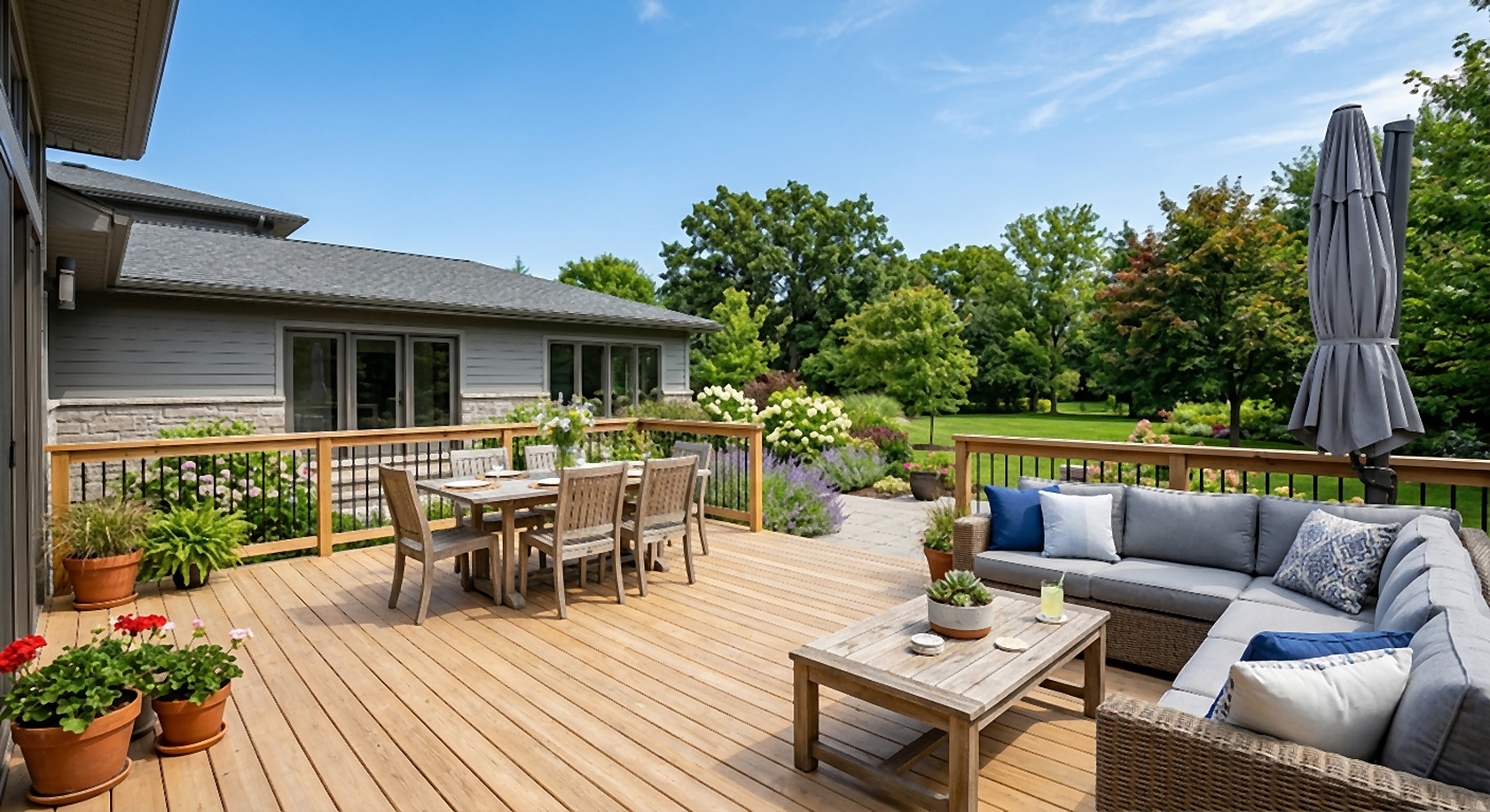
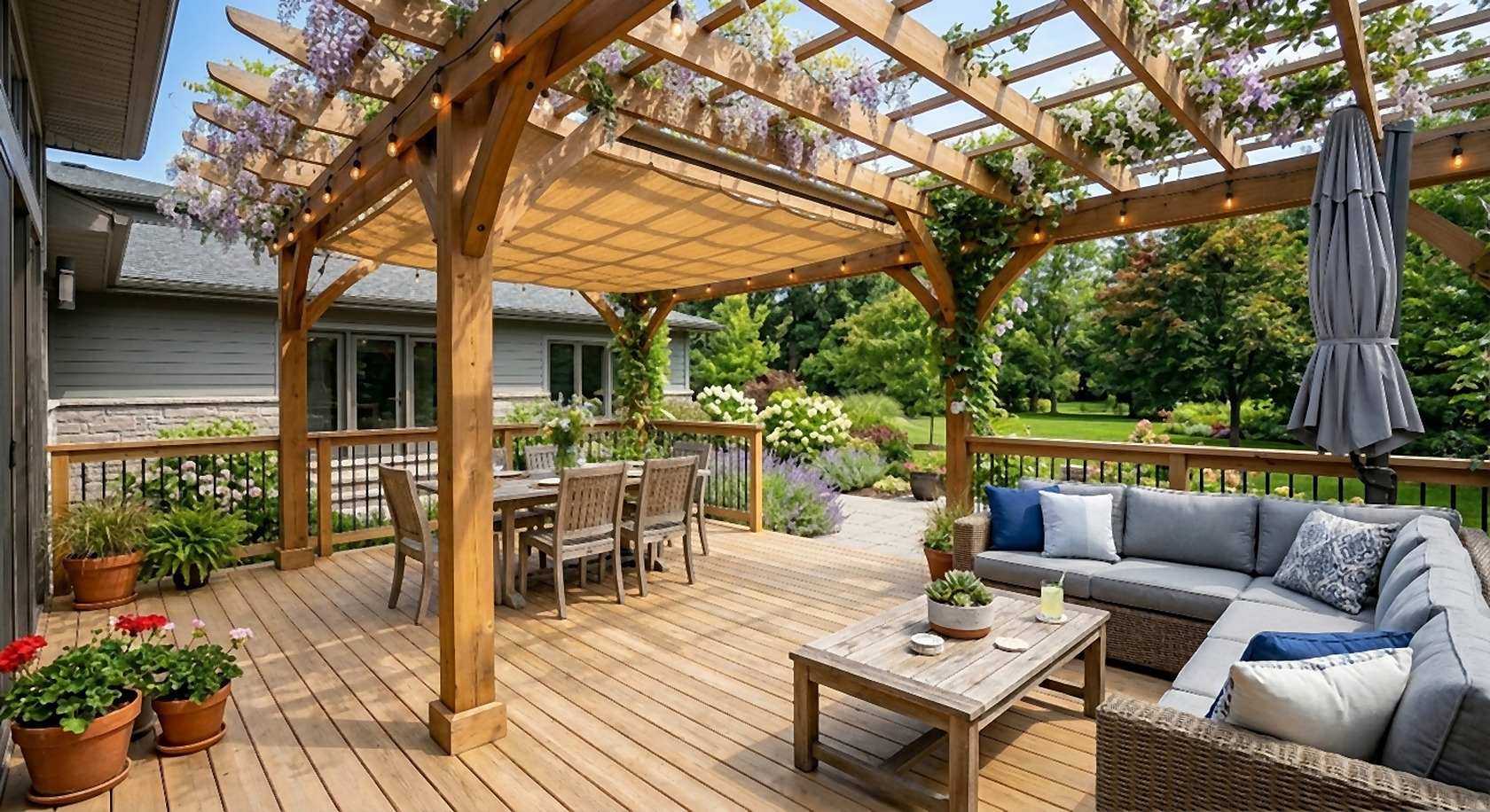
Remodel preview
POST /v1/remodels "add a pergola"
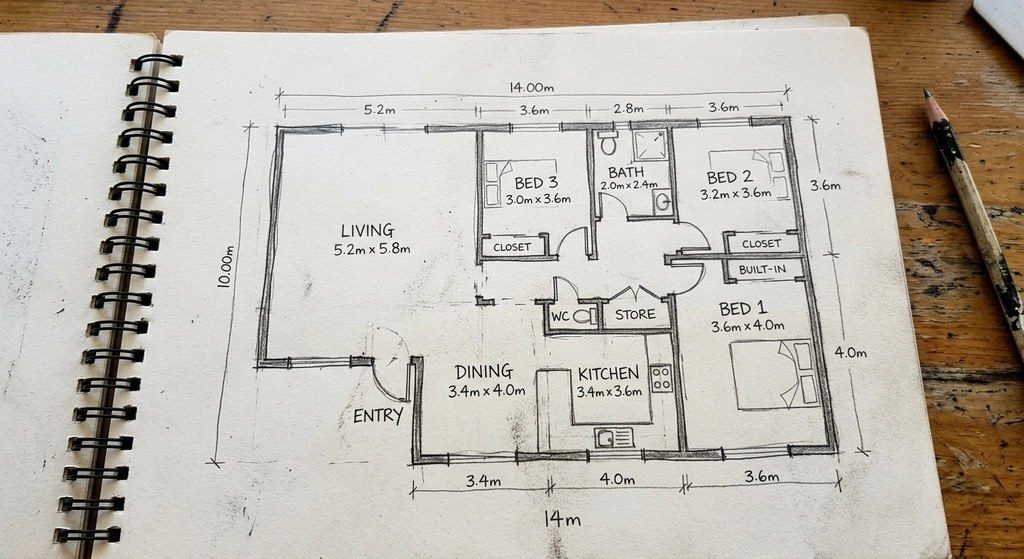
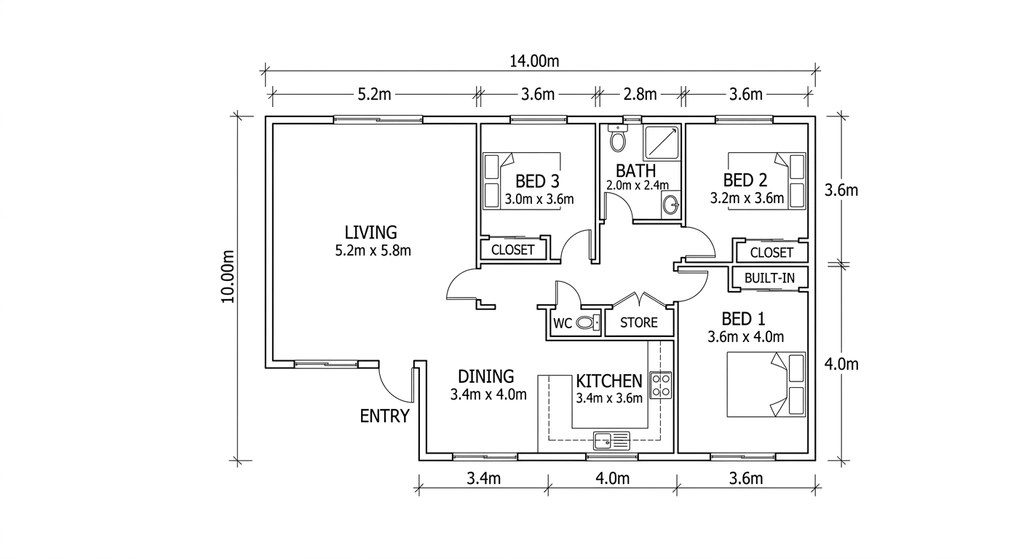
Floor plan redraw
POST /v1/floor-plans/redraw
Endpoints
| Endpoint | What it does | Credits | Time |
|---|---|---|---|
| POST /v1/virtual-staging | Virtual staging. Furnish an empty room photo in a style (modern, scandinavian, farmhouse, coastal, japandi, ... or your own words). Walls, windows, floor and camera stay exactly as photographed. | 100 (4K: 1,000) | ~30 s |
| POST /v1/photo-edits | Listing photo edits. remove_furniture, declutter, brighten, window_glare, day_to_twilight, blue_sky, green_lawn, lot_lines (drone photos). | 100 (4K: 1,000) | ~30 s |
| POST /v1/renders | Render from sketch. Sketch, elevation, massing model or CAD view to a photoreal (or watercolor, line-work, massing) image; form, openings and viewpoint kept. | 100 (4K: 1,000) | ~30 s |
| POST /v1/remodels | Remodel preview. Change one thing on a photo of a real building (siding, pergola, open kitchen, roof) and keep the rest. | 100 (4K: 1,000) | ~30 s |
| POST /v1/floor-plans/redraw | Floor plan redraw. Hand sketch, photo or scan of a plan to a clean, labeled 2D floor plan image. | 100 (4K: 1,000) | ~30 s |
| POST /v1/cad | Sketch / brief to CAD. An AI drafter draws a dimensioned, layered floor plan from a text brief and/or sketch: DXF, DWG, A3 PDF sheet, PNG. | 300-2,500 (typ. 300-1,500) | 2-6 min |
| POST /v1/cad/{job_id}/revise | Revise CAD by instruction. "Make the kitchen 1 m wider", "add a garage": a new version of a finished drawing. "Customize this plan by chat" for your buyers. | 60-1,200 | 1-4 min |
| GET /v1/jobs/{job_id} | Job status. Status, credits charged, and signed download links (24 h; fetch again for fresh links). | free | |
| GET /v1/files/{job_id}/{name} | Download. result.jpg / .png / .webp, preview.jpg; plan.dxf / .dwg / .pdf / .png. | free | |
| GET /v1/jobs | List jobs. Newest first, filter by status and type, paginate with starting_after. | free | |
| POST /v1/webhooks | Webhook endpoints. Receive signed job.succeeded / job.failed events (also used by Zapier and Make). | free | |
| GET /v1/account | Account. Credit balance, key, limits and pricing. | free |
Image inputs: image_url (public https) or image (base64), JPEG/PNG/WebP/HEIC up to 15 MB. Options for every endpoint: resolution 2k|4k, aspect_ratio (auto keeps the photo's), webhook_url, metadata. Full schema: openapi.json; option lists: /v1/options.
Quickstart
1. Sign in and create a key at developers/dashboard. Start with a sandbox key (sk_test_…): same API, sample outputs, no credits. 2. Create a job. 3. Poll it or receive a webhook. 4. Download the files.
# 1. Create a job (sandbox key: free sample output; live key: real result)
curl https://api.20.vision/v1/virtual-staging \
  -H "Authorization: Bearer $API_KEY" \
  -H "Content-Type: application/json" \
  -H "Idempotency-Key: listing-4711-photo-3" \
  -d '{
    "image_url": "https://example.com/listing/empty-living-room.jpg",
    "style": "scandinavian",
    "room_type": "living room"
  }'
# -> 202 {"id":"job_5f2c...","status":"queued", ...}

# 2. Poll it (or use a webhook, below)
curl https://api.20.vision/v1/jobs/job_5f2c... -H "Authorization: Bearer $API_KEY"
# -> {"status":"succeeded","credits_charged":100,
#     "output":{"images":[{"url":"https://api.20.vision/v1/files/job_5f2c.../result.jpg?expires=...&signature=...", ...}]}}

# Short jobs in one call: wait up to 90 s for the result
curl "https://api.20.vision/v1/renders?wait=90" -H "Authorization: Bearer $API_KEY" \
  -H "Content-Type: application/json" -d '{"image_url":"https://example.com/sketch.png","lighting":"golden_hour"}'
Jobs, idempotency and limits
- Every POST answers
202with a job:queued→running→succeeded|failed. Add?wait=90(orPrefer: wait=90) to get the finished job in the same response when it is done in time. - Send an
Idempotency-Keyheader on every POST. A retry with the same key and body returns the original job and is never charged twice; the same key with another body answers 409. - Credits are checked before a job starts (402
insufficient_credits) and charged only for succeeded work.credits_chargedis on every job. - Rate limits per key: 300 requests and 60 job creations per minute (sandbox 120 / 30). Headers
X-RateLimit-*; a 429 carriesRetry-After. Up to 8 image and 4 CAD jobs run at once per account; more wait in the queue. - Download links are signed for 24 hours;
GET /v1/jobs/{id}returns fresh ones. Images come as JPEG, PNG or WebP; CAD as DXF, DWG, PDF and PNG.
Webhooks
Add endpoints in the dashboard or with POST /v1/webhooks (https only). Each finished job sends job.succeeded or job.failed with the full job; a job's own webhook_url receives it too. Signatures follow the Standard Webhooks spec (headers webhook-id, webhook-timestamp, webhook-signature; secret whsec_… per account and mode). Failed deliveries are retried after 5 s, 30 s and 2 min.
// Express: verify the signature on the raw body (Standard Webhooks)
import crypto from 'node:crypto';
app.post('/hooks/ai', express.raw({ type: 'application/json' }), (req, res) => {
  const id = req.header('webhook-id'), ts = req.header('webhook-timestamp');
  const key = Buffer.from(process.env.WEBHOOK_SECRET.replace(/^whsec_/, ''), 'base64');
  const expected = 'v1,' + crypto.createHmac('sha256', key).update(`${id}.${ts}.${req.body}`).digest('base64');
  const ok = req.header('webhook-signature').split(' ').some((s) => s === expected);
  if (!ok || Math.abs(Date.now() / 1000 - Number(ts)) > 300) return res.sendStatus(400);
  const event = JSON.parse(req.body);         // { id, type: 'job.succeeded' | 'job.failed', data: job }
  res.sendStatus(200);                         // answer fast, then process
});
Sandbox
Sandbox keys run the whole flow (validation, queue, webhooks, signed files, rate limits) and return sample outputs without spending credits. The job shows credits_estimate: what it would cost live. Force outcomes with "simulate": "failed" or "insufficient_credits" to test your error handling.
Pricing
The API uses the credits of your AI Architectures account, at the same rates as the apps. Any plan works; failed jobs are free.
| Call | Credits | at Plus ($49/mo) | at Business ($129/mo) | at Studio ($199/mo) |
|---|---|---|---|---|
| Image job, 2K (staging, edit, render, remodel, plan redraw) | 100 | $0.49 | $0.32 | $0.20 |
| Image job, 4K | 1,000 | $4.90 | $3.23 | $1.99 |
| CAD drawing (typical) | 800 | $3.92 | $2.58 | $1.59 |
| CAD revision (typical) | 300 | $1.47 | $0.97 | $0.60 |
CAD jobs cost their real usage, minimum 300 and at most 2,500 credits (revisions 60-1,200). Plans: pricing. Volume API plans with lower per-call prices and invoicing: email [email protected].
White-label terms
- Outputs carry no AI Architectures name, logo or watermark; CAD sheets have no third-party credit line; download links are on the neutral domain api.20.vision.
- You may use, edit and resell outputs under your own brand, and offer the features in your product without naming us.
- Images keep a neutral machine-readable "AI-generated" EXIF marking (EU AI Act Art. 50). Where listing rules require disclosure of virtually staged or edited photos (for example California AB 723), disclosure is your and your customer's responsibility.
- Do not use the API to mislead buyers about a property's condition, for unlawful content, or to resell raw API access as a competing API.
- Images and drawings are concepts, not construction documents, and need professional review before anything is built. Your use is governed by the Terms of Service.
Service levels
- Availability target: 99.5% per calendar month for job creation, job status and file downloads, measured at api.20.vision, excluding announced maintenance and third-party outages beyond our control.
- Jobs that fail are not charged. A job that has not finished within 24 hours is marked failed and refunded.
- Support: email [email protected], reply within one business day (CET). Incidents and changes that break compatibility are announced by email to key owners; v1 stays backward compatible (new fields may be added).
- A contractual SLA with service credits, a dedicated contact and custom limits is available on volume API plans.
Errors
Errors are JSON: {"error":{"code":"insufficient_credits","message":"…","status":402}}.
| 400 | invalid_request, invalid_image, invalid_url | Fix the request (message says what). |
| 401 | missing_api_key, invalid_api_key, key_revoked | Check the Authorization header. |
| 402 | insufficient_credits, key_limit_reached | Top up credits or raise the key's monthly limit. |
| 404 | not_found | Unknown job, or a job of the other mode (live vs sandbox). |
| 409 | idempotency_conflict, not_ready, superseded | Idempotency-Key reused with another body; file not ready; newer CAD version exists. |
| 413 | image_too_large | Images up to 15 MB. |
| 429 | rate_limited | Wait for Retry-After seconds. |
| 5xx | internal_error | Retry with the same Idempotency-Key. Failed jobs are never charged. |
Tools and integrations
- OpenAPI 3.1 spec: import into Postman, Insomnia or an SDK generator. Ready-made Postman collection (set
apiKeyto your sandbox key). - No-code: Zapier and Make connect through
POST /v1/webhooks(job finished) and the create endpoints. - Questions or a custom workflow (MLS export, brand style presets, bulk import): [email protected].
FAQ
Is there a free tier or sandbox?
Every account gets sandbox keys (sk_test_...). Sandbox jobs run the full flow (queue, webhooks, files, errors) with sample outputs and cost nothing. Live keys (sk_live_...) use your account's credits.
Are outputs white-label?
Yes. Files carry no AI Architectures name, logo or watermark, and download links are on api.20.vision. Images keep a neutral machine-readable "AI-generated" EXIF tag, which EU law (AI Act Art. 50) asks for; you may resell outputs under your own brand.
How is usage billed?
In credits from the same account as the web apps: 100 credits per 2K image, 1,000 per 4K image; CAD drawings by real usage (typically 300-1,500 credits, never more than 2,500). Failed jobs cost nothing. Each key can have its own monthly credit limit.
How fast is it?
Image jobs take about 30 seconds; CAD drawings 2-6 minutes. Up to 8 image jobs and 4 CAD jobs run at once per account; more are queued automatically, not rejected.
What input formats work?
JPEG, PNG, WebP and HEIC (iPhone) up to 15 MB, as a public https image_url or base64 in the JSON body. Images are re-encoded; EXIF location data is not kept.
Can my customers edit a CAD plan by chat?
Yes: POST /v1/cad/{job_id}/revise with an instruction ("add a 6 x 6 m garage on the east side") makes a new version with new DXF, DWG and PDF. House-plan sellers use this for "customize this plan".
Are the drawings permit-ready?
No. Drawings and images are concepts for listings, sales and design discussions. Plans need review by a licensed professional before anything is built.
Do you train on my images?
No. Inputs and outputs are used to run your jobs only. You can delete your account and its data at any time.
Start in the sandbox in two minutes
Create a free sandbox key, run the quickstart, switch to a live key when it works.
Get API keys