AI for construction

AI for construction that helps you win the job: show the finished work, draw the plan

Take a photo of the house, the basement or the empty lot, describe the work, and show your client a photoreal preview of the result in about 30 seconds. Have a sketch? Get it back as a layered CAD floor plan with dimensions, as DXF, DWG and PDF.

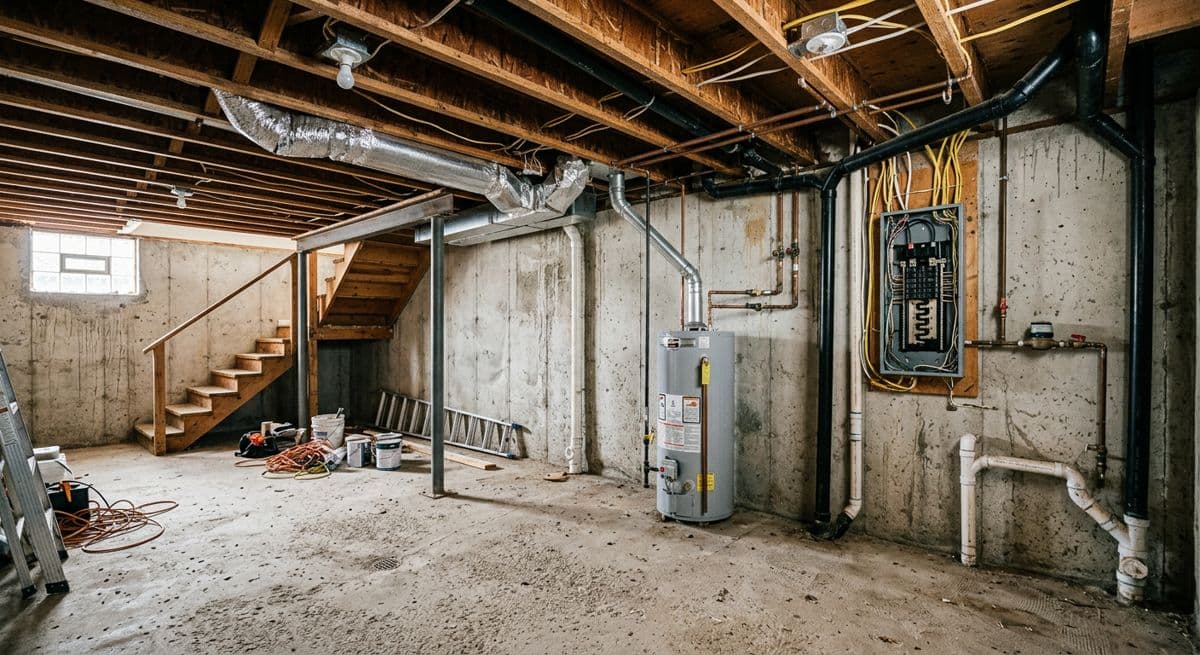
BeforeBefore: unfinished basement with exposed joists, ductwork and electrical panel
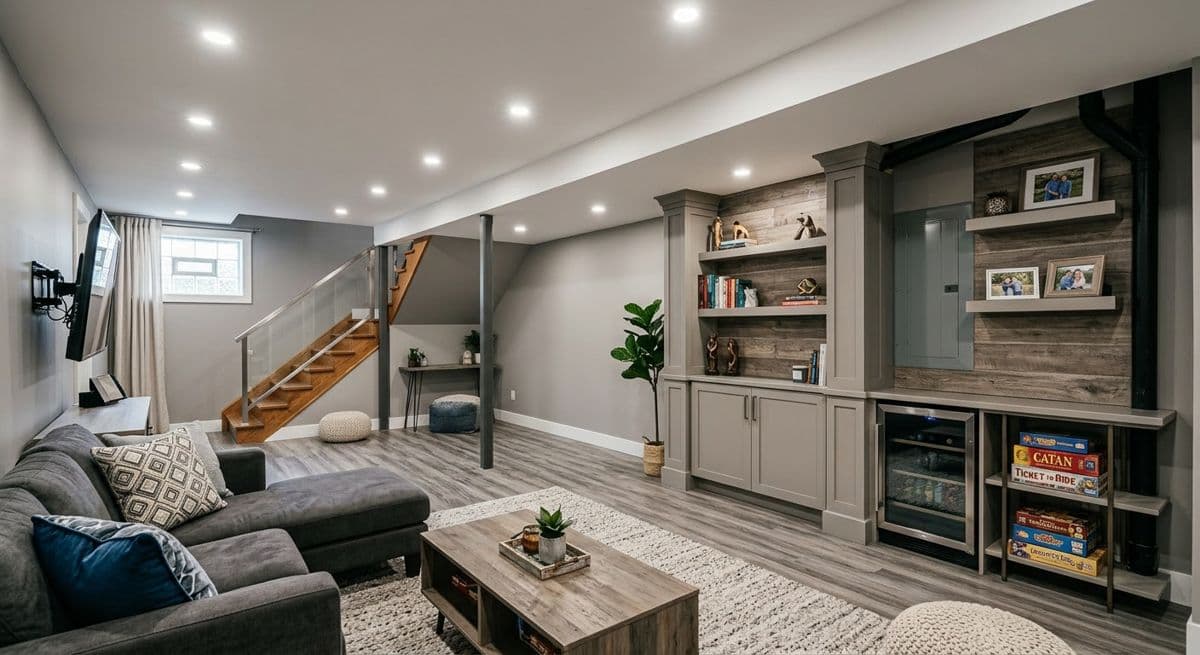
After (AI)After: the same basement finished as a family room with built-in shelves, recessed lights and a sectional
Unfinished basement → finished family room. Made with the AI Architectures remodel tool; both images are AI-generated examples, not a customer project. Try this one
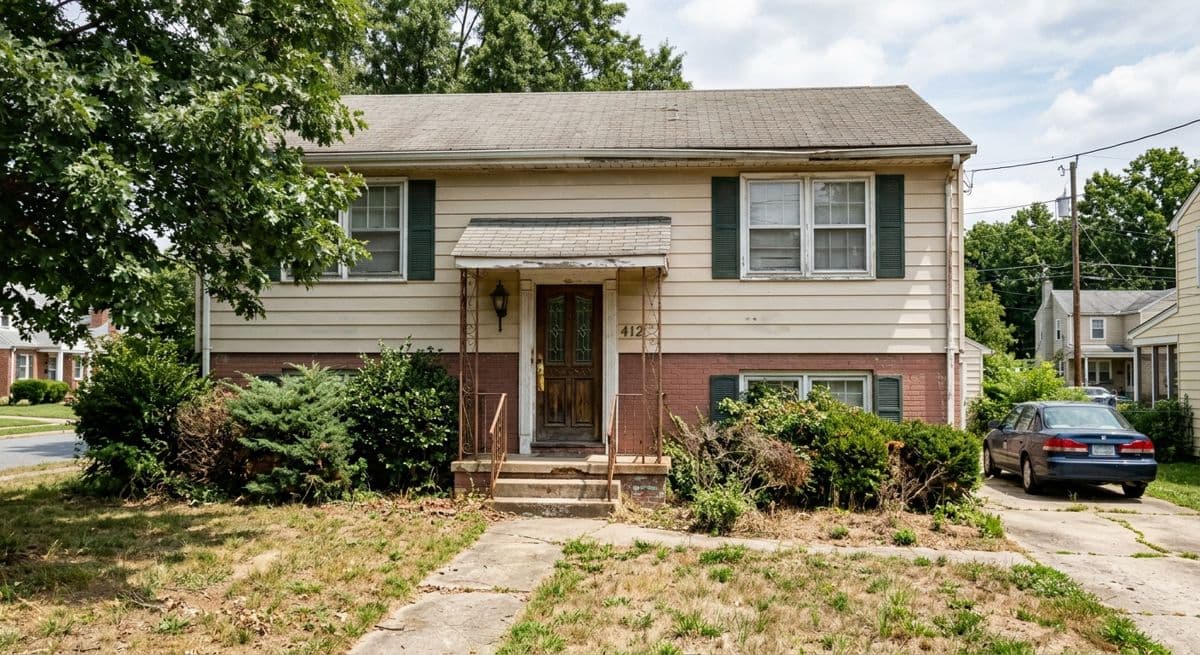
BeforeBefore: dated two-storey house with beige siding, brick base and overgrown front yard
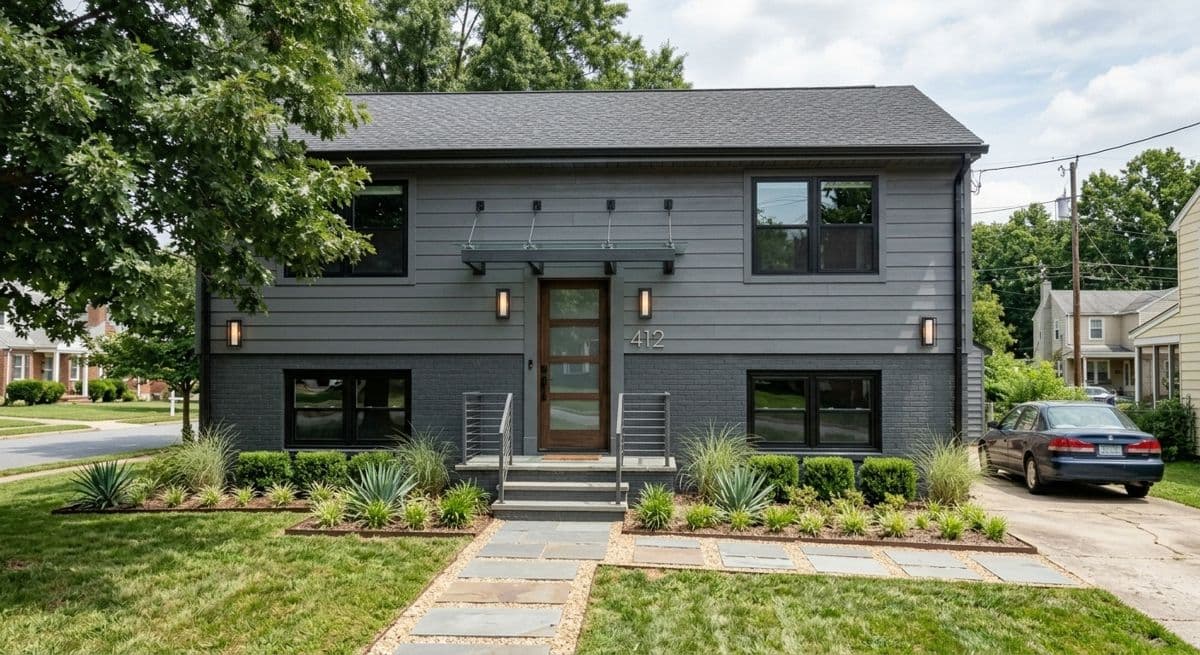
After (AI)After: the same house with dark grey siding, black windows, new entry canopy and landscaped front yard
Dated two-storey house → modern exterior. Made with the AI Architectures remodel tool; both images are AI-generated examples, not a customer project. Try this one

Try it on your own job photo

Upload a photo of the house or room, keep or edit the sample description, and press Create.

AI in construction in 2026: what it actually does

“AI in construction” covers very different tools. Some read plan sets and count materials, some write daily reports, some watch the site through cameras. They solve different problems for different people, so it helps to sort them before you buy anything. Here is the landscape, and the part AI Architectures covers. For named tools in each area, see the best AI construction software by job.

AreaWhat the AI doesAI Architectures
Estimating and quantity takeoffReads plan sets and counts or measures walls, areas and fixtures for bids.No, use a dedicated tool
Scheduling and project managementDrafts schedules, RFIs, daily reports and meeting notes from project data.No, use a dedicated tool
Drawing and document reviewSearches specs and drawing sets, compares revisions, flags clashes.No, use a dedicated tool
Site monitoring and safetyComputer vision on 360° photos or cameras to track progress and spot hazards.No, use a dedicated tool
Design visualizationPhotoreal previews of a remodel, an addition or a new build from a photo, sketch or plan.Yes
CAD draftingTurns a sketch, a photo of a plan or a description into a dimensioned floor plan (DXF, DWG, PDF).Yes
Sales and marketing imagesRenders and staged photos for proposals, listings and pre-sales before the build is finished.Yes

Why so much interest now? Construction has been slow to gain productivity: McKinsey found that labor productivity in construction grew by only about 1% a year over two decades, against 2.8% for the world economy [1]. A survey of about 600 construction leaders by FMI for PlanGrid (now Autodesk) found that people spent 35% of their time on non-optimal work such as looking for project information, resolving conflicts and fixing mistakes [2]. A lot of that loss starts before the build, when the client, the designer and the crew picture different things. That is the gap a clear picture and a clean plan close.

What construction teams do with AI Architectures

1. Show the client the finished job before you quote

A homeowner who can see their own house with the new siding, the deck or the finished basement decides faster and argues less about what was meant. Upload the site photo you already took for the estimate, describe the work in a sentence, and the AI changes only what you asked for: same camera angle, same house, new materials. Try two or three options in the meeting. See AI for contractors and remodelers.

2. Renders of a new build from a sketch, a plan or a description

Builders and developers need pictures long before the house exists: for the bank, the planning conversation, the sales page and pre-sales. Turn an elevation sketch, a floor plan or a written brief into a photoreal exterior or interior in about 30 seconds, or photograph the framed shell and show the finished house. See AI construction rendering and AI for home builders.

3. A CAD floor plan from a sketch or a photo of a plan

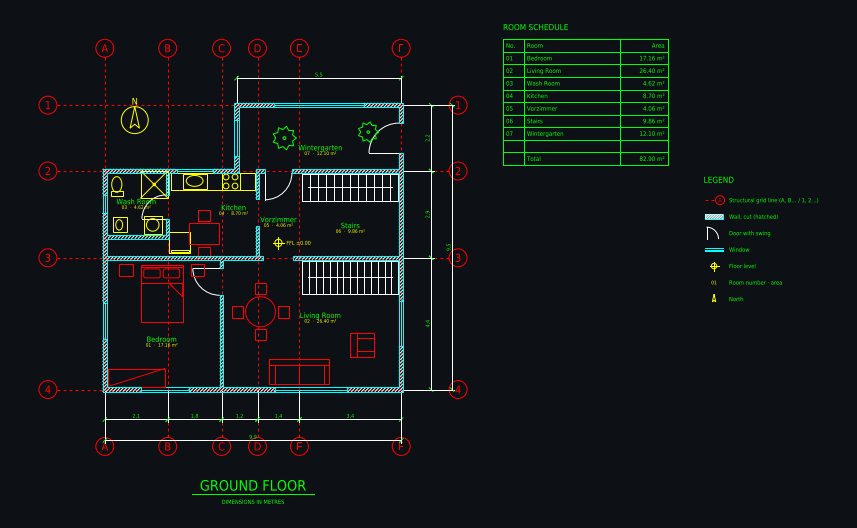
Plan Chat is an AI drafter: give it a phone photo of a hand sketch, a screenshot of an old plan or a few sentences, and it draws a layered CAD floor plan in front of you, with wall thicknesses, doors and windows, a structural grid, dimension chains, room names, areas and a room schedule. Change it in plain words or with CAD tools, then download DXF, DWG (AutoCAD 2010) or a scaled PDF sheet. See AI construction drawings.

4. Staged photos for new construction listings

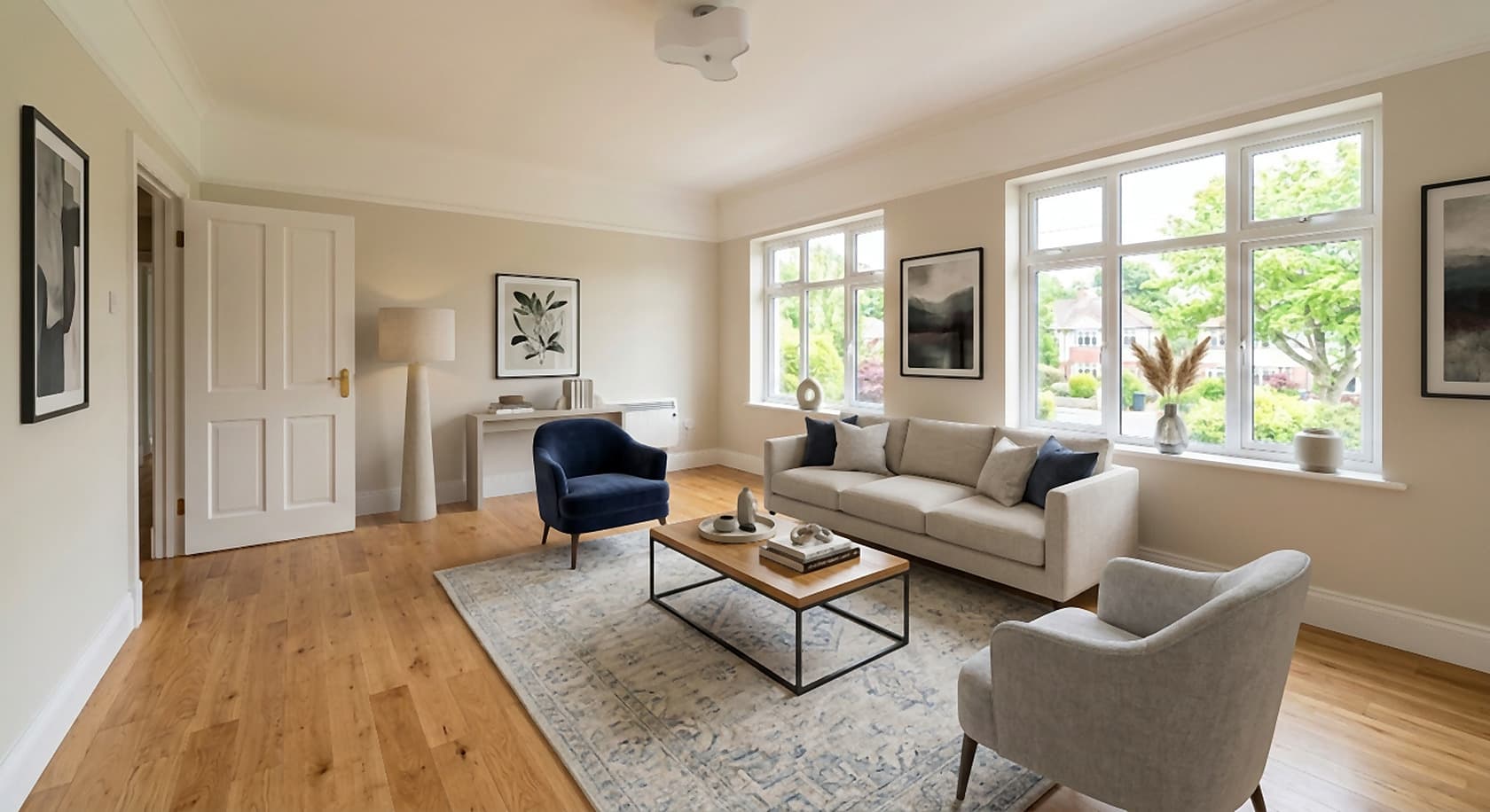
An empty new build photographs as a white box. Virtual staging furnishes the room photo in your chosen style so buyers can see scale and use, at a fraction of physical staging.

5. Ready-made house plans as a starting point

Seventy house plans with PDF, DXF and IFC files to download, as a starting point you can redraw and change in Plan Chat.
How it works

  1. 1. Start from what you have. A site photo, a sketch, an old plan or a description of the job.
  2. 2. Say what changes. “Finish this basement as a family room with built-ins”, “add a 12 × 16 ft deck”, “draw this sketch with 25 cm exterior walls”.
  3. 3. Review and send. A photoreal image in about 30 seconds, a CAD drawing in one to five minutes. Adjust in a sentence, download, put it in your proposal.

Reference: real outputs from our tools

Every image below was made with AI Architectures or Plan Chat and is shown unretouched. They are examples we made to show the tools, not customer projects. The CAD drawings are public in the Plan Chat gallery with their DXF.

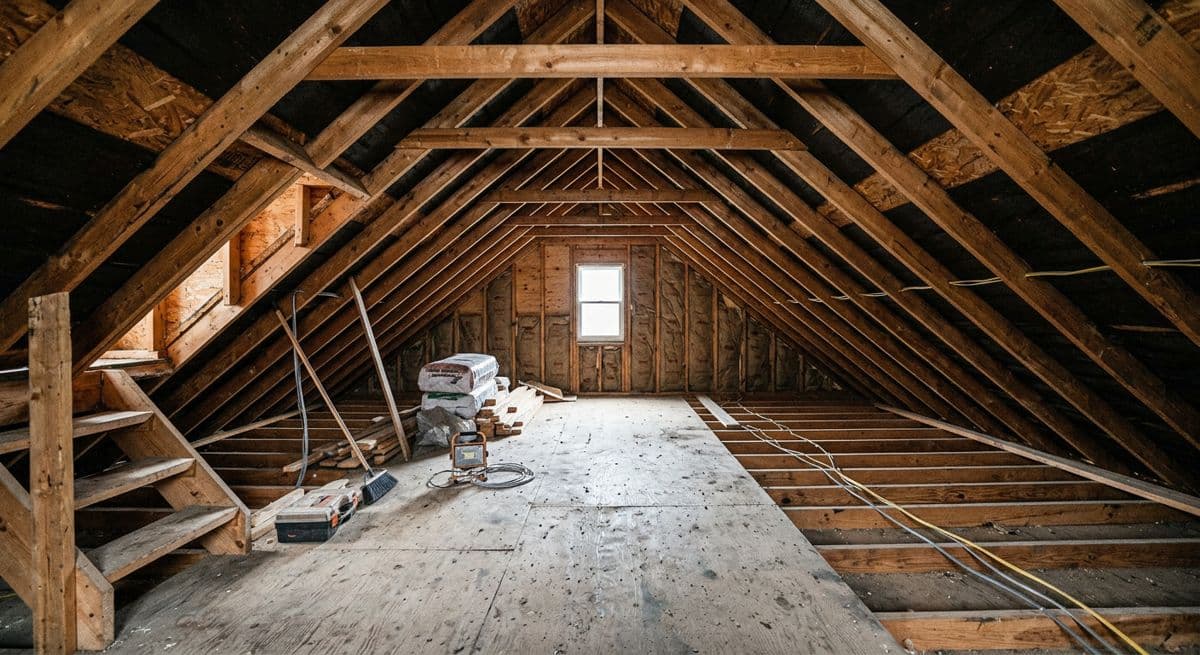
BeforeBefore: bare attic with exposed rafters, open floor joists and loose wiring
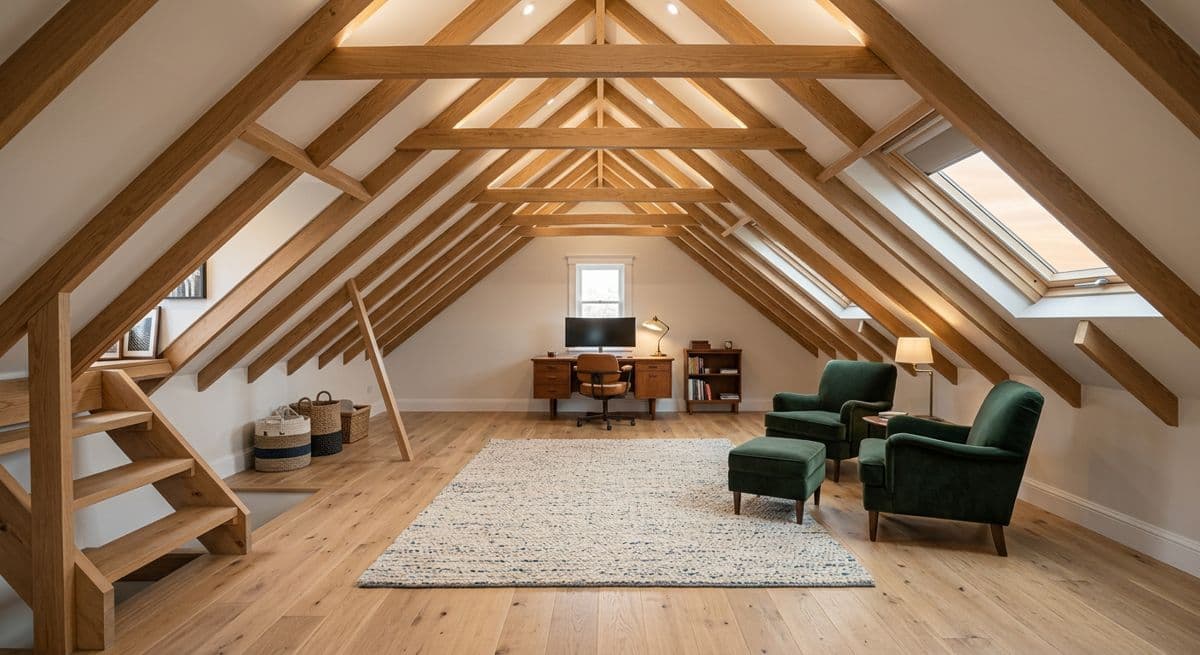
After (AI)After: the same attic converted into a study with oak floor, skylights and finished rafters
Bare attic framing → finished attic room. Made with the AI Architectures remodel tool; both images are AI-generated examples, not a customer project. Try this one
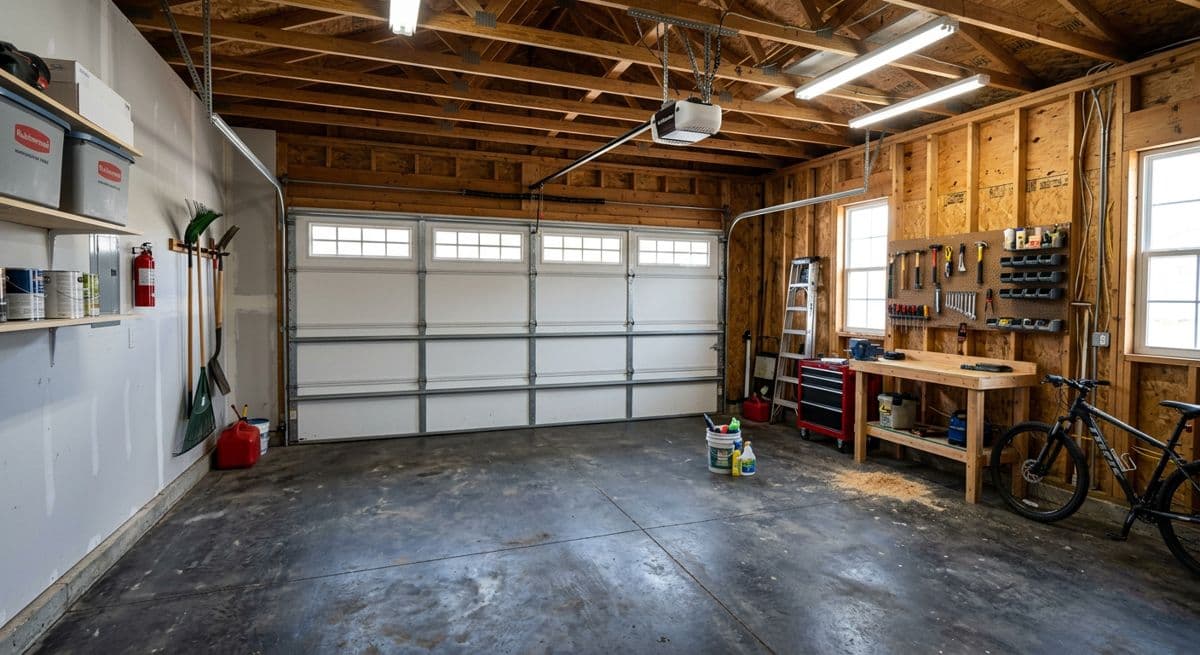
BeforeBefore: single garage with open stud walls, workbench and garage door
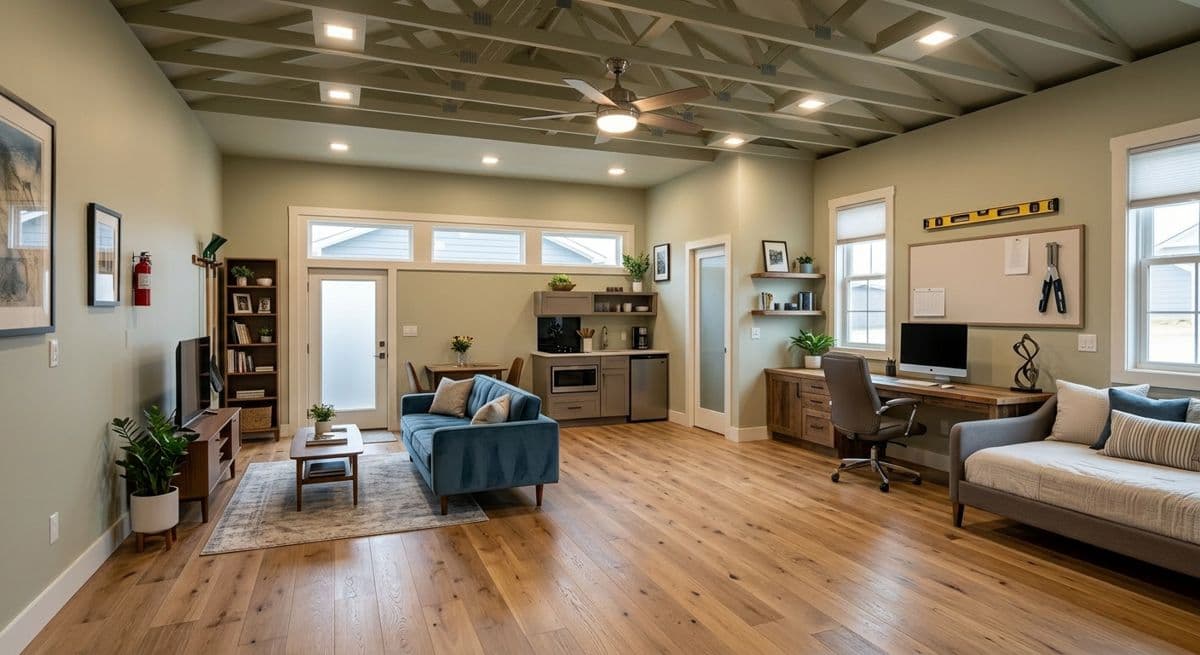
After (AI)After: the same garage converted into a living room and home office with windows instead of the door
Garage → living space conversion. Made with the AI Architectures remodel tool; both images are AI-generated examples, not a customer project. Try this one
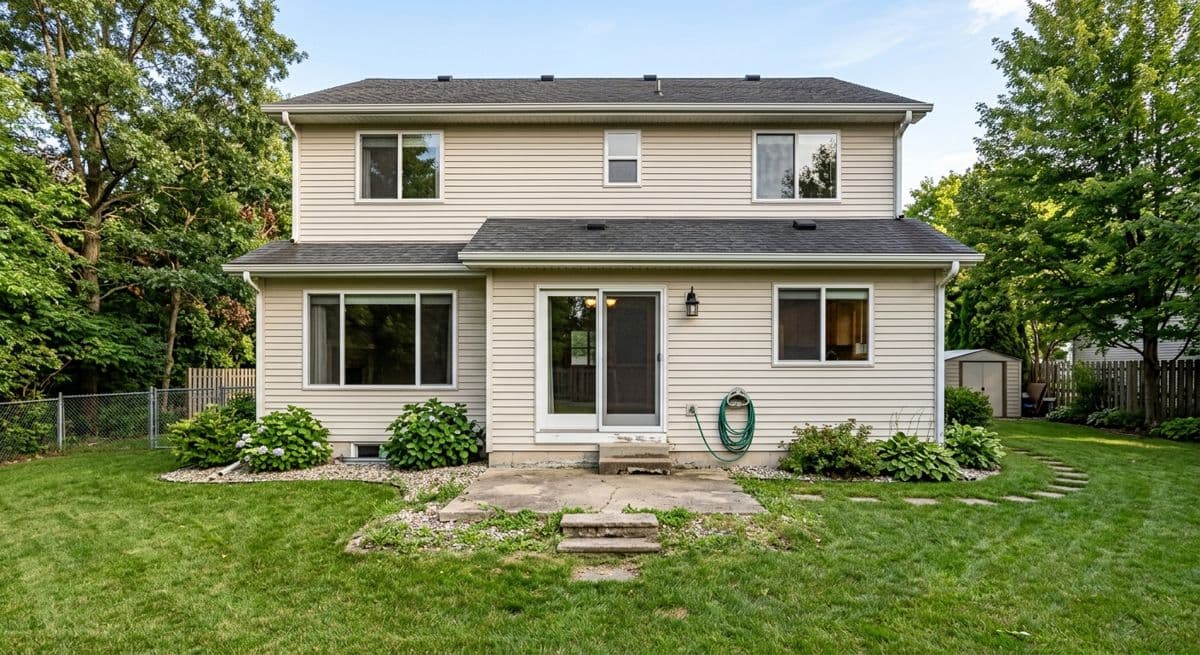
BeforeBefore: back of a two-storey house with a lawn and a small concrete pad
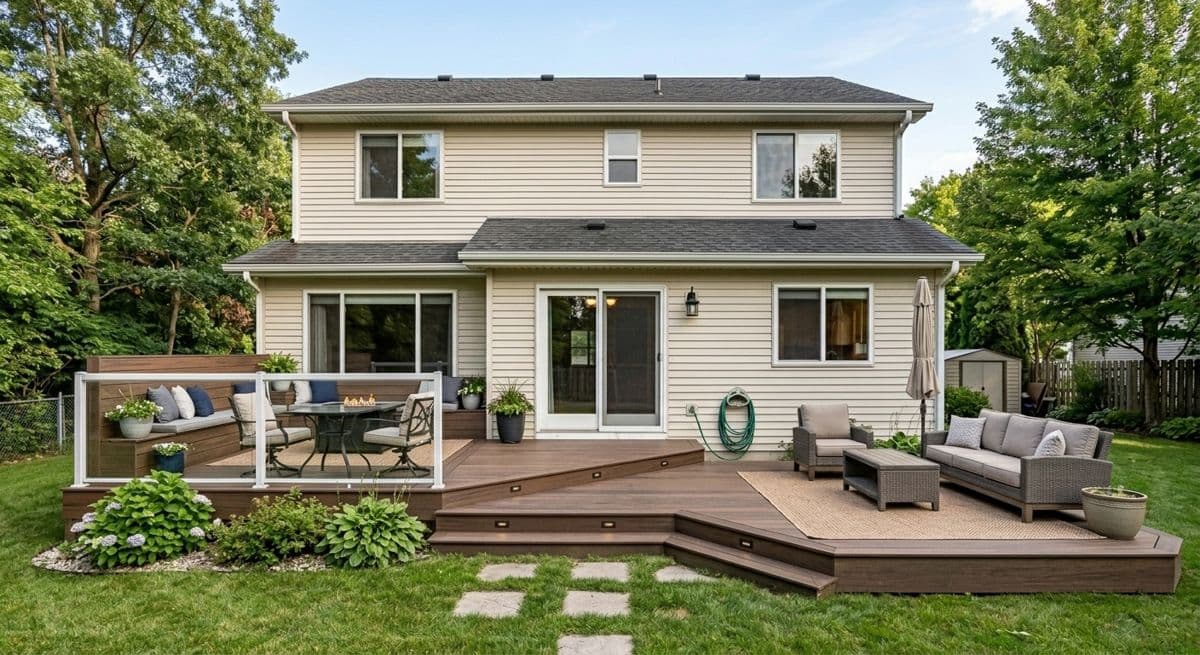
After (AI)After: the same house with a two-level composite deck, outdoor furniture and planting
Back yard → deck addition. Made with the AI Architectures remodel tool; both images are AI-generated examples, not a customer project. Try this one
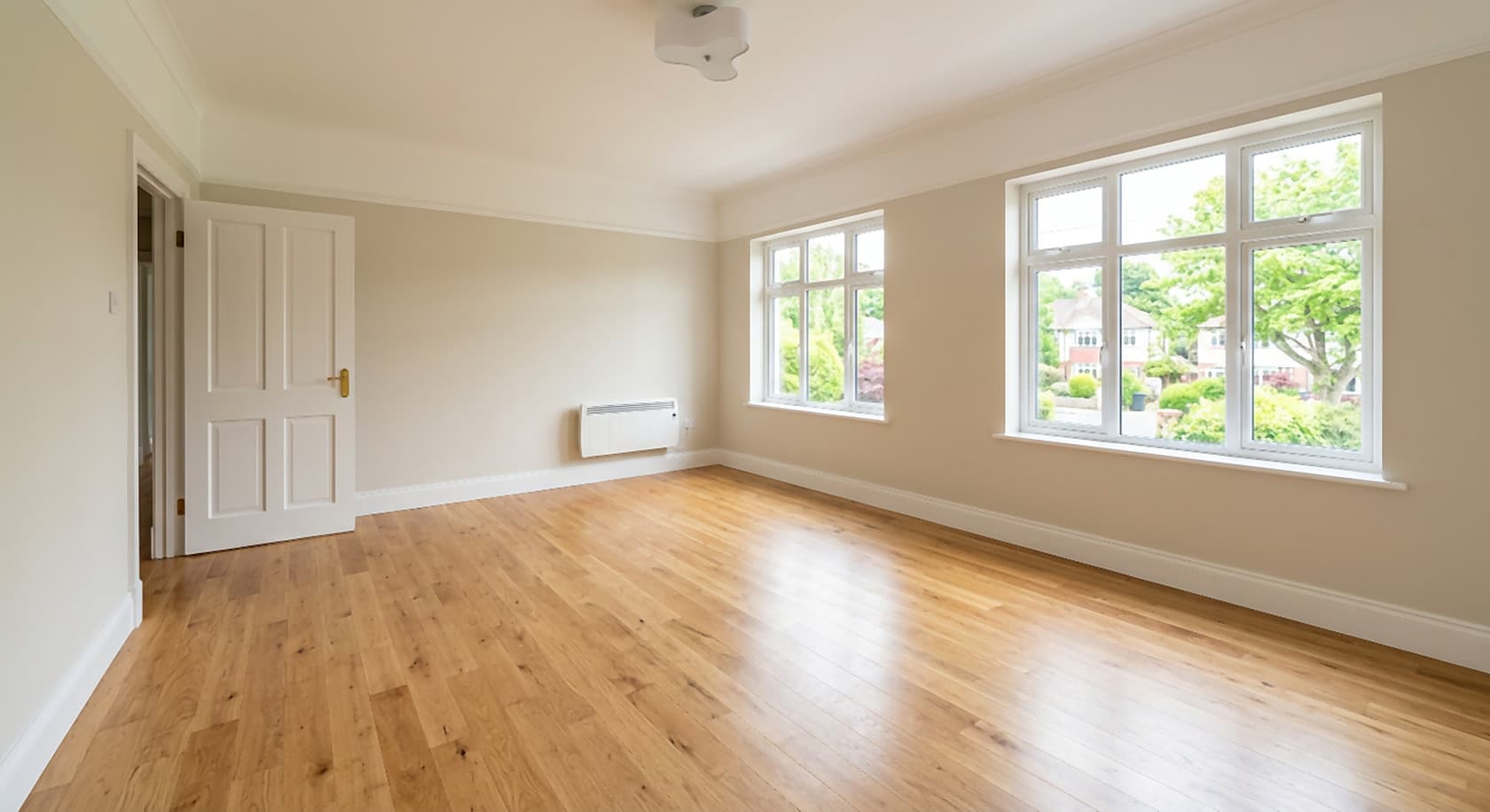
BeforeBefore: empty room with bare floor and white walls
After (AI)After: the same room virtually staged with furniture and decor
Empty new-build room → staged. Virtual staging of an empty room; both images are AI-generated examples, not a customer project. Try this one
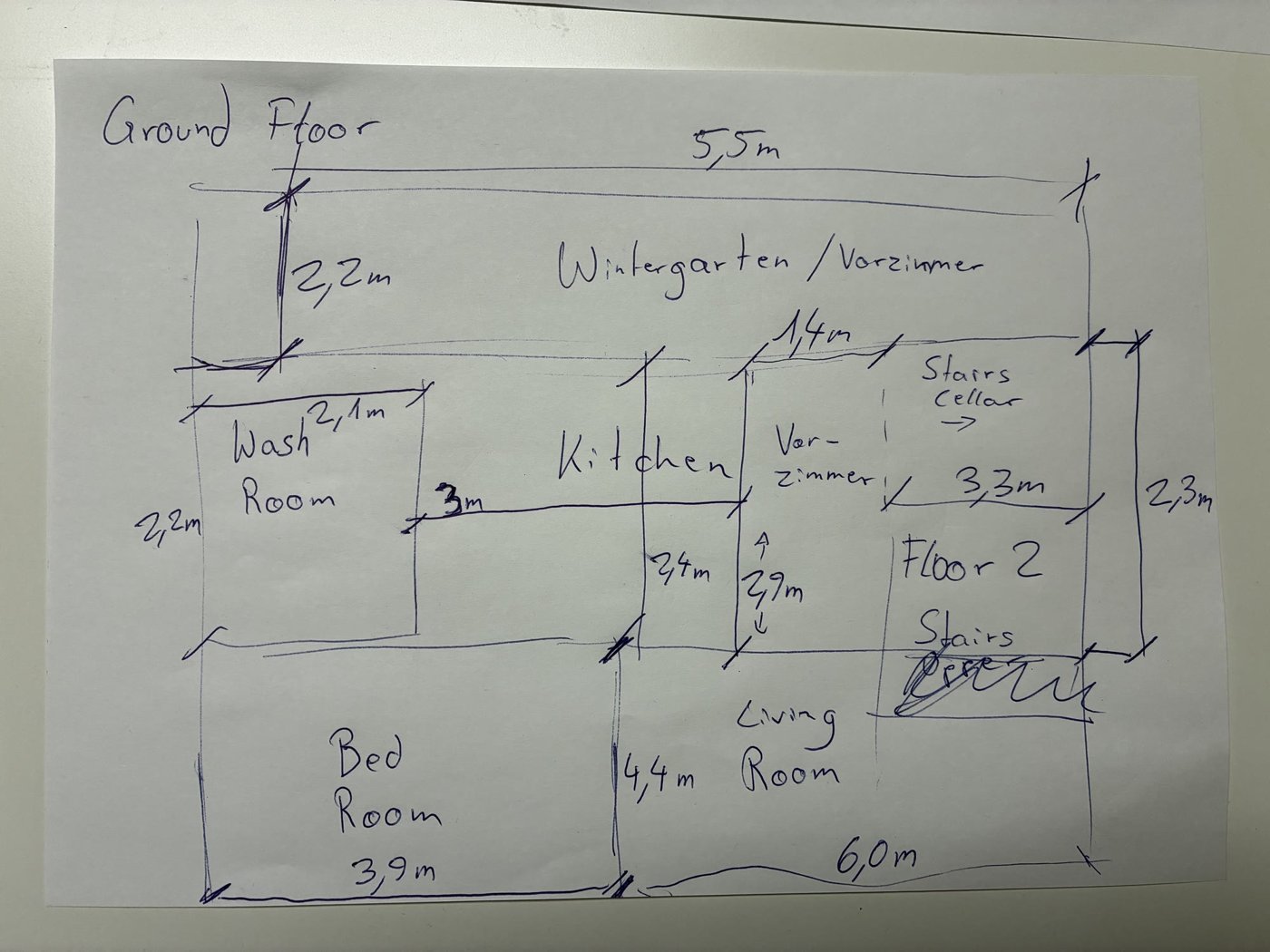
Input: phone photo of a hand-drawn ground floor sketch with handwritten dimensionsAI-drafted CAD floor plan: Hand sketch → CAD: ground floor with winter garden
Hand sketch → CAD: ground floor with winter gardenDrawn from a phone photo of a pencil sketch with handwritten metric dimensions; 1 minute of drafting, 5 versions. Open the drawing and its DXF
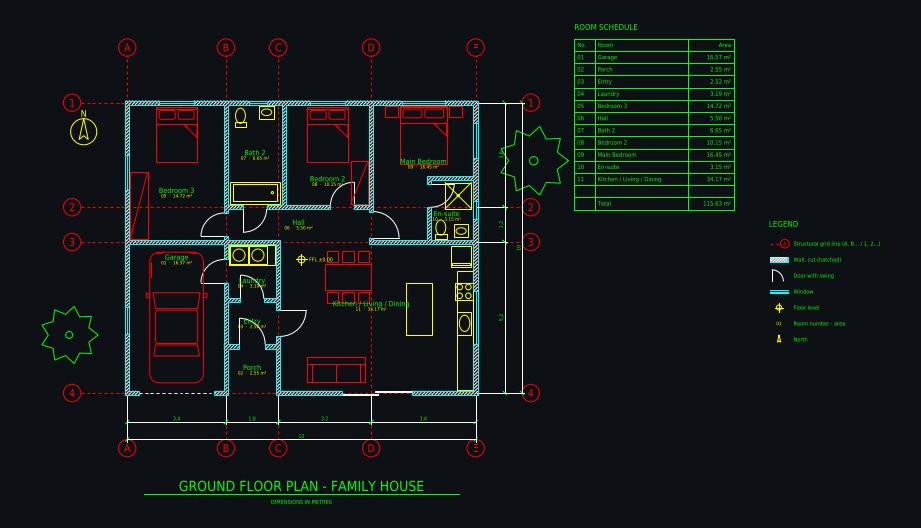
AI-drafted CAD floor plan: Family house 12 × 10 m, 3 bedrooms
Family house 12 × 10 m, 3 bedroomsDrawn from a one-paragraph brief: 3 bedrooms, en-suite, open kitchen with island, laundry, single garage, covered porch; 6 versions. Open the drawing and its DXF
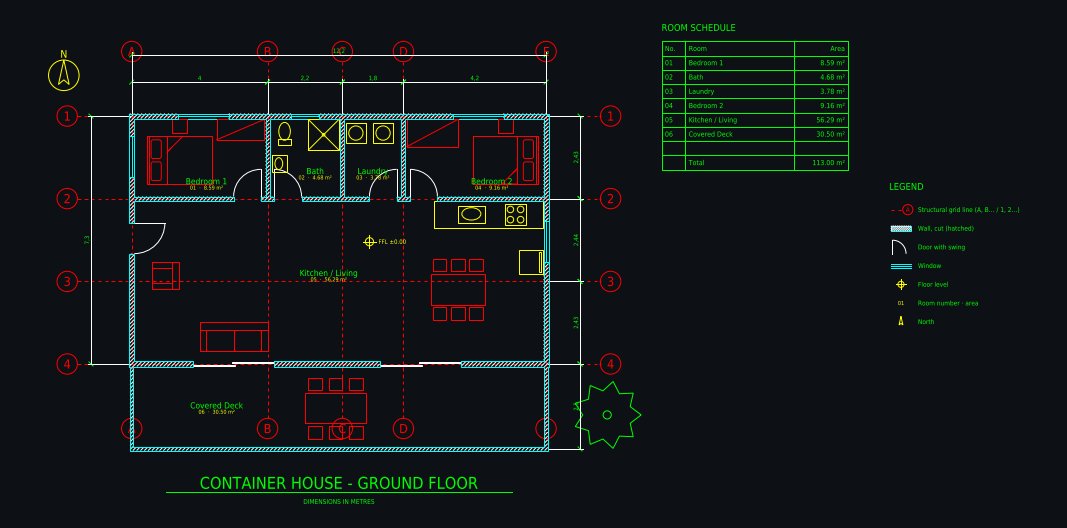
AI-drafted CAD floor plan: Shipping container home 12.2 × 7.3 m
Shipping container home 12.2 × 7.3 mThree 40 ft containers side by side: 2 bedrooms, open kitchen and living, bathroom, laundry, covered deck; 5 versions. Open the drawing and its DXF

AI for each construction role

What to watch out for

Pictures are promises. A preview shows a design intent, not a guaranteed result. Say so in the proposal and keep the final material choices in writing.

Concept drawings are not permit sets. An AI-drafted floor plan saves hours of redrawing, but structure, code and site conditions still need a licensed professional.

Label AI images. In ads and real estate listings, mark virtually staged or AI-edited photos as such, as many local rules require.

Pricing. Paid plans from $12 a month (pricing); no free trial. One account works for the photo tools and Plan Chat.

FAQ

What is AI for construction?

Software that uses machine learning for construction work: estimating and takeoffs, scheduling, document and drawing review, site monitoring, design visualization and drafting. AI Architectures covers the design side: photoreal previews of a remodel or new build from a photo or sketch, and CAD floor plans (DXF, DWG, PDF) from a sketch, a photo of a plan or a description.

How is AI used in construction today?

The most common uses are reading drawings for takeoffs and estimates, writing and searching project documents, tracking site progress from photos, safety monitoring, and producing visuals and drawings faster in pre-construction and sales. Contractors and builders use our tools for the last part: showing the client the finished job before it is built, and getting a clean CAD plan from a sketch in minutes.

Can AI show a client what their house will look like after the work?

Yes. Upload a photo of the house or the room and describe the work (new siding, a deck, a finished basement, a kitchen with an island). In about 30 seconds you get a photoreal preview that keeps the rest of the photo as it is. You can try several options, then send the client the one they pick.

Can AI create construction drawings?

It can create a clean, dimensioned concept floor plan: Plan Chat draws walls, doors, windows, a structural grid, dimension chains, room names and areas on CAD layers and exports DXF, DWG and a scaled PDF. It does not produce a stamped permit or construction set; an architect or engineer completes and checks that.

Does AI Architectures do estimating, takeoffs or scheduling?

No. We do visualization and drafting only. For estimating, takeoff, scheduling or site monitoring use a dedicated construction platform; our images and DXF plans can go into your proposal next to those numbers.

Is AI going to replace contractors?

No. The work on site still needs people, licenses and judgment. What changes is the office side: drawings, documents, estimates and client visuals take less time, so a small team can answer more leads and win more of them.

What does it cost?

Paid plans from $12 a month, Starter at $29 a month; there is no free trial. One AI Architectures account, plan and credits work on ai-architectures.com, floorplan.ai-architectures.com and Plan Chat. A photo preview is one generation; a new CAD drawing usually uses 700 to 1,800 credits. Commercial use is included; cancel anytime.

Can I use the images in quotes, proposals and ads?

Yes, commercial use is included. Label them as AI-generated concepts, and in real estate listings follow your local rules for virtually staged or edited photos.

Sources

  1. McKinsey Global Institute, “Reinventing construction: A route to higher productivity”, February 2017. mckinsey.com
  2. FMI for PlanGrid, “Construction Disconnected”, 2018 (survey of about 600 construction leaders). autodesk.com

Images are AI-generated concepts for planning, sales and client conversations. Drawings from Plan Chat are concept floor plans, not permit, engineering or construction documents; have a licensed professional review any design before anyone builds. AI Architectures does not do estimating, takeoffs, scheduling or site monitoring. Made by 20Vision GmbH, Vienna.