Best AI construction software and tools in 2026, sorted by the job they do
“Construction AI” is not one product. A takeoff tool, a schedule optimizer and a remodel visualizer have nothing in common except the word AI. This guide sorts the tools by the job you need done, says who each one is for, and is upfront about the two jobs we sell: client visuals and CAD drafting.
Checked against each vendor’s own website on 26 October 2026. We are the maker of AI Architectures and Plan Chat; the other vendors are not affiliated with us.
Job
Who it is for
Tools to look at
Estimating and quantity takeoff
Estimators, general contractors, trades
Togal.AI, Kreo, Handoff
Project management and documents
Project managers, superintendents, owners
Procore (Helix), Autodesk Construction Cloud
Scheduling
Schedulers, project controls
ALICE Technologies
Site capture, progress and safety
Field teams on mid-size and large projects
OpenSpace, Buildots
Client visuals and sales images
Contractors, remodelers, home builders, developers
AI Architectures
CAD drafting from sketches and photos
Contractors, designers, drafters, builders
Plan Chat (AI Architectures)
General assistants
Everyone in the office
ChatGPT, Claude, Gemini
AI for estimating and quantity takeoff
For: Estimators, general contractors, trades
Togal.AI: AI takeoff: detects rooms, walls and elements on uploaded plans and measures areas, lengths and counts; drawing comparison and a chat about the drawings.
Kreo: Browser-based 2D takeoff and estimating with AI auto-measure and auto-count on PDF, CAD or image drawings.
Handoff: Estimates and proposals for remodelers from a short description, photos or voice, with local material prices.
AI for project management and documents
For: Project managers, superintendents, owners
Procore (Helix): Construction management platform; its AI layer answers questions from specs, RFIs and submittals and runs agents for RFIs, daily logs and submittals.
Autodesk Construction Cloud: Document, design-review and field management for construction teams, with AI features across the suite.
AI for scheduling
For: Schedulers, project controls
ALICE Technologies: Simulates construction scenarios to optimize and compare schedules; works alongside Primavera P6.
AI for site capture, progress and safety
For: Field teams on mid-size and large projects
OpenSpace: 360° photo capture from a hard-hat camera or phone, mapped to the floor plan automatically, plus progress tracking.
Buildots: Hard-hat 360° footage compared with the BIM model and schedule to report what is installed and what is behind.
AI for client visuals and sales images
For: Contractors, remodelers, home builders, developers
AI Architectures: Photoreal preview of the finished remodel, addition or exterior on the client’s own photo in about 30 seconds; renders of new builds from a sketch, plan or description; virtual staging.
AI for cad drafting from sketches and photos
For: Contractors, designers, drafters, builders
Plan Chat (AI Architectures): An AI drafter draws a layered, dimensioned floor plan from a hand sketch, a photo of a plan or a description; edit by chat or CAD tools; DXF, DWG and PDF.
AI for general assistants
For: Everyone in the office
ChatGPT, Claude, Gemini: Write emails, scopes of work, proposals and summaries; read specs. They are not built for accurate takeoffs from drawings, so check every number.
What our two jobs look like
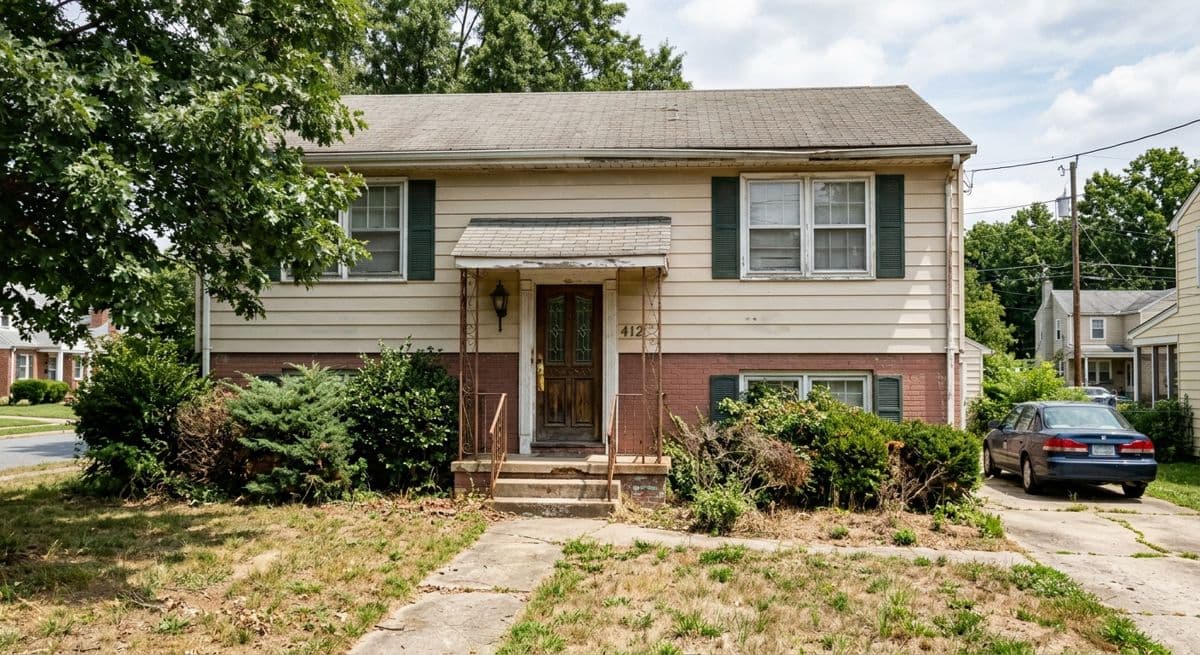
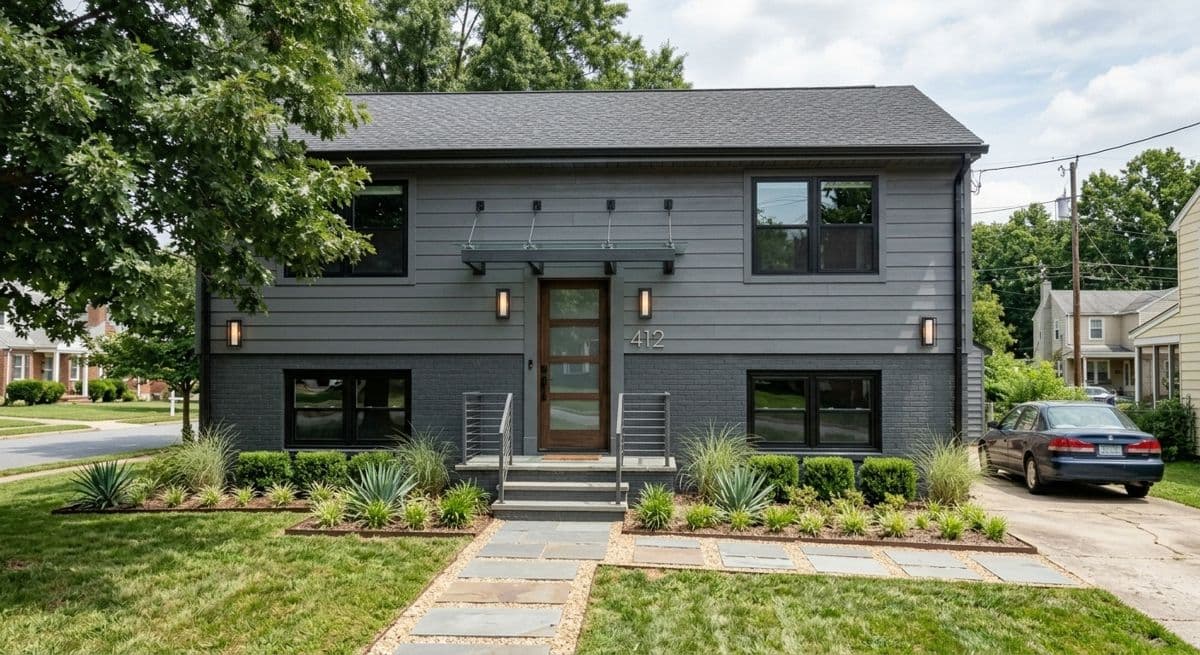
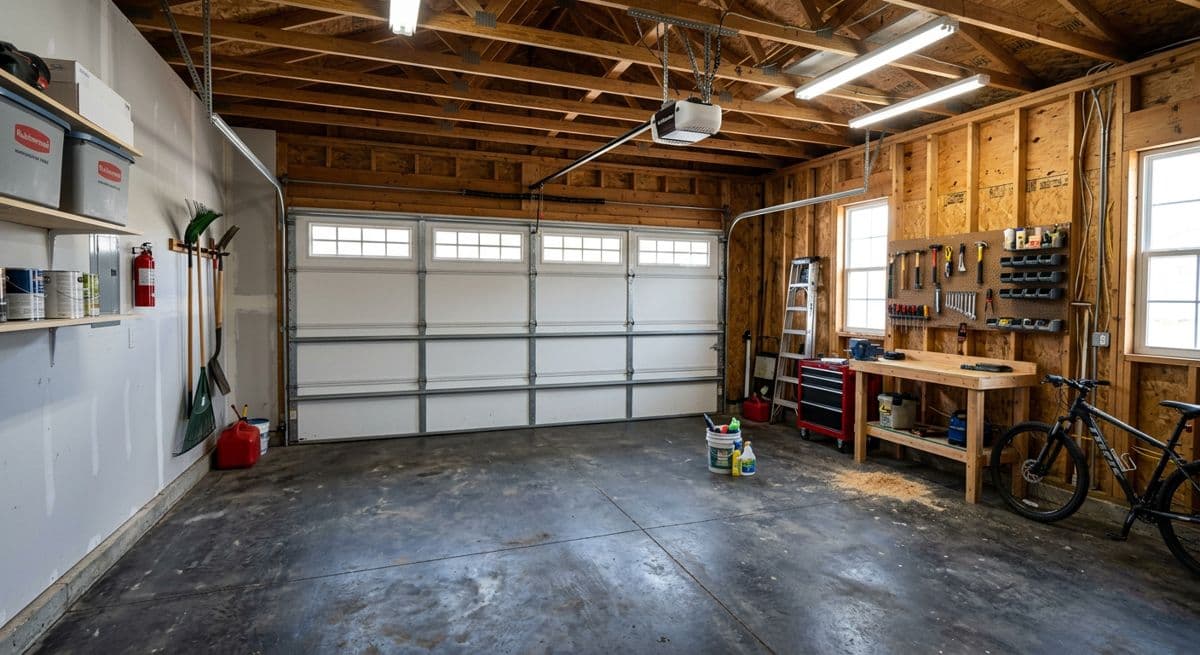
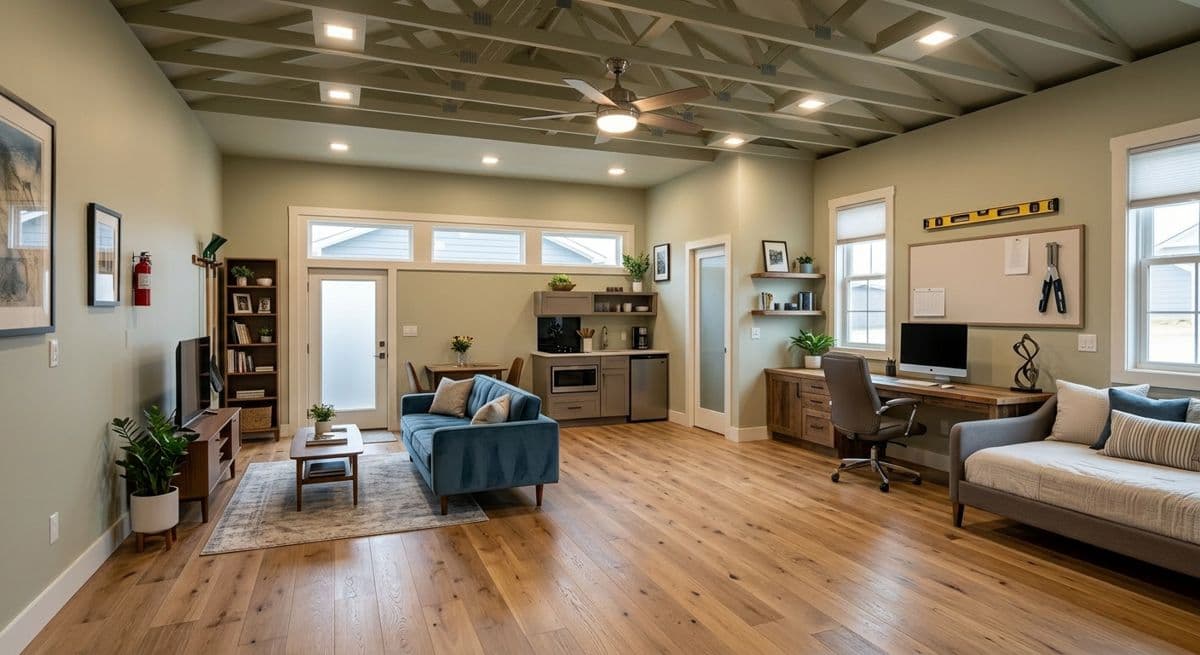
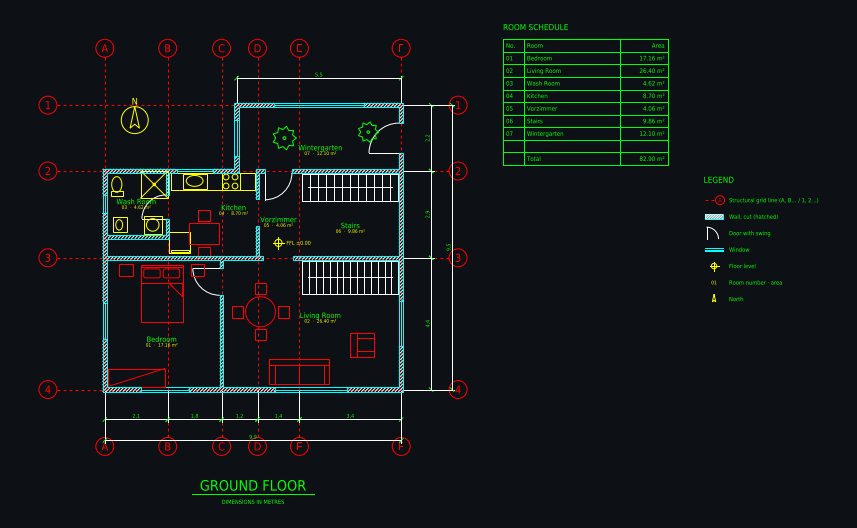
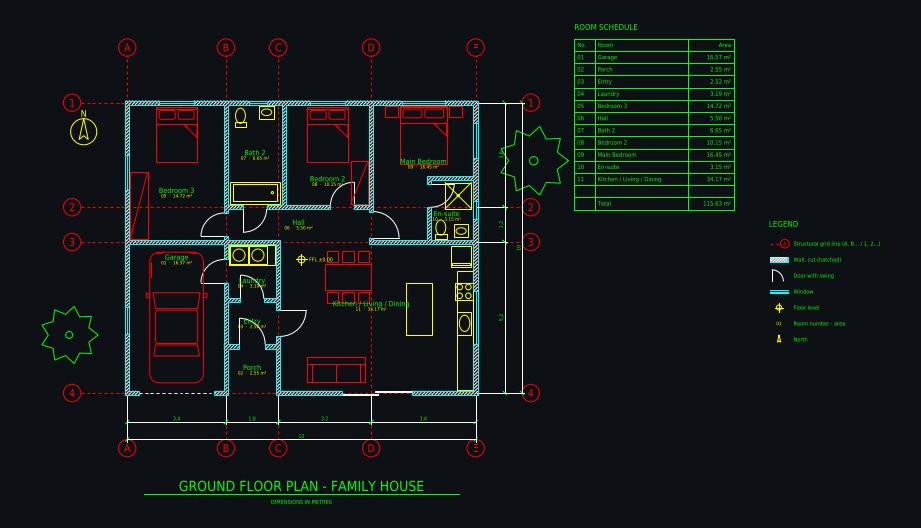
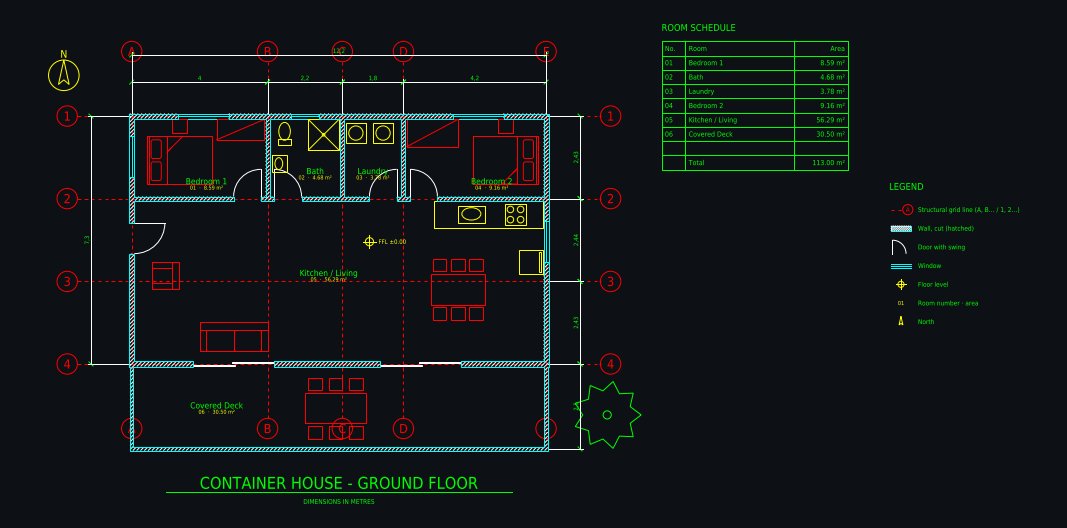
Real outputs, unretouched: a remodel preview on a photo (AI-generated example, not a customer project) and CAD floor plans the Plan Chat drafter drew, public in its gallery with their DXF.
Before
After (AI)
Dated two-storey house → modern exterior. Made with the AI Architectures remodel tool; both images are AI-generated examples, not a customer project. Try this one
Before
After (AI)
Garage → living space conversion. Made with the AI Architectures remodel tool; both images are AI-generated examples, not a customer project. Try this one
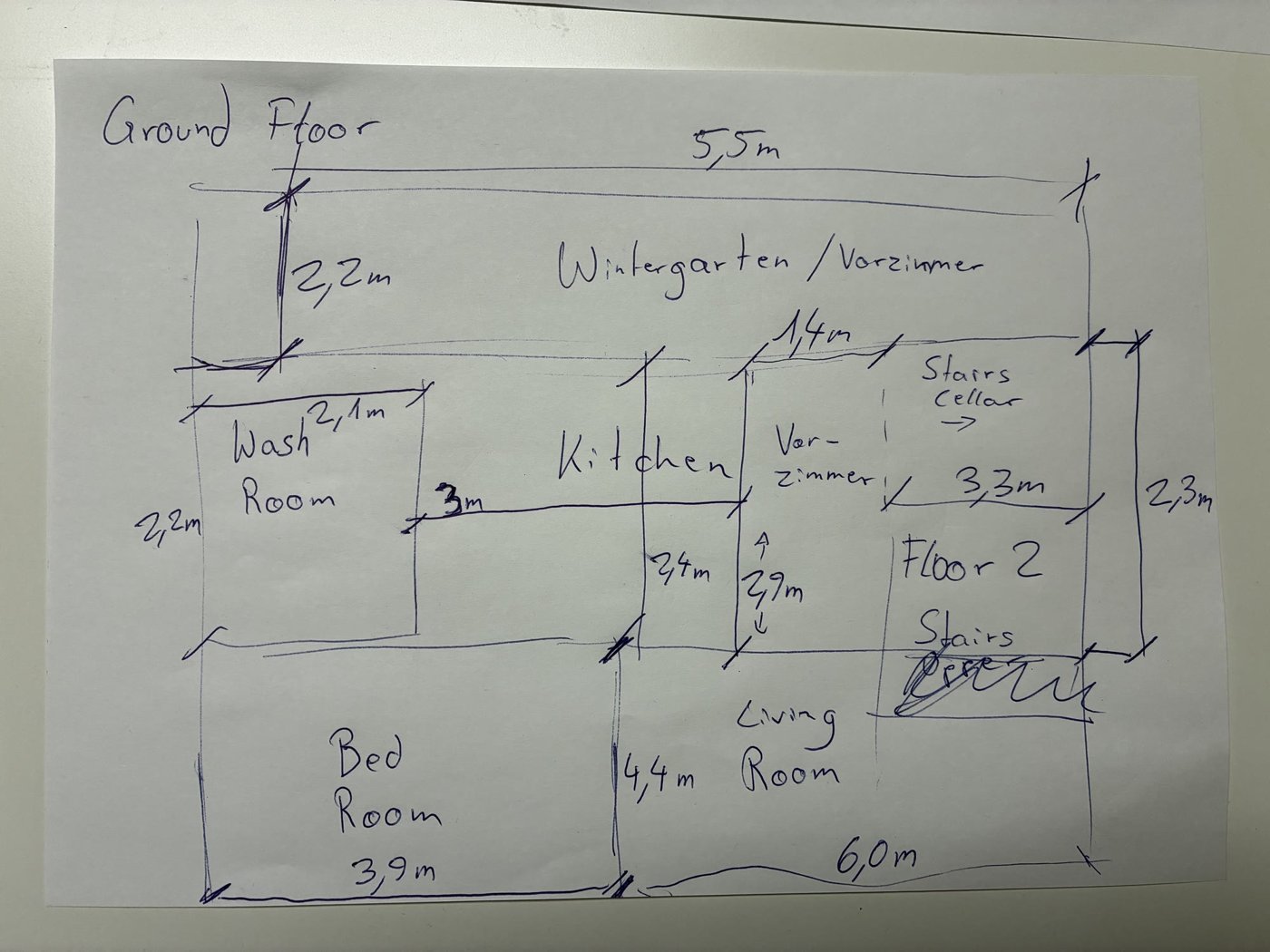
Hand sketch → CAD: ground floor with winter gardenDrawn from a phone photo of a pencil sketch with handwritten metric dimensions; 1 minute of drafting, 5 versions. Open the drawing and its DXFFamily house 12 × 10 m, 3 bedroomsDrawn from a one-paragraph brief: 3 bedrooms, en-suite, open kitchen with island, laundry, single garage, covered porch; 6 versions. Open the drawing and its DXFShipping container home 12.2 × 7.3 mThree 40 ft containers side by side: 2 bedrooms, open kitchen and living, bathroom, laundry, covered deck; 5 versions. Open the drawing and its DXF
How to choose construction AI tools
Start from the bottleneck, not the hype. If you lose bids because quotes take a week, look at estimating. If you lose them because the client can’t picture the result, look at visuals. If drawings sit in a queue, look at drafting.
Prefer tools that use what you already have. Phone photos, PDFs and sketches. Hardware-based tools (360° cameras, drones) pay off on larger projects with a team to run them.
Keep a human check. Every AI output in construction, from a quantity to a floor plan, needs a person who signs off. Choose tools that show their assumptions and let you correct them quickly.
Try it on a real job. One past project tells you more than any demo: run the photo, the sketch or the plan set you already have and compare with what you delivered.
It depends on the job you want done. For takeoffs and estimates, a takeoff tool such as Togal.AI or Kreo; for remodel estimates, Handoff; for project documents and RFIs, Procore or Autodesk Construction Cloud; for schedules, ALICE; for site progress, OpenSpace or Buildots. For showing clients the finished work and turning sketches into CAD plans, AI Architectures and Plan Chat.
What is the best AI for contractors?
Most small and mid-size contractors get the quickest return from two things: faster estimates and proposals, and visuals that help the client say yes. Use an estimating tool for the numbers and AI Architectures for the before/after preview and the floor plan you attach to the proposal.
Can ChatGPT do construction takeoffs or read construction plans?
General assistants can describe a drawing and answer questions about a spec, but they are not reliable for measured quantities from a plan set. Use a dedicated takeoff tool for quantities, and check the result. To get a sketch or a photo of a plan into clean CAD, use an AI drafter such as Plan Chat.
Can AI replace AutoCAD?
Not for a full drawing set. AI can do the first, slow part: Plan Chat draws a dimensioned floor plan from a sketch or photo and hands you a DWG and DXF with named layers, so you continue in AutoCAD or another CAD program instead of redrawing from scratch.
Which construction AI tools work for a small remodeling company?
Pick tools that need no hardware and no setup: an estimating app for quotes, a photo-based remodel preview for the sales meeting, and an AI drafter for the floor plan. All three work from a phone photo and run in the browser or on a phone.
Does AI Architectures do estimating or project management?
No. AI Architectures does visualization (remodel and exterior previews, renders, virtual staging) and drafting (CAD floor plans in Plan Chat). Use it next to your estimating and project management software.
How much does AI construction software cost?
Enterprise platforms are usually quoted per project or per seat; takeoff tools are typically priced per user per month; AI Architectures has paid plans from $12 a month, with Starter at $29 a month, and no free trial. Check each vendor’s current pricing page.
Images are AI-generated concepts for planning, sales and client conversations. Drawings from Plan Chat are concept floor plans, not permit, engineering or construction documents; have a licensed professional review any design before anyone builds. AI Architectures does not do estimating, takeoffs, scheduling or site monitoring. Made by 20Vision GmbH, Vienna.