AI for construction › AI for home builders

AI for home builders: sell the house before it is built

Turn an elevation, a floor plan or a photo of the empty lot into a photoreal picture of the finished home in about 30 seconds. Show option packages, stage the empty model home, and get concept floor plans as CAD files from a sketch.

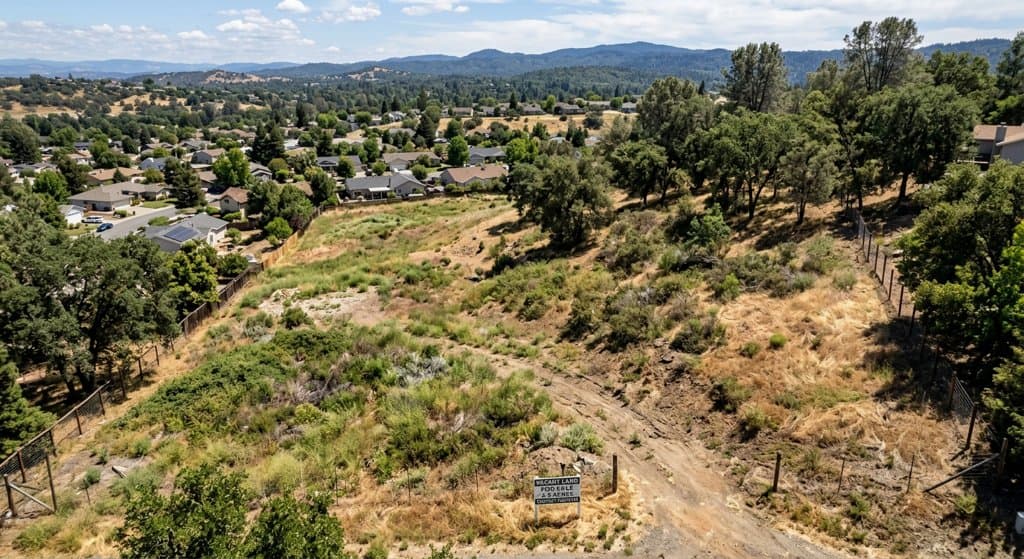
Lot photoBefore: aerial photo of an empty hillside lot with dry grass and oaks
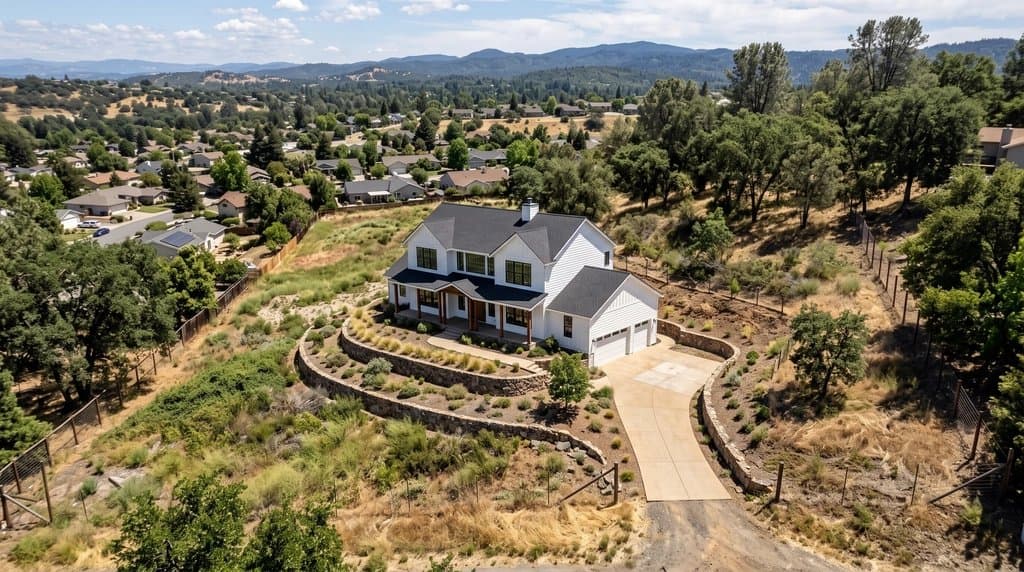
After (AI)After: the same aerial photo with a white two-storey farmhouse, terraced retaining walls and a driveway placed on the lot
Empty lot → the planned house on it. Made with the AI Architectures remodel tool; both images are AI-generated examples, not a customer project. Try this one
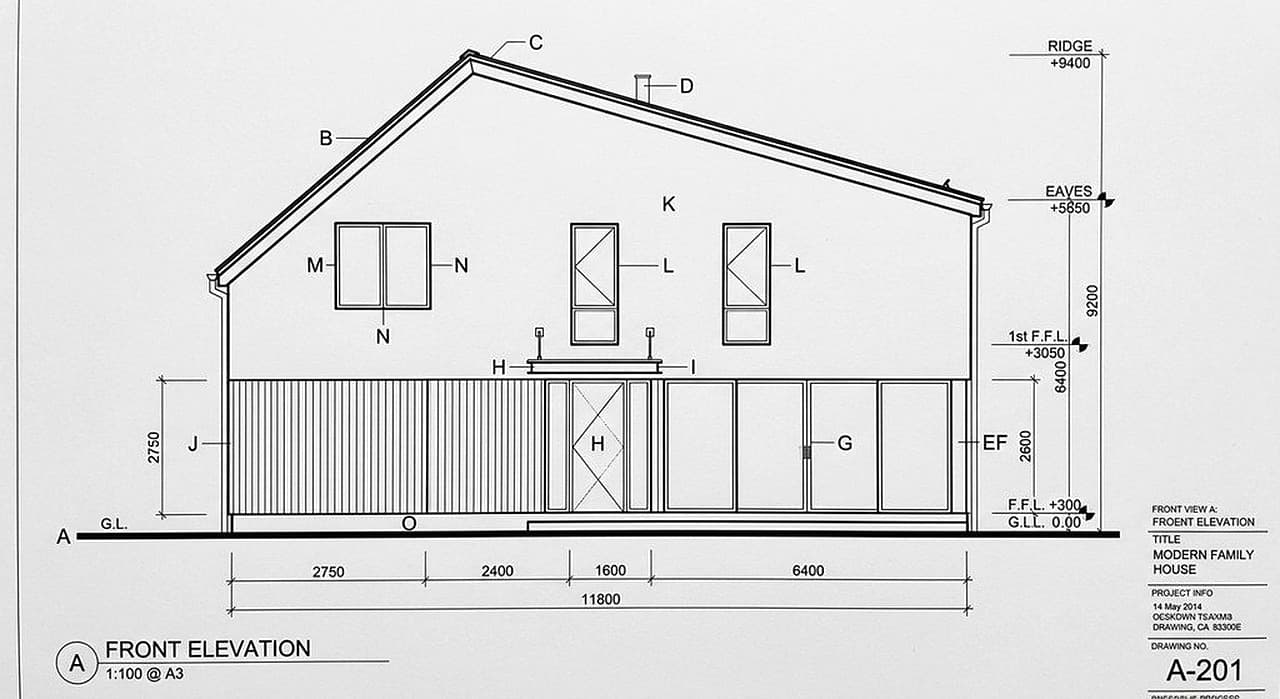
DrawingBefore: CAD front elevation of a two-storey family house with levels and dimensions
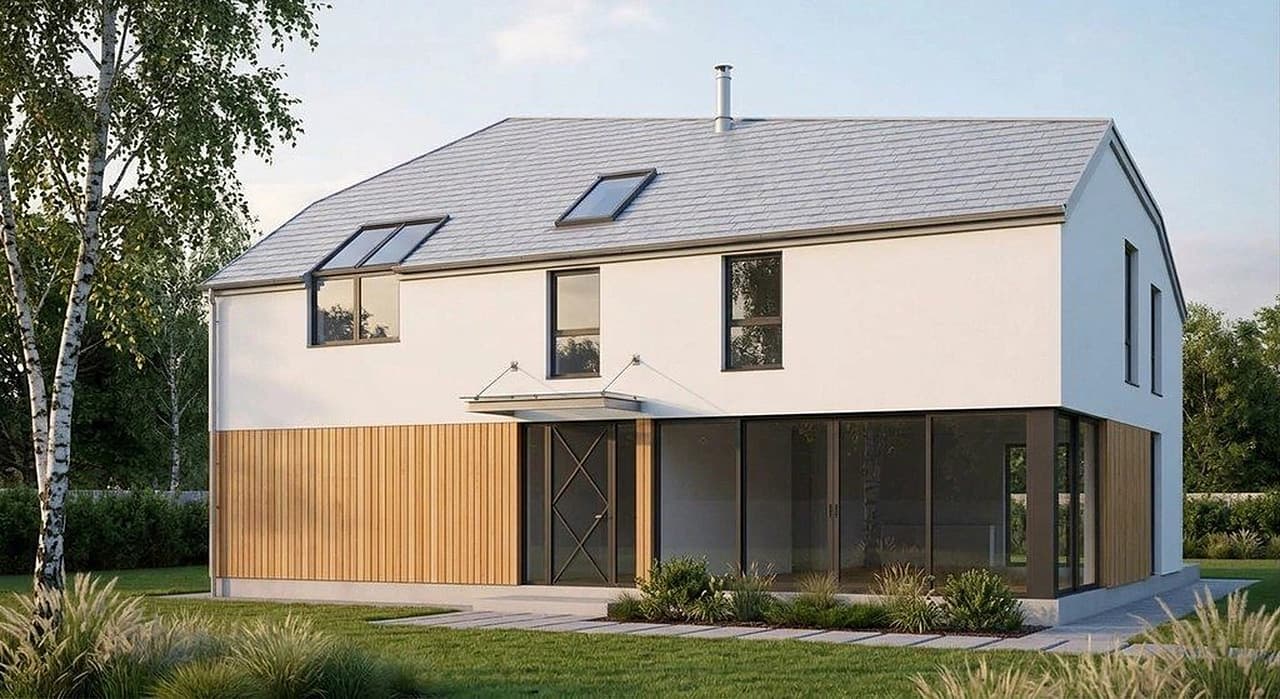
After (AI)After: photoreal render of the same house with white render, timber cladding, large glazing and a grey roof
Front elevation drawing → photoreal exterior. Rendered from the elevation drawing with the AI Architectures render tool; an example we made, not a customer project. Try this one

Render a new home from a lot photo, plan or sketch

Upload the lot photo, elevation or sketch (or just describe the house), adjust the sample text, press Create.

Where AI saves home builders time and money

Pre-sales and marketing before the build

Spec homes and new communities sell from pictures long before buyers can walk through. Instead of waiting weeks for a rendering studio, render the plan or place the house on the photo of the actual lot, in the light and season you want. Change the siding or roof color in a sentence and render again. Use the images on the website, in ads, on the site sign and in the bank package; label them as artist’s impressions.

Images of the finished house while it is under construction

A framed shell on a muddy lot doesn’t sell. Photograph the house from the street during construction and ask for the finished exterior from the same angle: cladding, windows, roof, driveway and landscaping done. Buyers see the real house, in its real street, finished.

Option and upgrade packages

Show the same plan as modern farmhouse, craftsman and contemporary, or the same kitchen with the standard and the upgraded finish package. Buyers choose faster when they see the difference on their house rather than a sample board.

Staging empty new builds

Finished but empty rooms look smaller in photos. Virtual staging furnishes the listing photos in the style your buyers expect, at a fraction of what physical staging costs, with the originals kept for disclosure.

Concept floor plans and variations in CAD

A buyer marks up the plan, a superintendent sketches a layout change, a custom-home client describes what they want: Plan Chat turns any of these into a dimensioned CAD floor plan with room areas and a schedule, and every change into a new version. Download DXF or DWG for your drafter, or a scaled PDF for the buyer. Need a starting point? Browse 70 house plans with PDF, DXF and IFC files.
Reference: real outputs

Unretouched outputs of our tools: examples we made, not customer projects. The floor plan and its exterior come from one Plan Chat session; the CAD drawings are public in the Plan Chat gallery with their DXF.

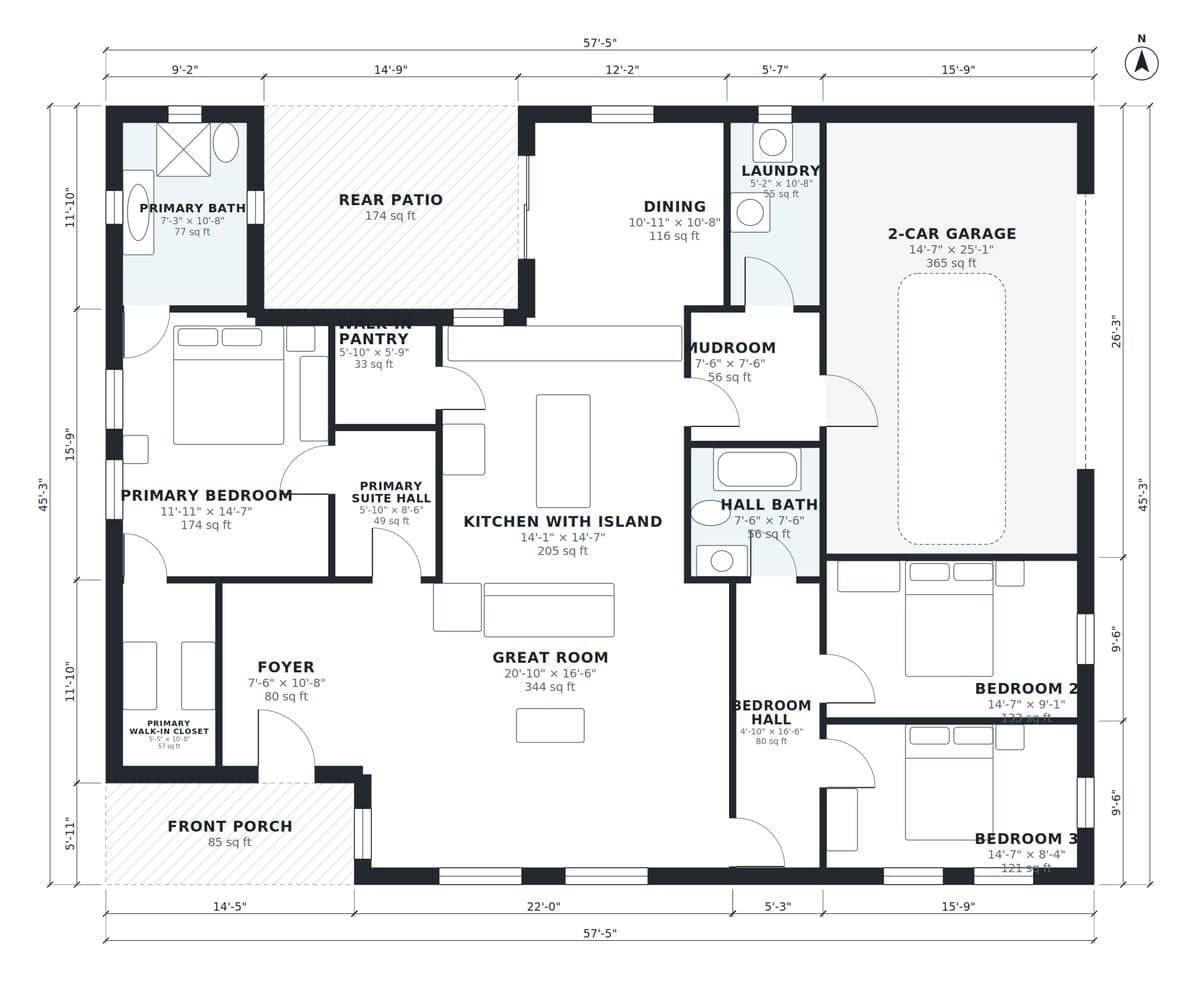
PlanBefore: dimensioned floor plan of a 3-bedroom single-storey ranch drawn in Plan Chat
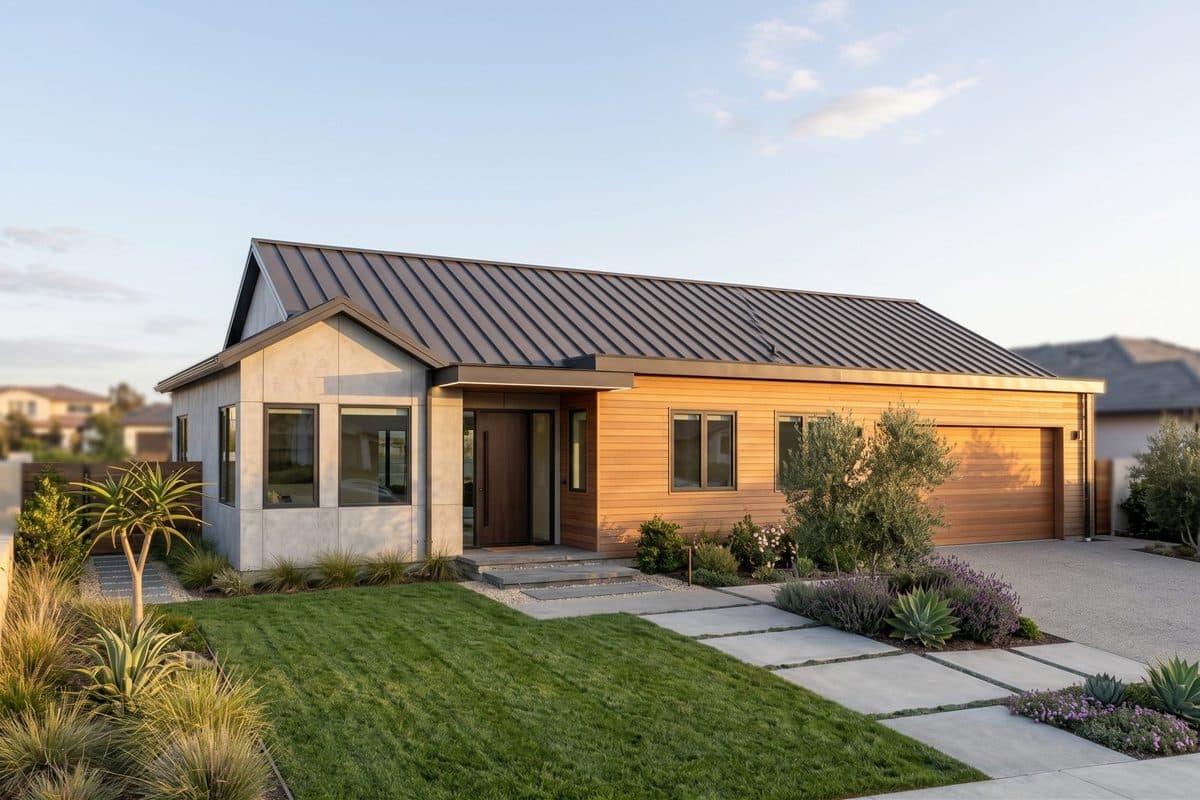
After (AI)After: photoreal exterior of the same ranch house with metal roof, timber and stucco
Floor plan → exterior of the same house. Floor plan drawn in Plan Chat from one sentence, and the exterior rendered from it; AI-generated example. Try this one
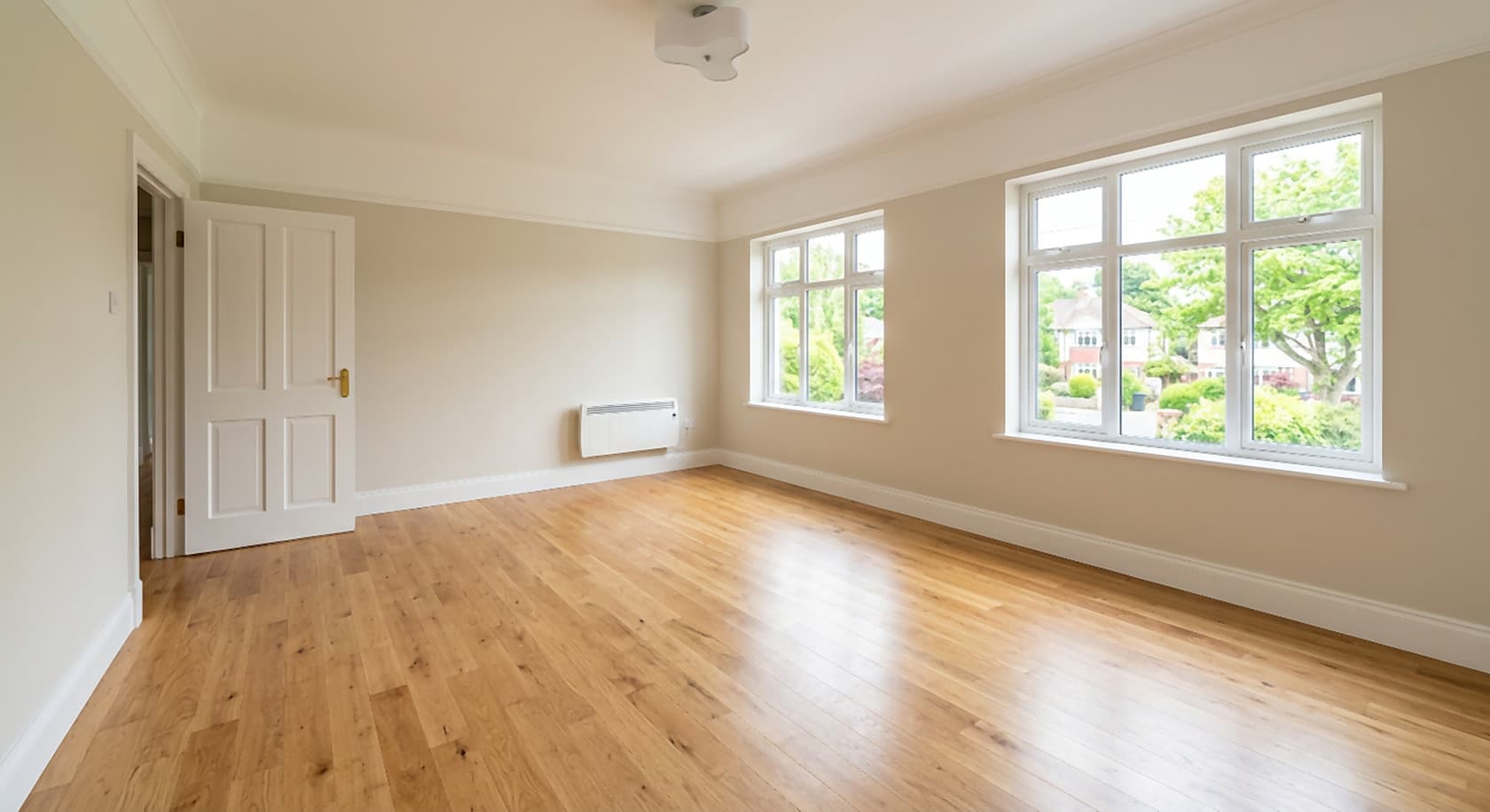
BeforeBefore: empty room with bare floor and white walls
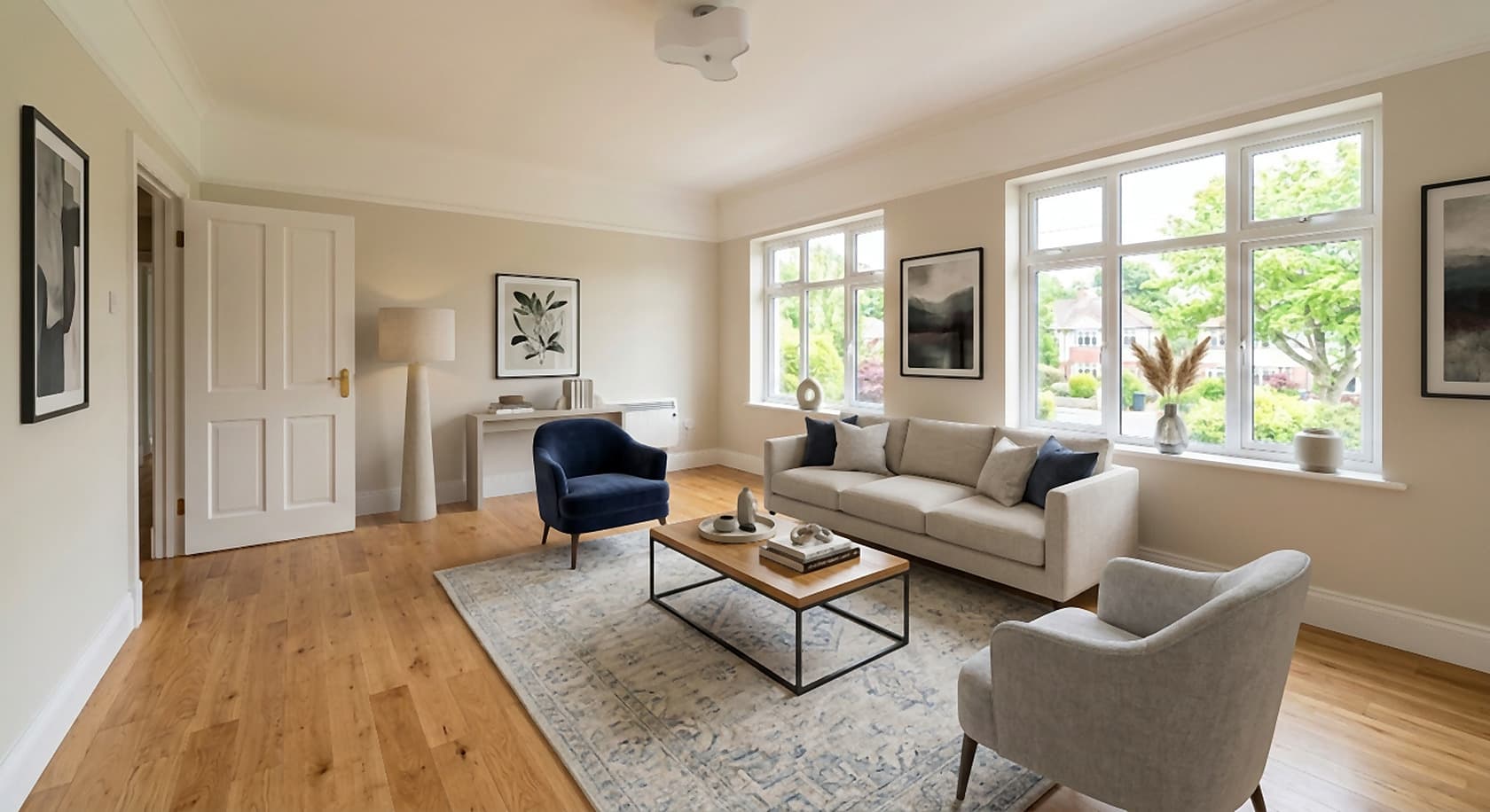
After (AI)After: the same room virtually staged with furniture and decor
Empty new-build room → staged. Virtual staging of an empty room; both images are AI-generated examples, not a customer project. Try this one
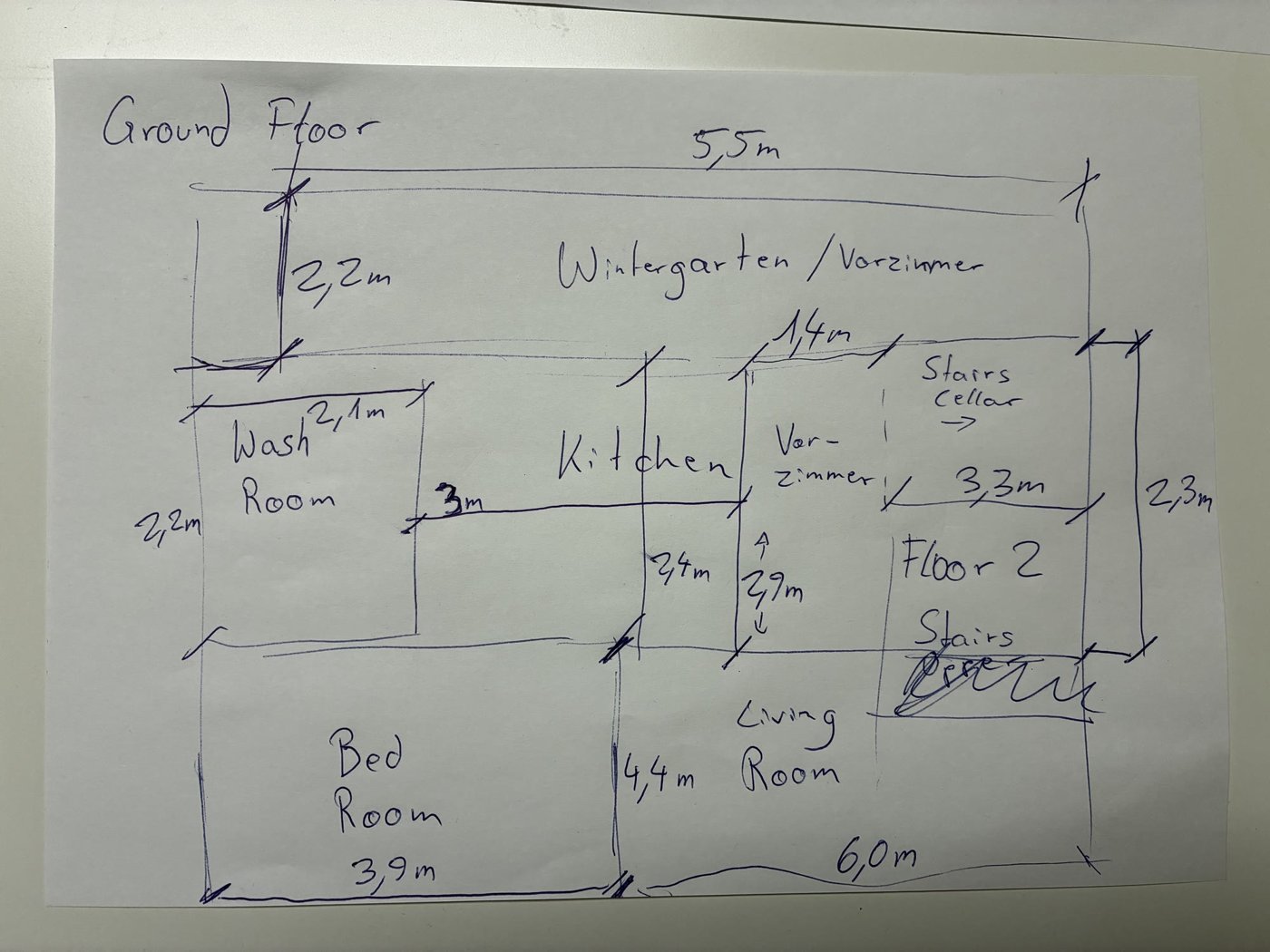
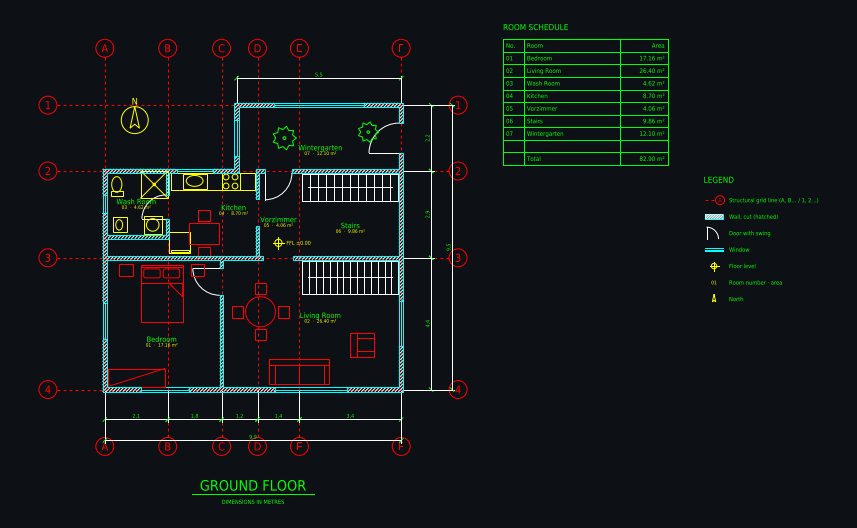
Input: phone photo of a hand-drawn ground floor sketch with handwritten dimensionsAI-drafted CAD floor plan: Hand sketch → CAD: ground floor with winter garden
Hand sketch → CAD: ground floor with winter gardenDrawn from a phone photo of a pencil sketch with handwritten metric dimensions; 1 minute of drafting, 5 versions. Open the drawing and its DXF
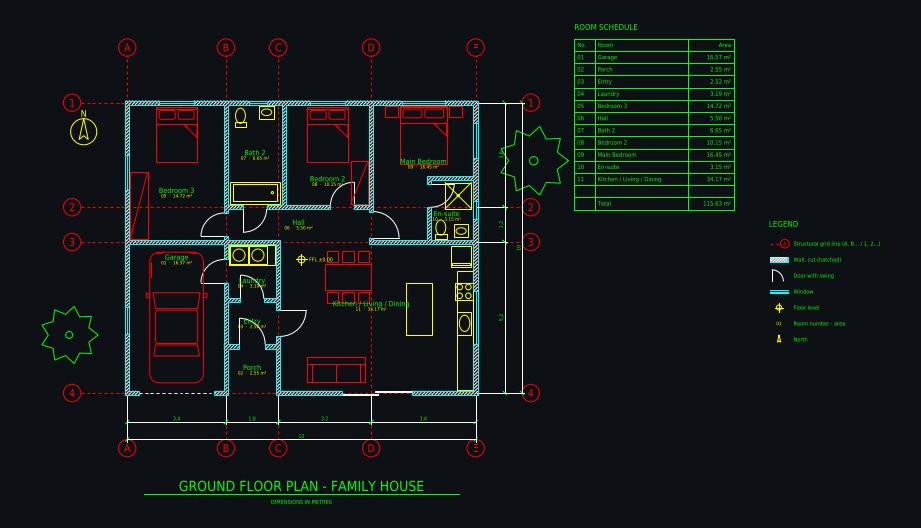
AI-drafted CAD floor plan: Family house 12 × 10 m, 3 bedrooms
Family house 12 × 10 m, 3 bedroomsDrawn from a one-paragraph brief: 3 bedrooms, en-suite, open kitchen with island, laundry, single garage, covered porch; 6 versions. Open the drawing and its DXF
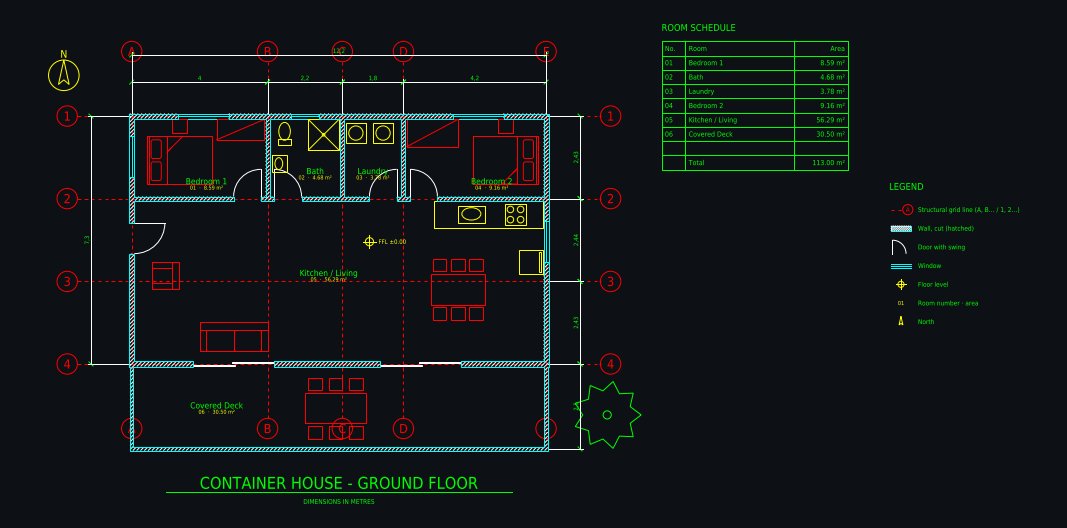
AI-drafted CAD floor plan: Shipping container home 12.2 × 7.3 m
Shipping container home 12.2 × 7.3 mThree 40 ft containers side by side: 2 bedrooms, open kitchen and living, bathroom, laundry, covered deck; 5 versions. Open the drawing and its DXF

How it works

  1. 1. Upload what you have. Lot photo, elevation, floor plan, sketch, construction-stage photo, or only a description.
  2. 2. Describe the house. Style, storeys, cladding, roof, windows, garage, landscaping, light and season.
  3. 3. Iterate and publish. About 30 seconds per image. Change one thing at a time in a sentence, then download in 2K (4K with the 4K pack).

Pricing: paid plans from $12 a month, Starter $29, Team $39 per seat; no free trial. See pricing. Related: AI construction rendering, AI house design, AI for contractors.

FAQ

How can home builders use AI?

In pre-construction and sales: renders of a plan or a lot before anything is built, variations of the same house in different materials, staged photos of empty new builds, and quick CAD floor plans from a sketch or a buyer’s marked-up plan. Estimating, purchasing and scheduling are done in construction-management software.

Can AI make a rendering of a house from a floor plan or an elevation?

Yes. Upload the elevation drawing, the floor plan or a sketch and describe the materials; you get a photoreal exterior in about 30 seconds. For an exterior that follows the plan exactly, open the plan in Plan Chat, which builds a measured 3D model of that version and renders it.

Can I show buyers a house that is still under construction?

Yes. Photograph the framed or sheathed house, or the empty lot, and ask for the finished house from the same viewpoint. Label the image as an artist’s impression, because the finished house can differ in detail.

Can buyers choose options with it?

You can render the same plan with different siding, roof, window and color packages in a few minutes, and show interiors with different finish packages. Most builders prepare the standard options once and reuse them on the sales page.

Is there AI software for custom home builders?

For the design conversation, yes: a client’s description becomes a concept floor plan in Plan Chat and a photoreal exterior here, both changed in plain words. The architect or designer then turns the chosen concept into the permit and construction set.

Can the floor plans be used for permits?

No. They are concept plans with dimensions, areas and DXF/DWG files that save drafting time. Permit and construction documents still need a licensed architect, engineer or certified designer.

What does it cost a builder?

Paid plans from $12 a month, priced by usage; Starter is $29 a month; Team is $39 per seat a month. No free trial, commercial use included, cancel anytime. One account works on all our sites and Plan Chat.

Images are AI-generated concepts for planning, sales and client conversations. Drawings from Plan Chat are concept floor plans, not permit, engineering or construction documents; have a licensed professional review any design before anyone builds. AI Architectures does not do estimating, takeoffs, scheduling or site monitoring. Made by 20Vision GmbH, Vienna.