AI for construction › AI construction rendering

AI construction rendering: the finished building, from a site photo or a drawing

Upload a photo of the site, a sketch, an elevation or a model view, describe the finished result, and get a photoreal rendering in about 30 seconds. For pre-sales, proposals, hoardings and client approvals.

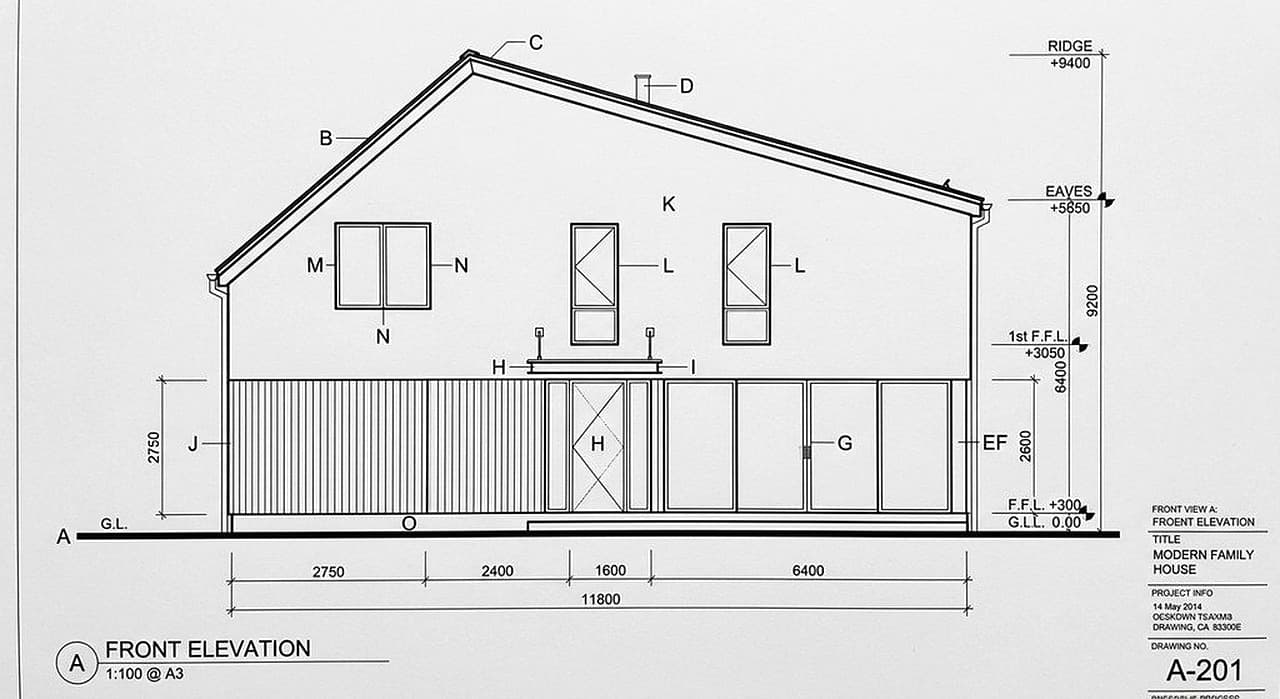
DrawingBefore: CAD front elevation of a two-storey family house with levels and dimensions
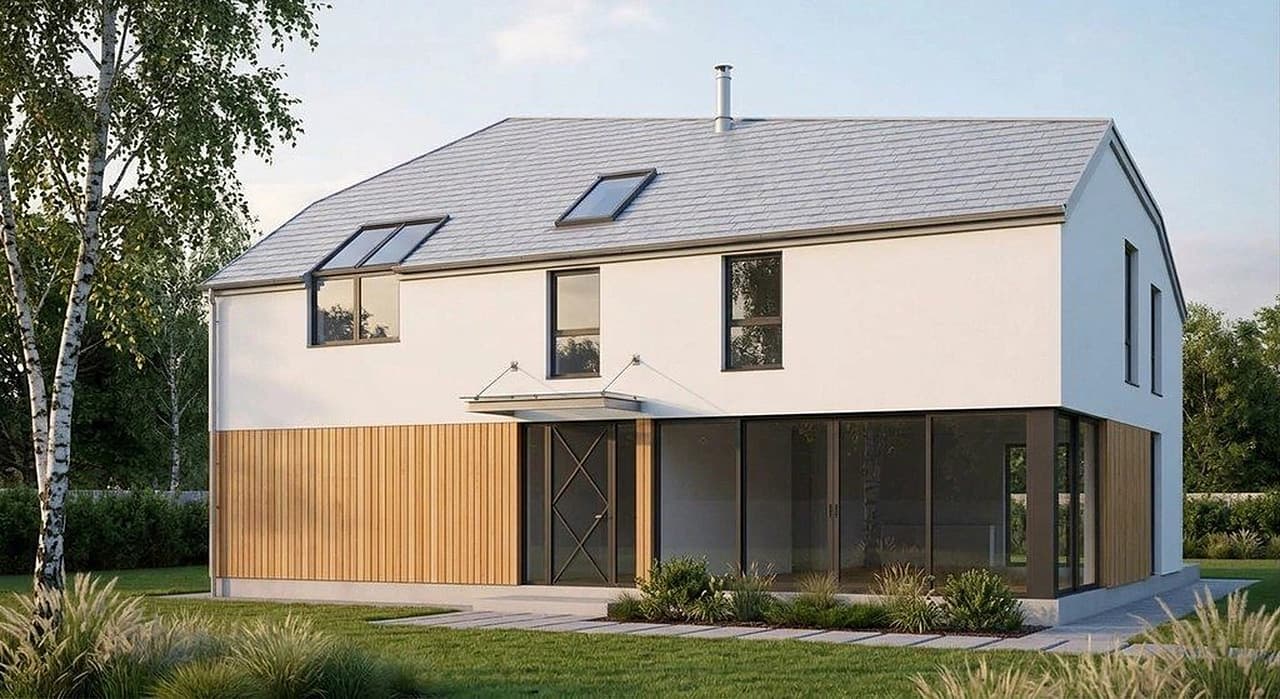
After (AI)After: photoreal render of the same house with white render, timber cladding, large glazing and a grey roof
Front elevation drawing → photoreal exterior. Rendered from the elevation drawing with the AI Architectures render tool; an example we made, not a customer project. Try this one
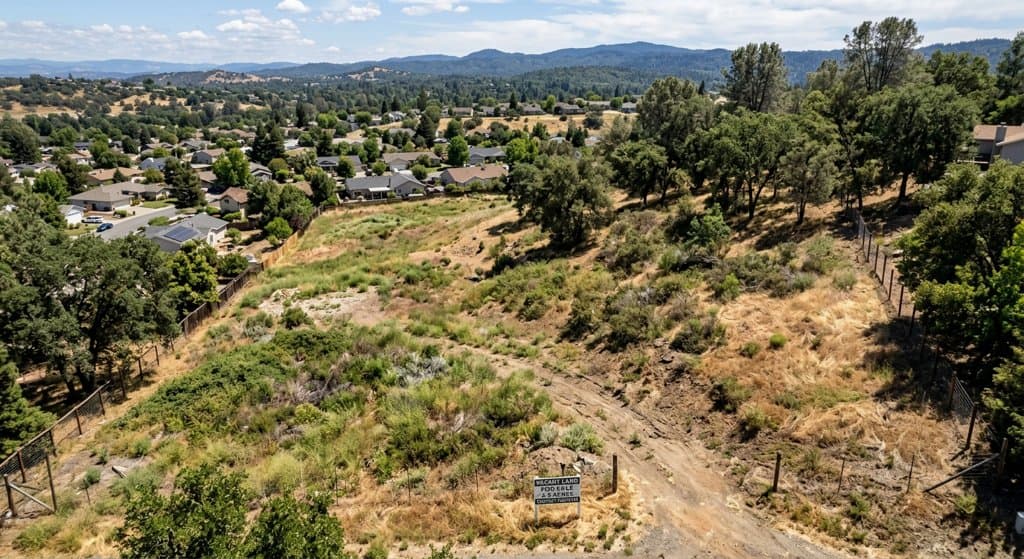
Lot photoBefore: aerial photo of an empty hillside lot with dry grass and oaks
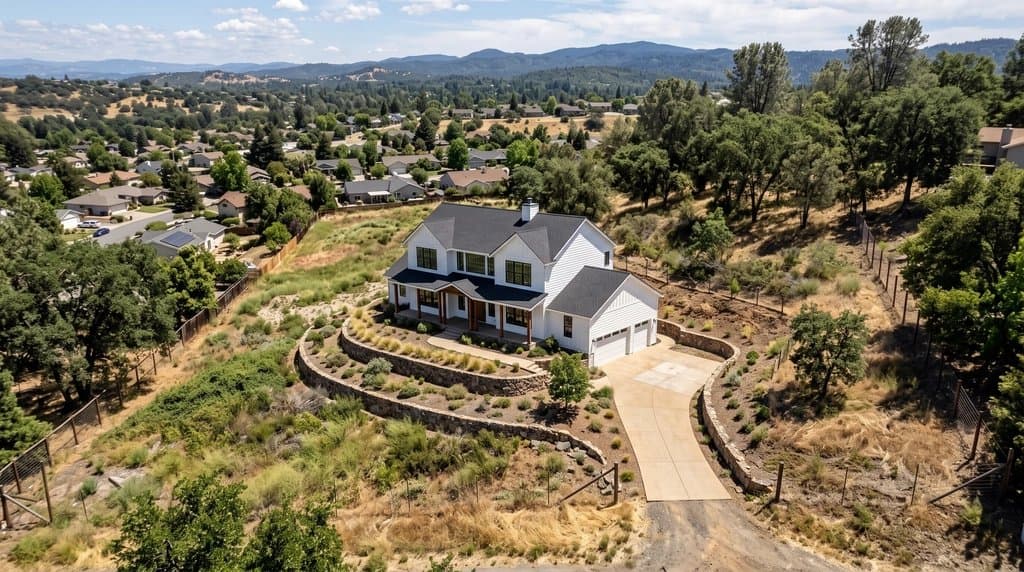
After (AI)After: the same aerial photo with a white two-storey farmhouse, terraced retaining walls and a driveway placed on the lot
Empty lot → the planned house on it. Made with the AI Architectures remodel tool; both images are AI-generated examples, not a customer project. Try this one

Render a project that is not built yet

Upload a site photo, sketch or drawing, adjust the sample text to your project, press Create.

Construction visualization without a 3D model

Classic construction rendering needs a 3D model, materials, lighting and hours of render time, so it happens once, late, and costs accordingly. AI rendering starts from what already exists on a project: the photo from the site visit, the elevation in the drawing set, the sketch from the first meeting. You describe the result in words, and you can try five material options in the time one classic render takes.

Four ways to start

  • A construction-stage photo. Shoot the site from the street; ask for the completed facade, without scaffolding, cranes or fencing. The camera position stays, so the image matches the real view buyers will know.
  • An elevation or sketch. The render keeps the lines of the drawing and adds materials, light and context. See AI architecture rendering.
  • A photo of the existing building. For renovations and additions: the new siding, roof, windows, extension or deck on the real house. See AI for contractors.
  • A floor plan or a description. For early concepts: describe the building, or start from the plan. For an exact plan-based exterior, use Plan Chat, which renders from a measured 3D model.

Who uses AI construction renderings

Developers and buildersPre-sales pages, site hoardings, bank and investor packages, planning conversations with neighbours.
General contractorsBids and proposals that show the finished project, not just a schedule and a number.
Remodelers and tradesThe client’s own house with the new kitchen, siding, roof, deck or landscaping.
Architects and designersQuick photoreal studies from sketches, elevations and model views between full renders.

Tips for better results

  • Shoot or crop the photo the way you want the final image framed; the AI keeps the viewpoint.
  • Name two or three materials and colors, plus what must not change (“keep the roof line and window positions”).
  • Add context: street trees, people, cars, season and time of day make a render read as a photo.
  • Change one thing per round; it is faster than rewriting the whole description.
  • Label marketing images as artist’s impressions, and keep the drawings as the reference for what gets built.
Reference: real outputs

Unretouched outputs of our tools: examples we made, not customer projects.

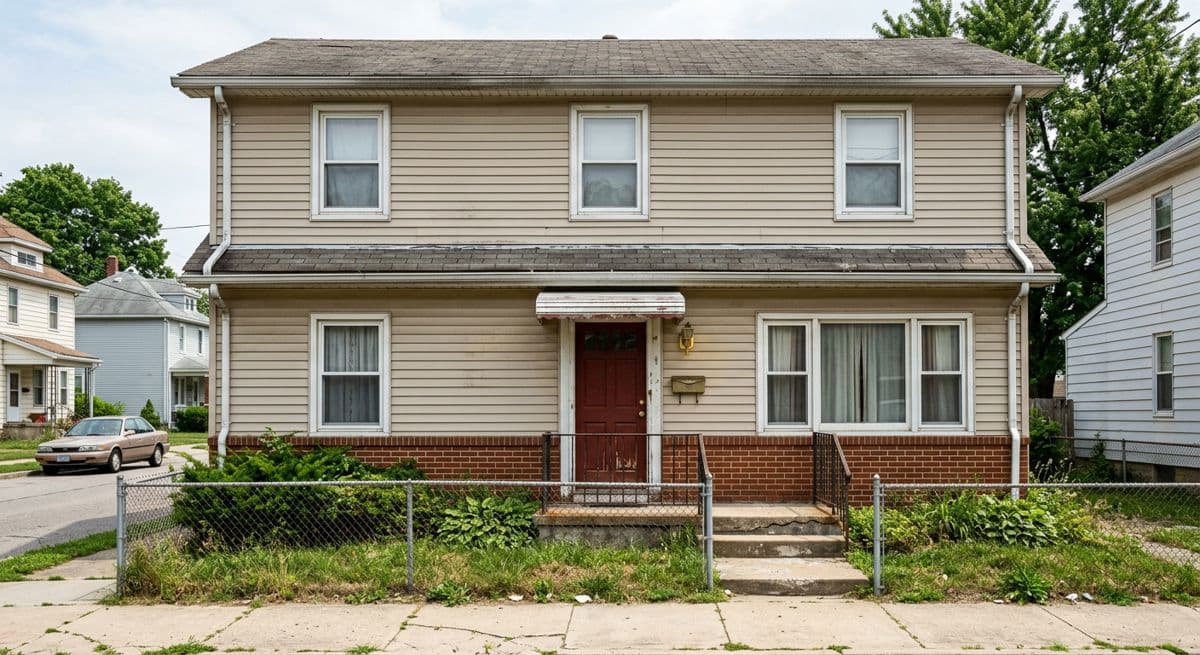
BeforeBefore: plain two-storey house with beige vinyl siding and a chain-link fence
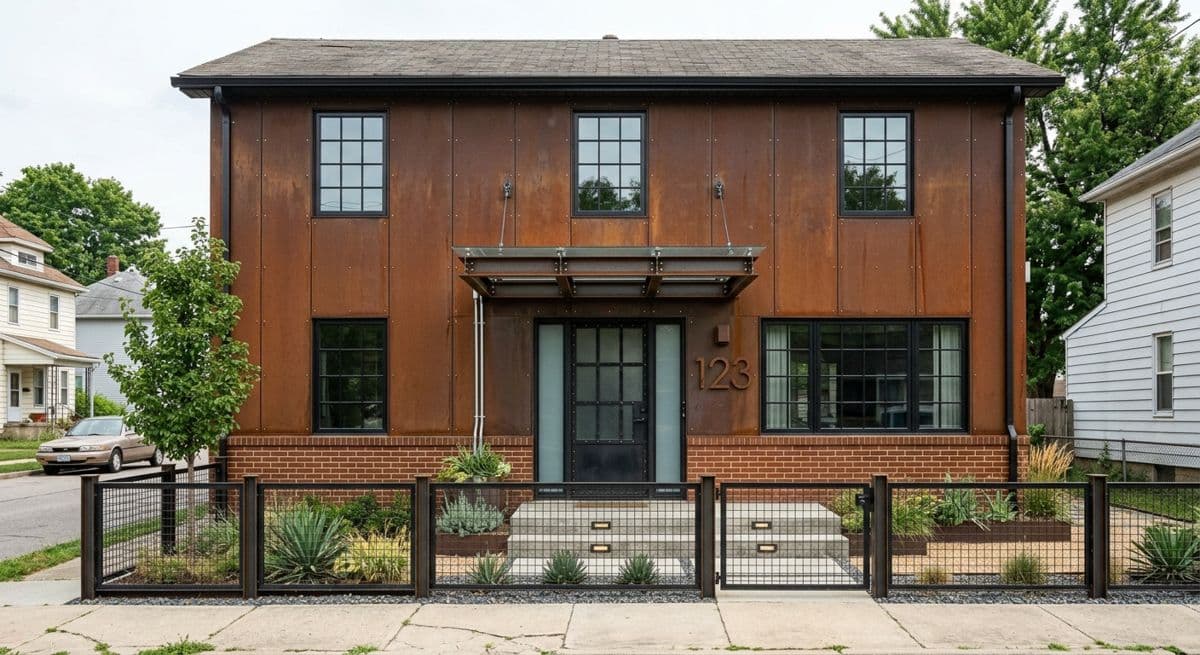
After (AI)After: the same house re-clad in rust-coloured metal panels with black windows and a new front fence
Vinyl-sided house → new façade. Made with the AI Architectures remodel tool; both images are AI-generated examples, not a customer project. Try this one
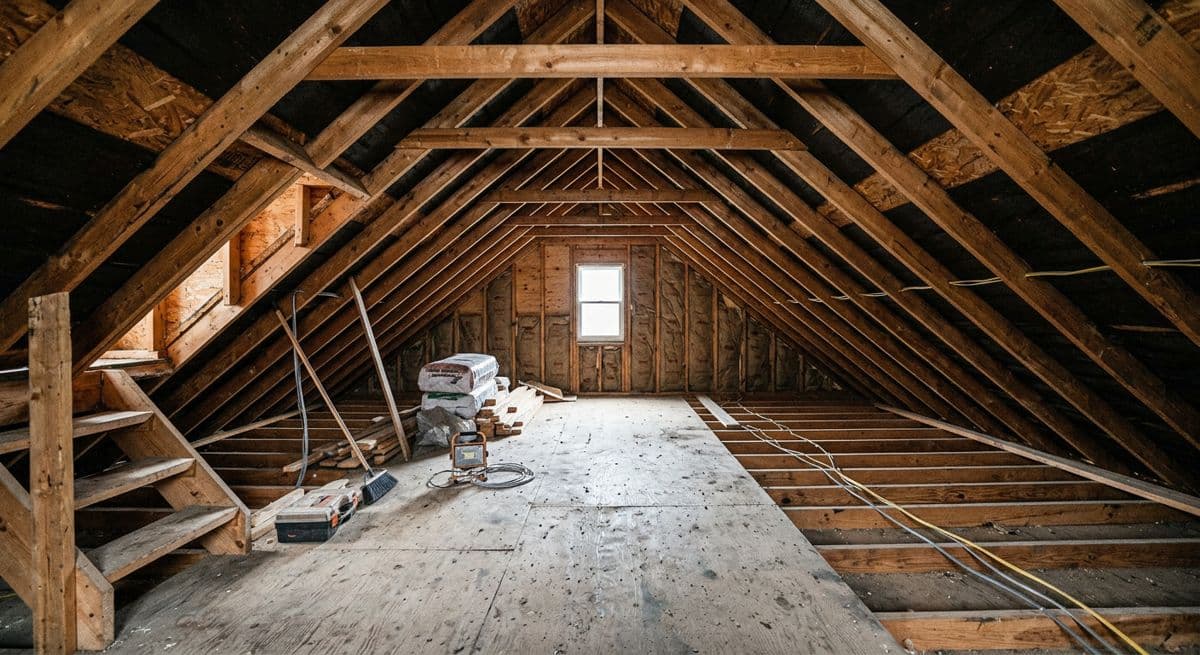
BeforeBefore: bare attic with exposed rafters, open floor joists and loose wiring
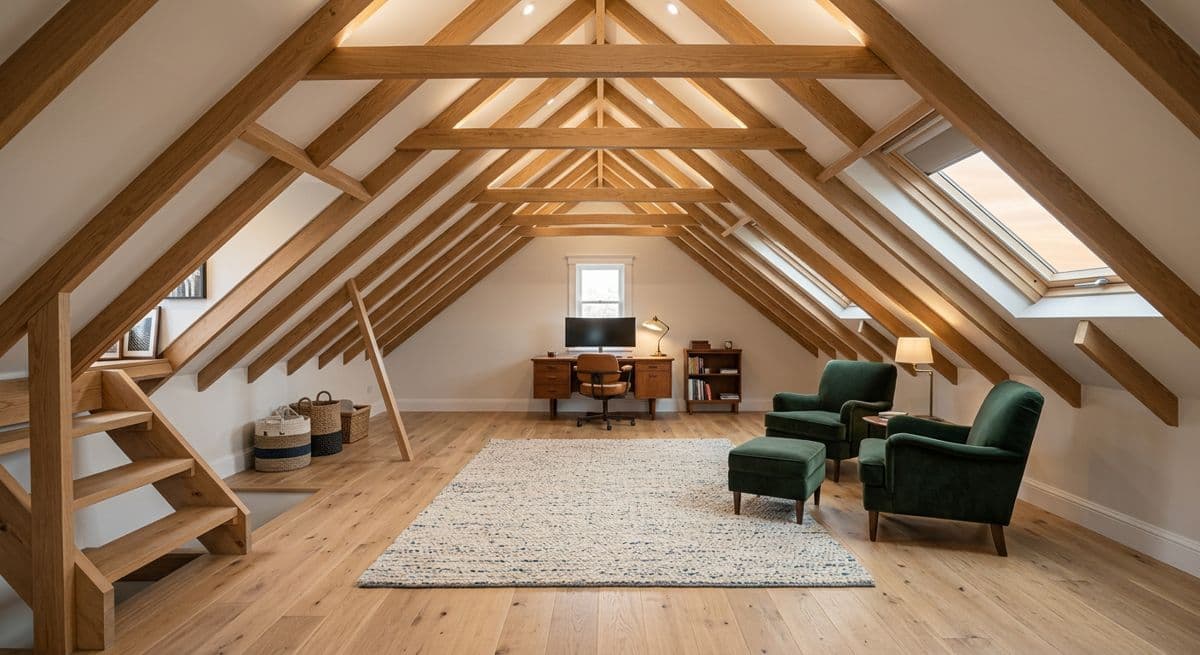
After (AI)After: the same attic converted into a study with oak floor, skylights and finished rafters
Bare attic framing → finished attic room. Made with the AI Architectures remodel tool; both images are AI-generated examples, not a customer project. Try this one
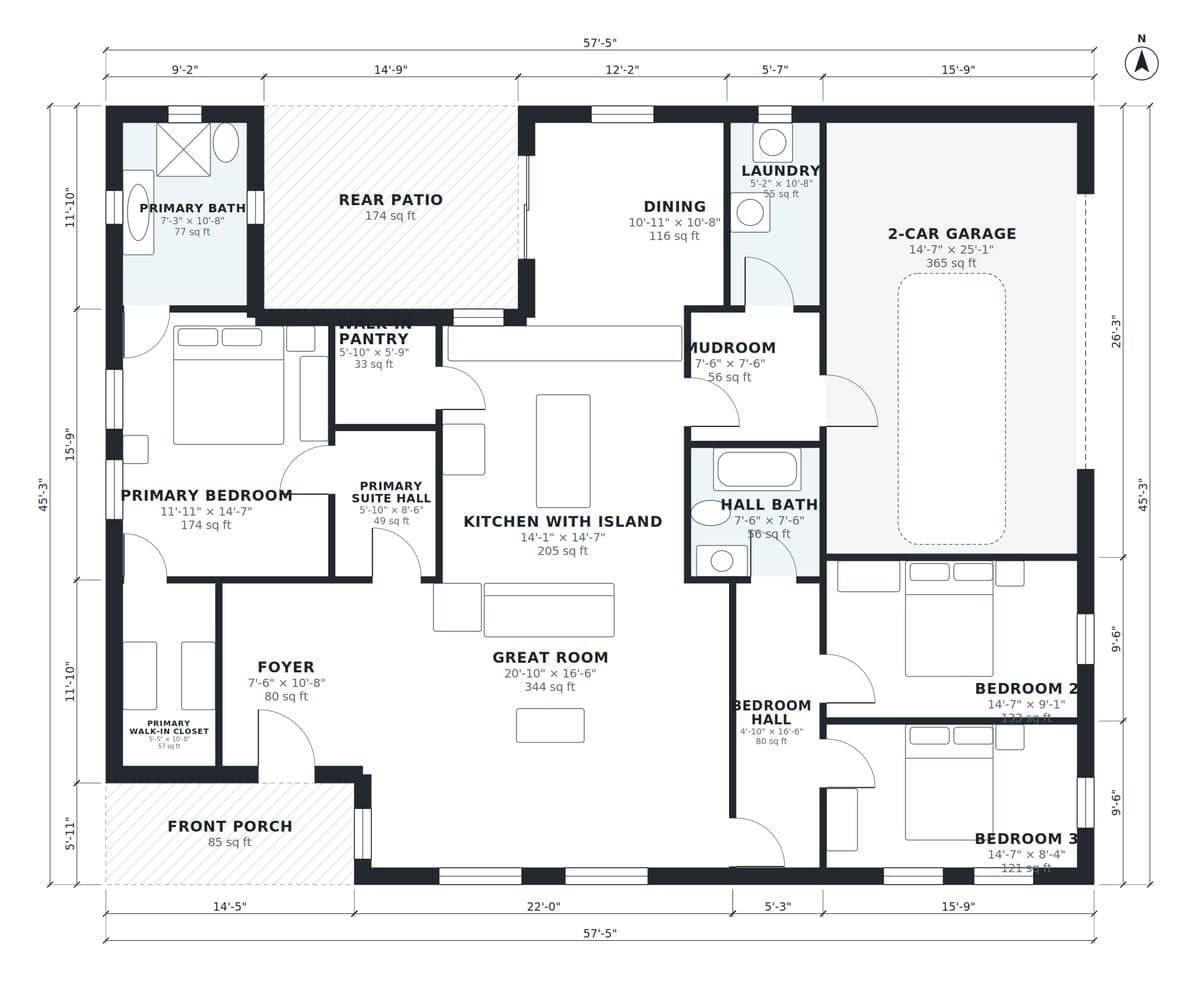
PlanBefore: dimensioned floor plan of a 3-bedroom single-storey ranch drawn in Plan Chat
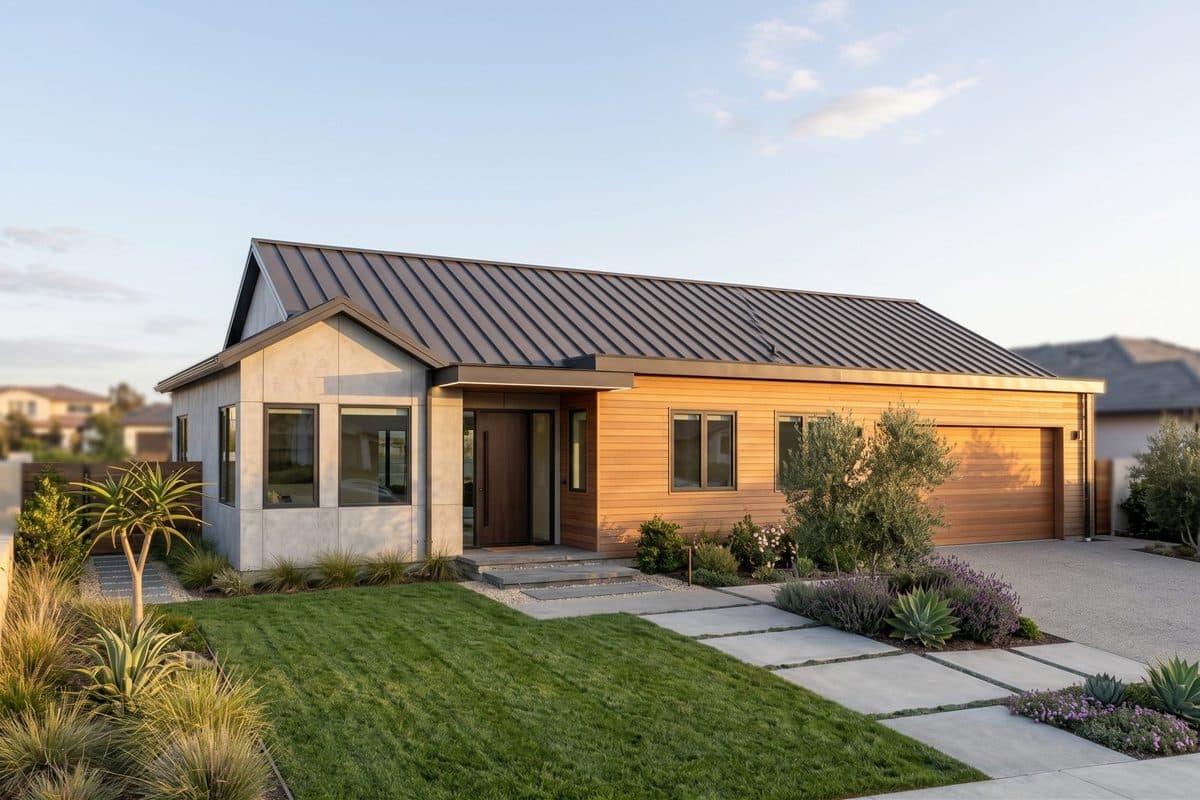
After (AI)After: photoreal exterior of the same ranch house with metal roof, timber and stucco
Floor plan → exterior of the same house. Floor plan drawn in Plan Chat from one sentence, and the exterior rendered from it; AI-generated example. Try this one
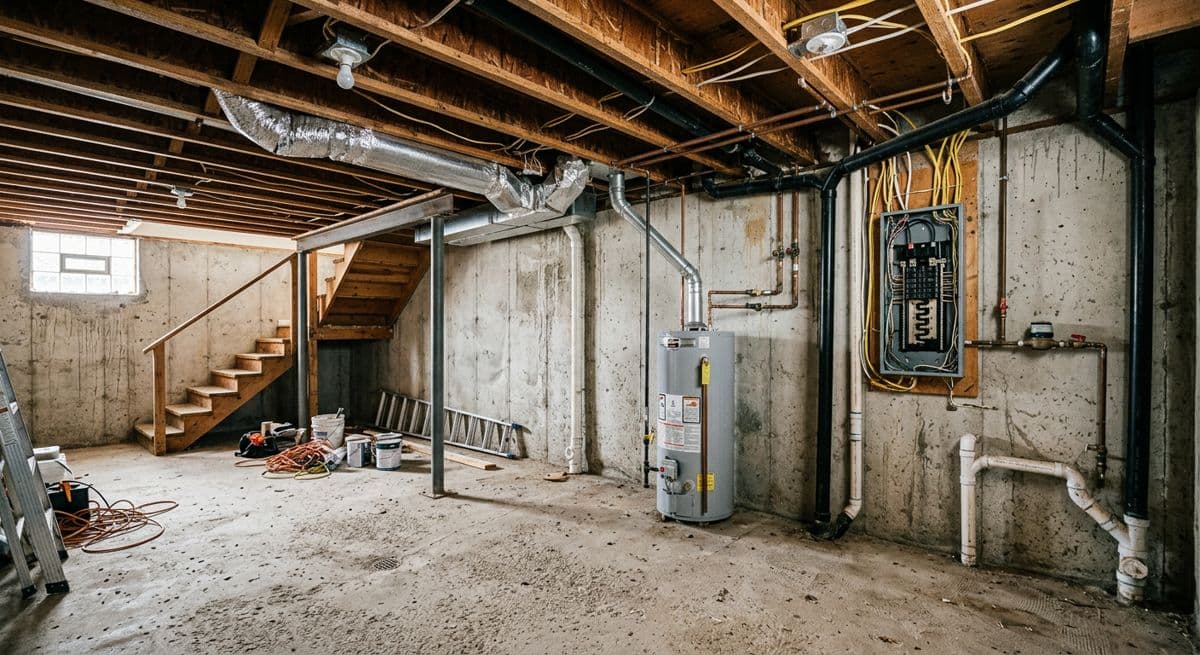
BeforeBefore: unfinished basement with exposed joists, ductwork and electrical panel
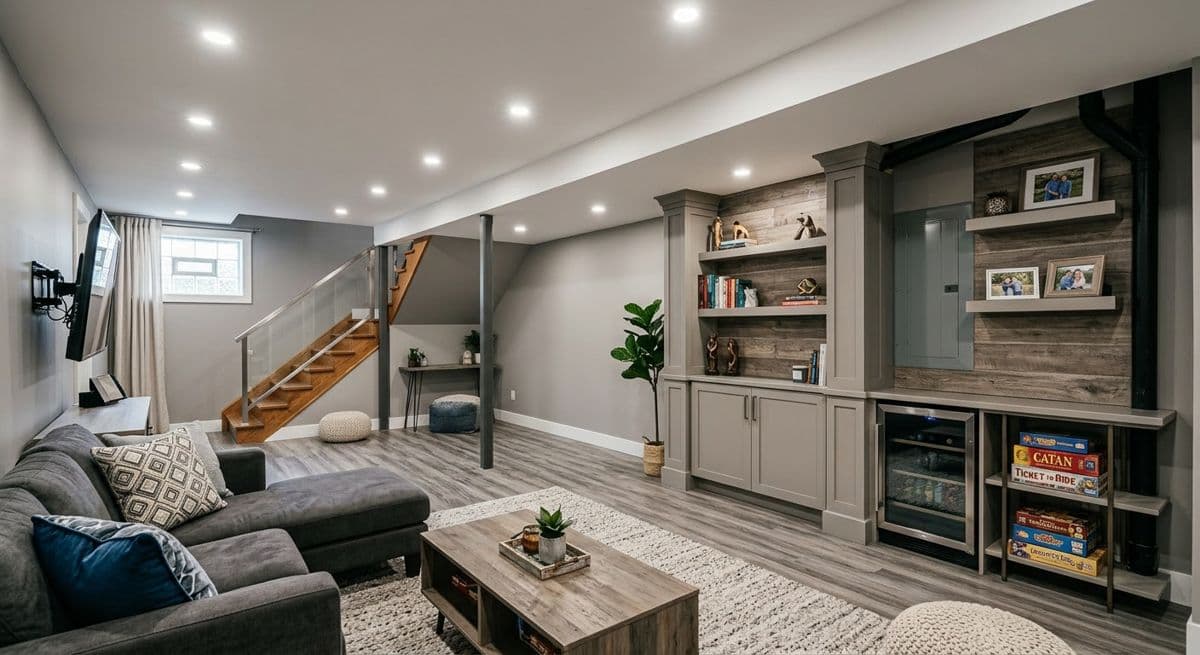
After (AI)After: the same basement finished as a family room with built-in shelves, recessed lights and a sectional
Unfinished basement → finished family room. Made with the AI Architectures remodel tool; both images are AI-generated examples, not a customer project. Try this one

Need the drawing too?

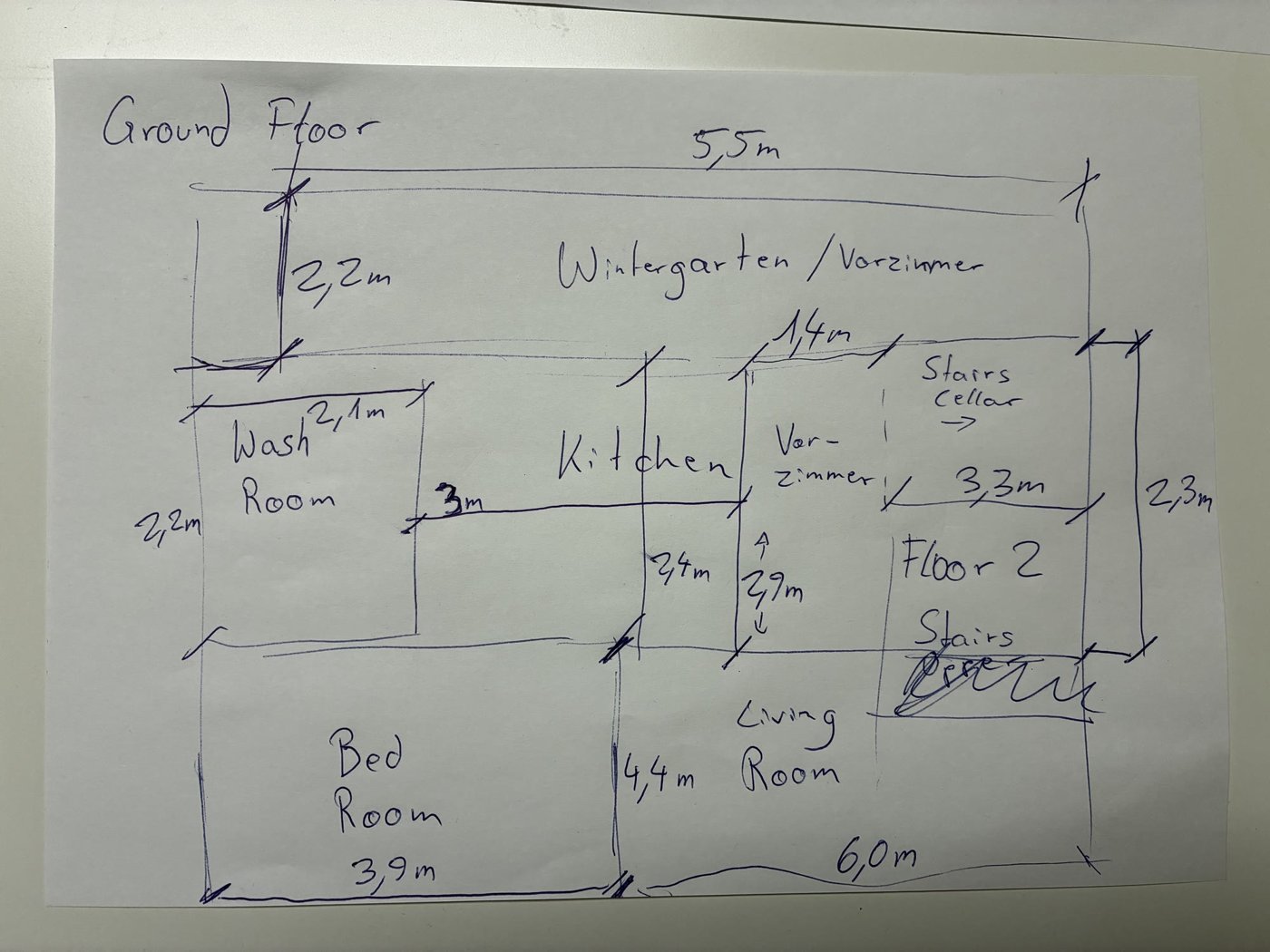
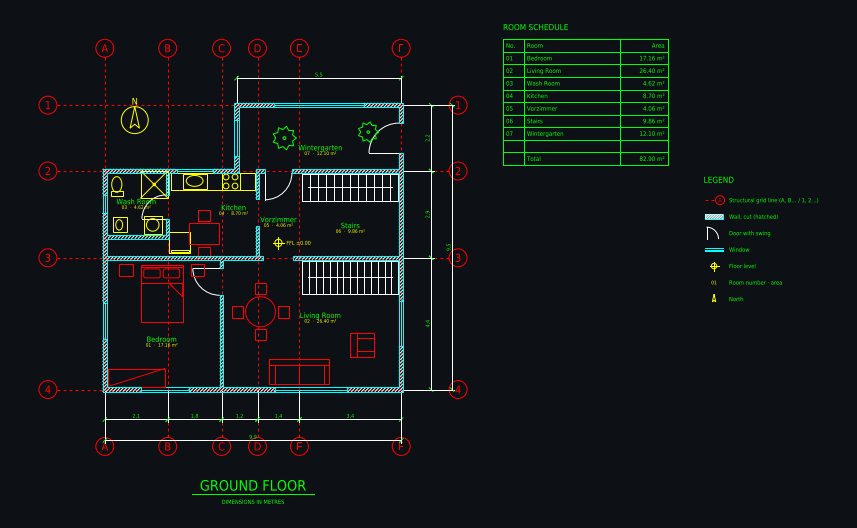
Input: phone photo of a hand-drawn ground floor sketch with handwritten dimensionsAI-drafted CAD floor plan: Hand sketch → CAD: ground floor with winter garden
Hand sketch → CAD: ground floor with winter gardenDrawn from a phone photo of a pencil sketch with handwritten metric dimensions; 1 minute of drafting, 5 versions. Open the drawing and its DXF
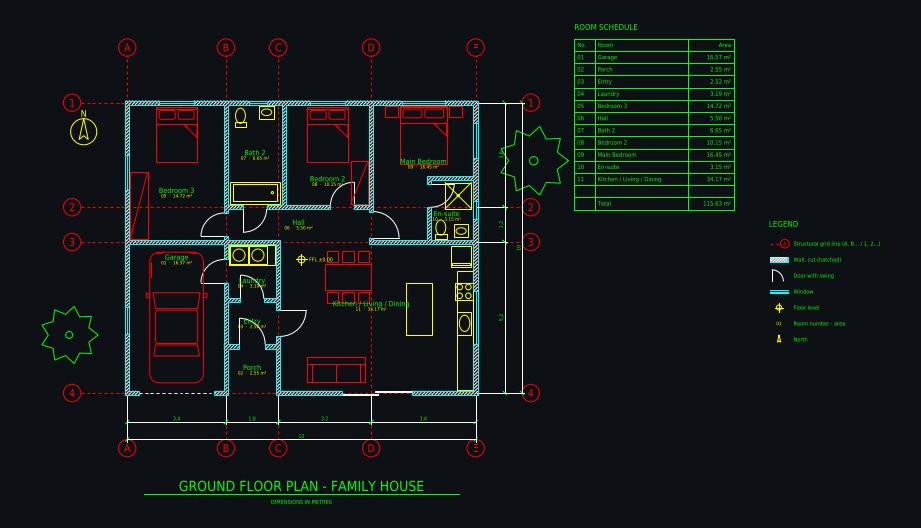
AI-drafted CAD floor plan: Family house 12 × 10 m, 3 bedrooms
Family house 12 × 10 m, 3 bedroomsDrawn from a one-paragraph brief: 3 bedrooms, en-suite, open kitchen with island, laundry, single garage, covered porch; 6 versions. Open the drawing and its DXF
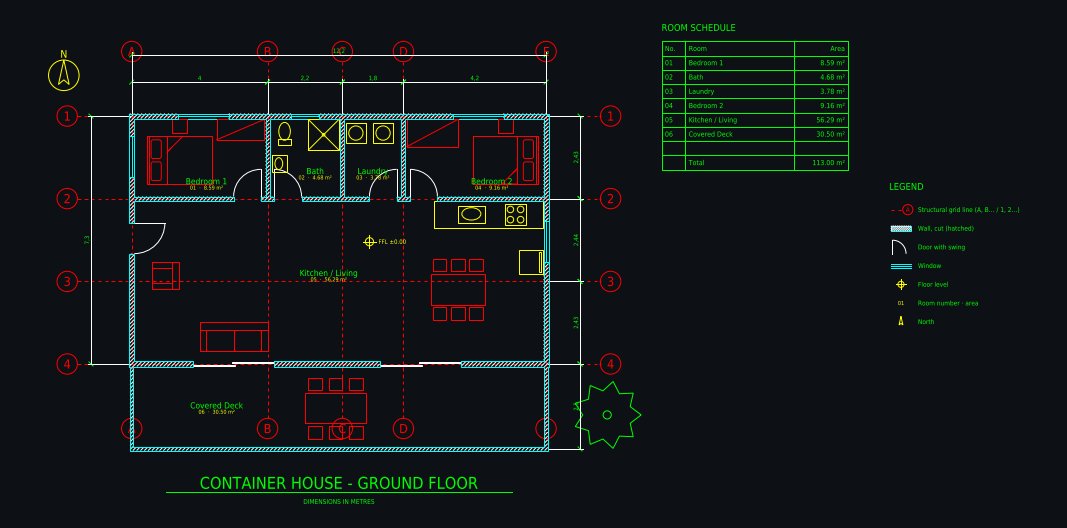
AI-drafted CAD floor plan: Shipping container home 12.2 × 7.3 m
Shipping container home 12.2 × 7.3 mThree 40 ft containers side by side: 2 bedrooms, open kitchen and living, bathroom, laundry, covered deck; 5 versions. Open the drawing and its DXF

FAQ

What is AI construction rendering?

A photoreal image of a building or a renovation that does not exist yet, generated by AI from what you have: a site photo, a sketch, an elevation, a floor plan, a 3D model view or a description. It takes about 30 seconds instead of days in a 3D rendering program.

Which tools generate marketing images of buildings still under construction?

AI Architectures does it from a photo of the site: upload the construction-stage photo, describe the finished facade and surroundings, and the AI renders the completed building from the same viewpoint, without scaffolding, cranes or fencing. Label such images as artist’s impressions.

Can AI render a building from a floor plan or an elevation?

Yes. Upload the elevation or a perspective sketch for the most faithful result. From a floor plan alone, the AI interprets the massing; for an exterior that follows the plan exactly, open the plan in Plan Chat, which builds a measured 3D model and renders it.

How accurate is the rendering?

It follows the geometry of the photo or drawing you upload and the materials you describe, but it is an artistic visualization, not a measured model. Details such as window divisions or railing heights can differ. Use it for design intent and marketing, and check against the drawings.

Can I use AI construction renderings commercially?

Yes. Commercial use is included in every paid plan: proposals, websites, ads, hoardings and sales brochures.

What resolution do I get?

2K PNG or JPG per image, 4K with the 4K pack. Good for web, social, proposals and A3 print.

What does it cost?

Paid plans from $12 a month, priced by usage; Starter is $29 a month. One image is one generation. No free trial.

Images are AI-generated concepts for planning, sales and client conversations. Drawings from Plan Chat are concept floor plans, not permit, engineering or construction documents; have a licensed professional review any design before anyone builds. AI Architectures does not do estimating, takeoffs, scheduling or site monitoring. Made by 20Vision GmbH, Vienna.