AI for contractors: show the client the finished job before you quote
Upload the photo you took on the site visit, describe the work in a sentence, and get a photoreal preview of the new kitchen, the finished basement, the addition or the new exterior in about 30 seconds. Clients who see their own house finished decide faster.
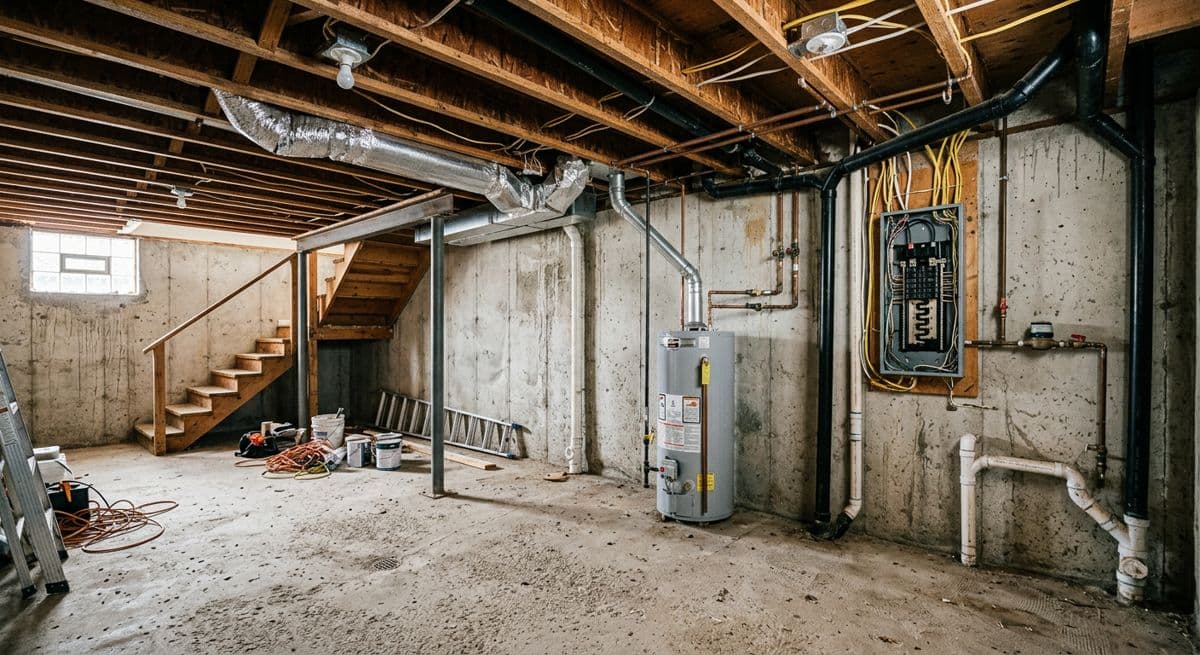
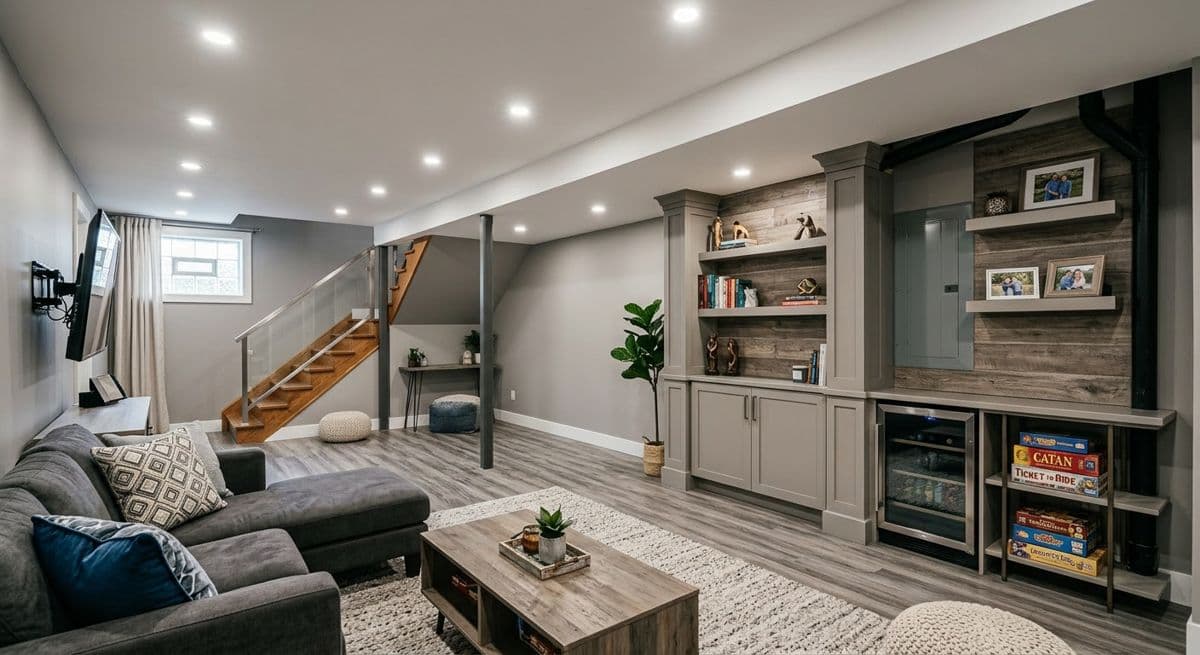
Unfinished basement → finished family room. Made with the AI Architectures remodel tool; both images are AI-generated examples, not a customer project. Try this one
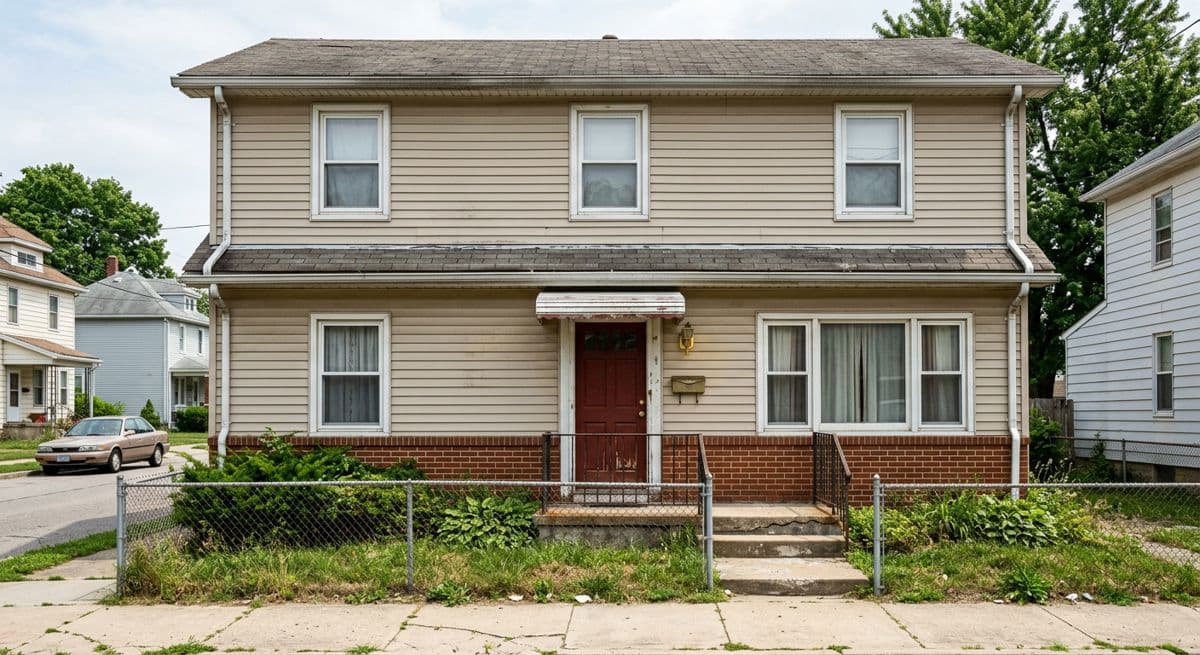
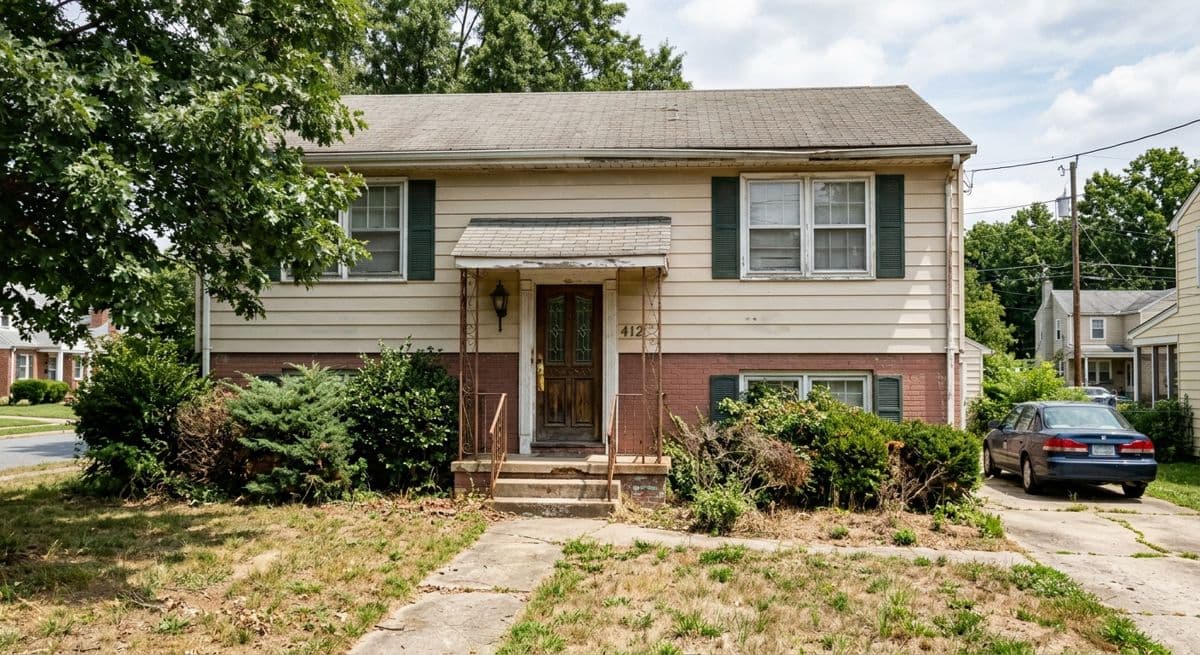
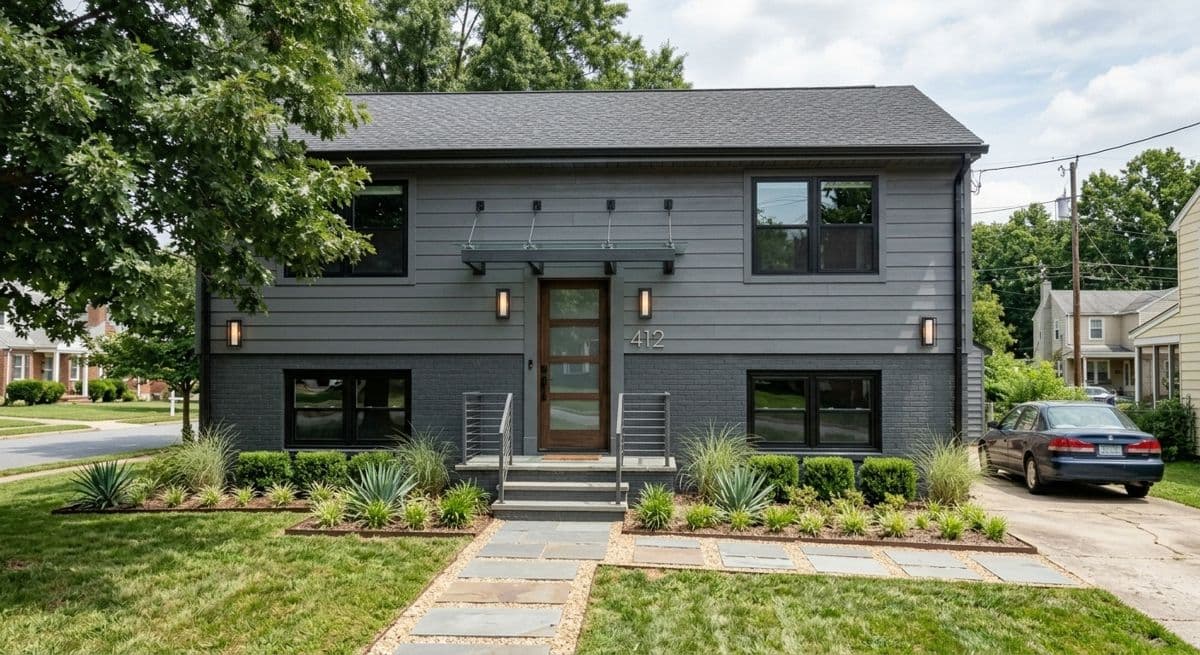
Before
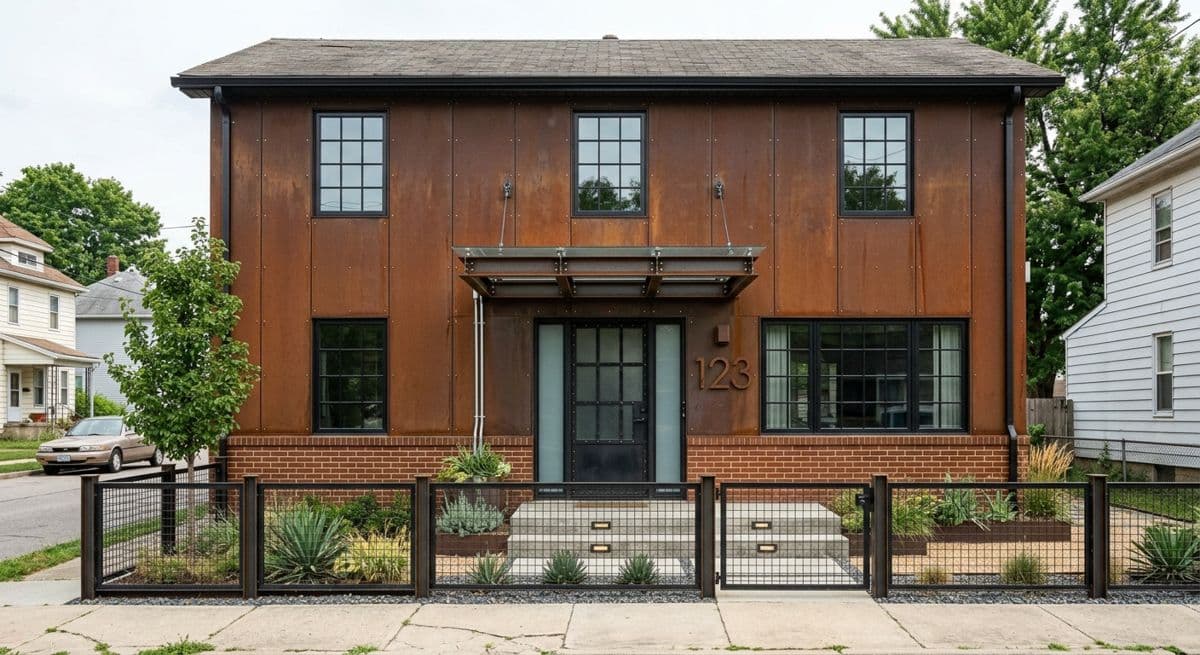
After (AI)
Vinyl-sided house → new façade. Made with the AI Architectures remodel tool; both images are AI-generated examples, not a customer project. Try this one
Preview the job on your client’s photo
Upload the site photo, edit the sample description to match your scope, press Create.
Why contractors use AI previews
Most lost jobs are not lost on price. They are lost because the homeowner can’t picture the result, waits, asks a friend, gets two more quotes and forgets which one they liked. A picture of their own house with the work done changes that conversation: it is concrete, it is theirs, and it travels. They show it to their partner the same evening.
It also saves you rework. When the client approves an image that shows the cabinet color, the tile and the lighting, there is less room for “that’s not what I meant” at the end of the job. Keep the image with the signed quote as the agreed design intent.
1. Take the site photo. Shoot from where the client stands, in daylight, with the whole area in frame. The photo from your estimate visit is usually perfect.
2. Describe the work. One or two sentences with the materials and colors: “white shaker cabinets, quartz counters, matte black hardware, keep the window”. Say what must not change.
3. Show options, send the winner. Run two or three versions in the meeting, change one detail in a sentence, download the image and attach it to your quote or proposal.
From a sketch on the site visit to a CAD floor plan
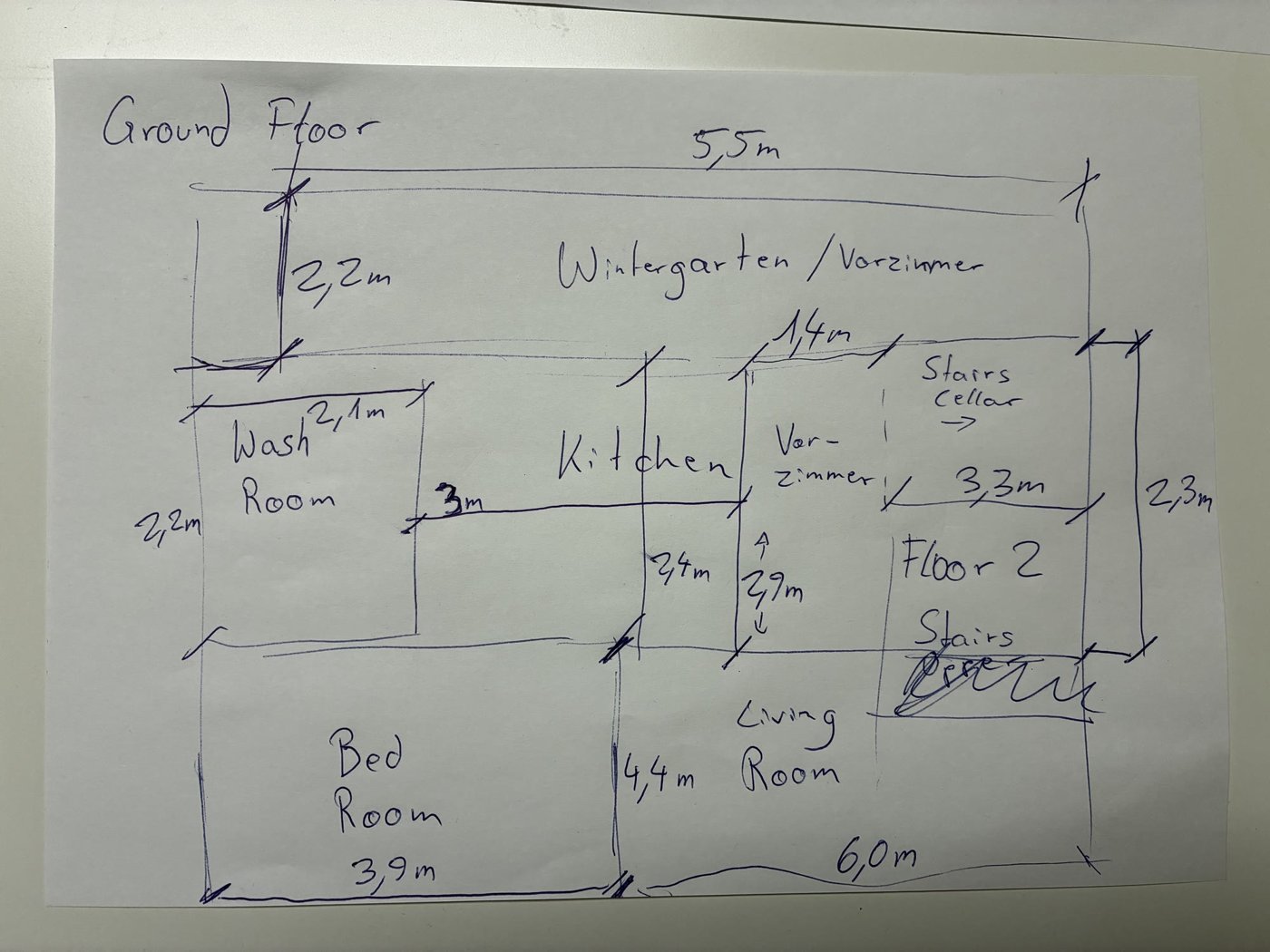
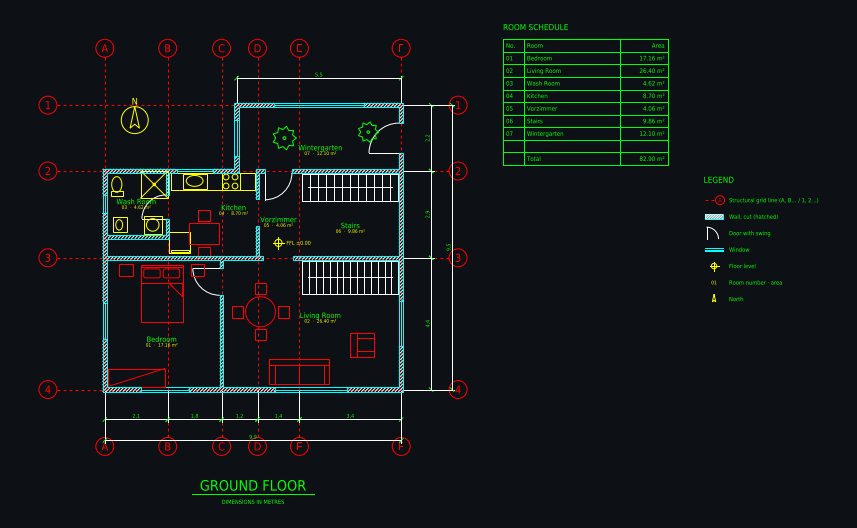
Additions, conversions and ADUs need a plan. Instead of redrawing your site sketch at night, photograph it and give it to Plan Chat. The AI drafter draws walls with thickness, doors and windows, a grid, dimensions, room names and areas on standard CAD layers, uses the numbers you wrote on the sketch and tells you every assumption it made. Correct it in a sentence, then download DXF, DWG (AutoCAD 2010) or a scaled PDF for the proposal or for your drafter.
What AI Architectures does not do
No estimating, takeoffs, scheduling or job costing. Use your estimating software for the numbers and put our image and plan next to them. If you are comparing tools for those jobs, see the best AI construction software by job.
Reference: real outputs
Unretouched outputs of our tools. The photo pairs are AI-generated examples we made to show the tool, not customer projects; the CAD drawings are public in the Plan Chat gallery.
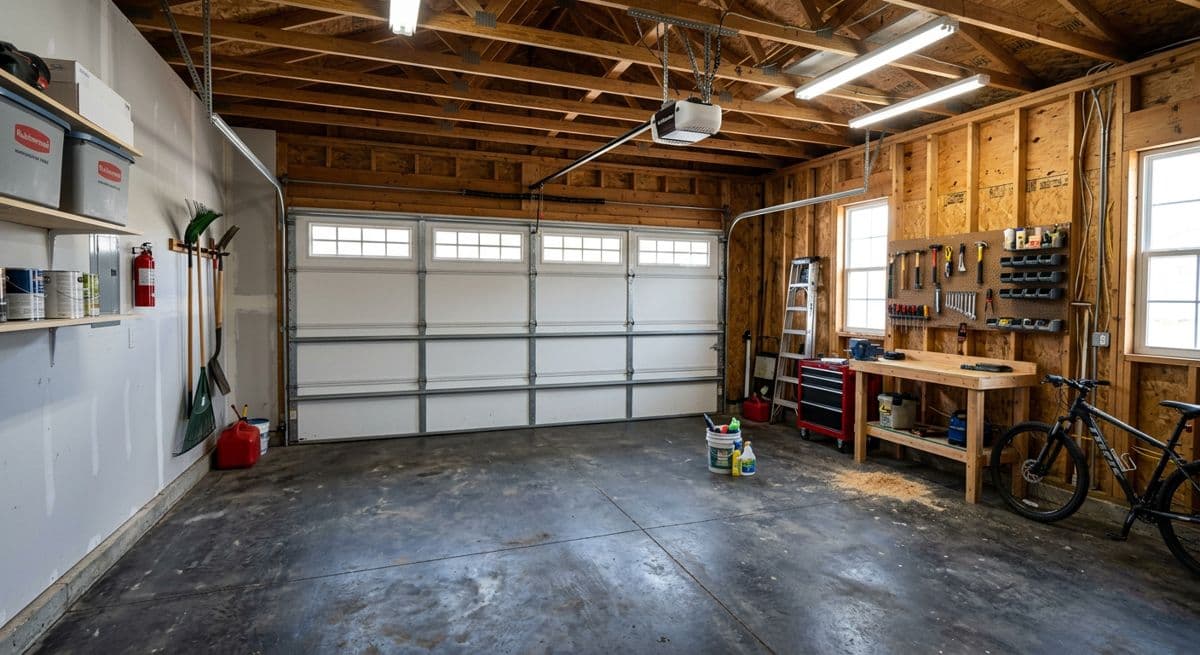
Before
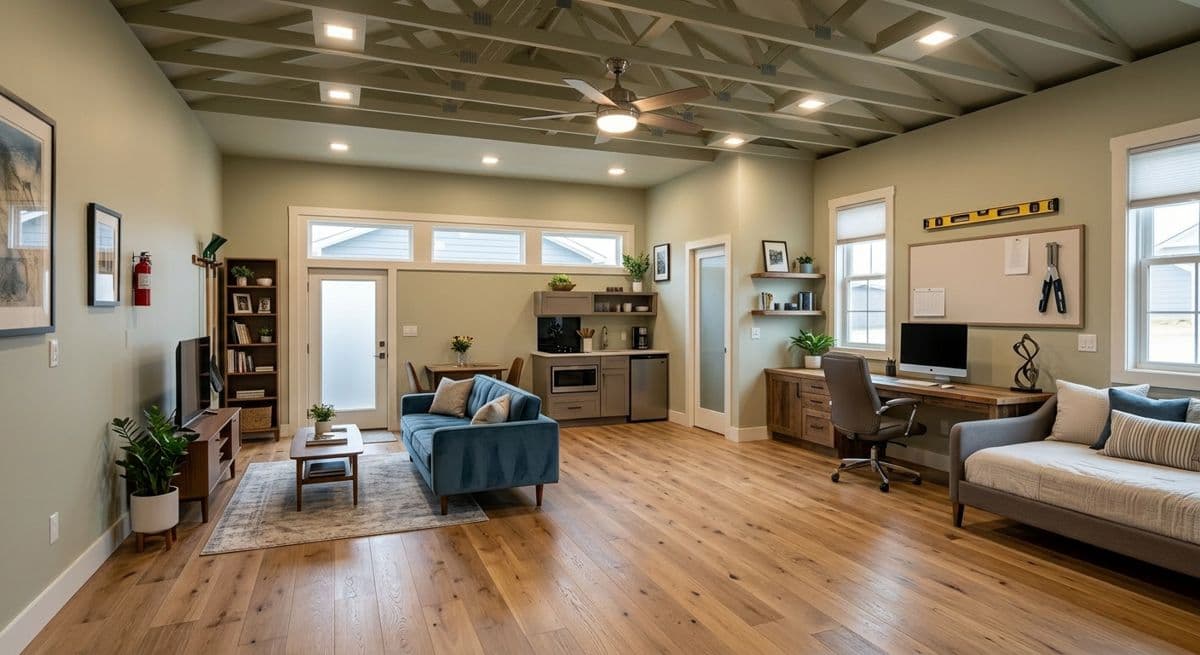
After (AI)
Garage → living space conversion. Made with the AI Architectures remodel tool; both images are AI-generated examples, not a customer project. Try this one
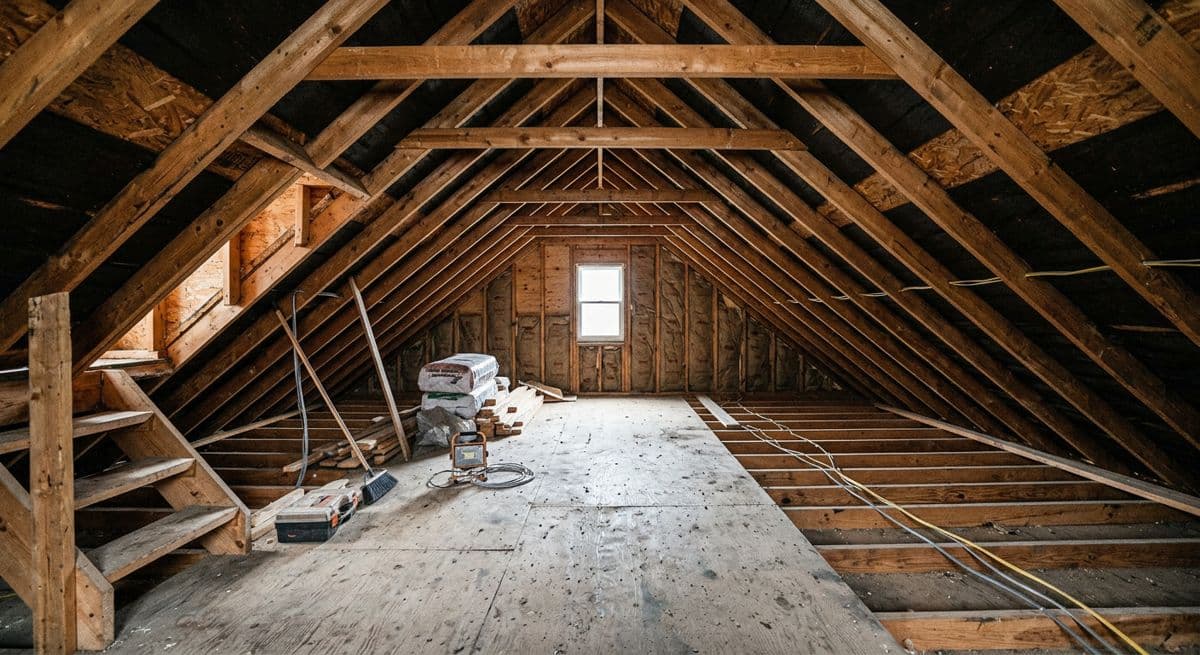
Before
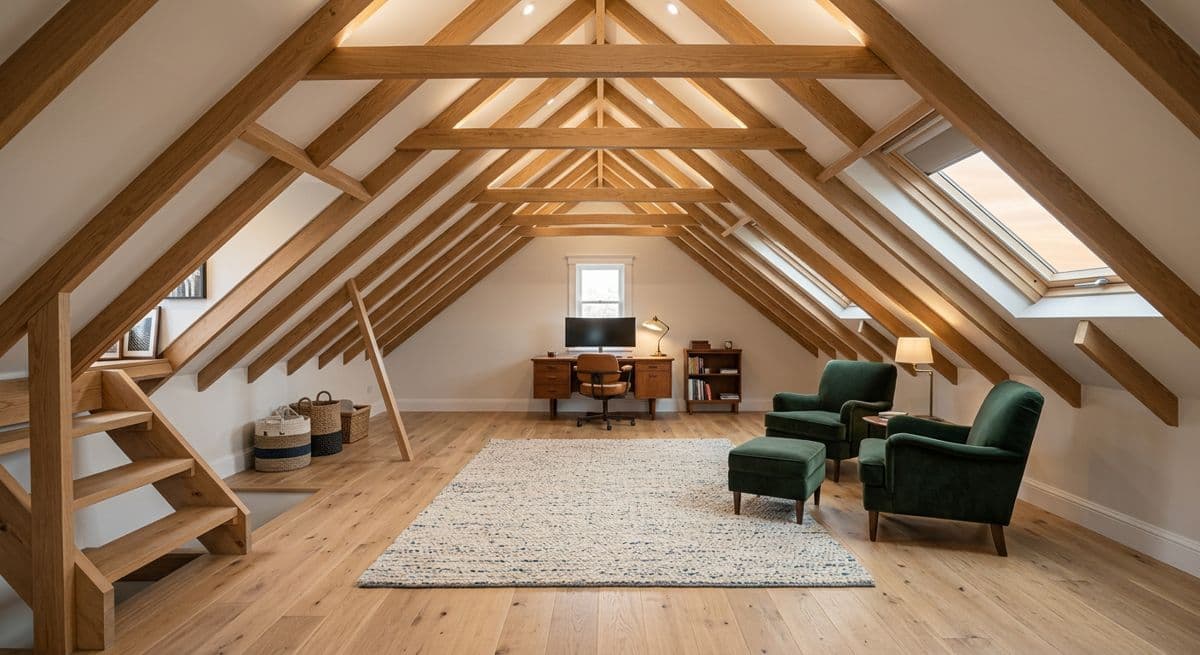
After (AI)
Bare attic framing → finished attic room. Made with the AI Architectures remodel tool; both images are AI-generated examples, not a customer project. Try this one
Before
After (AI)
Dated two-storey house → modern exterior. Made with the AI Architectures remodel tool; both images are AI-generated examples, not a customer project. Try this one
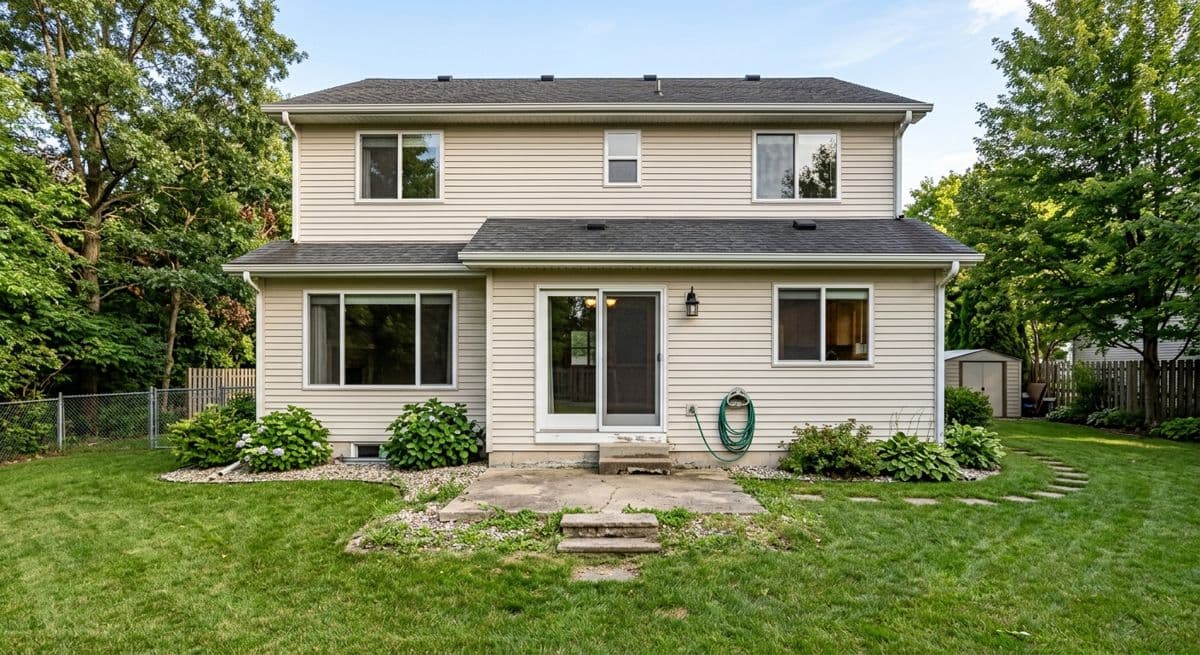
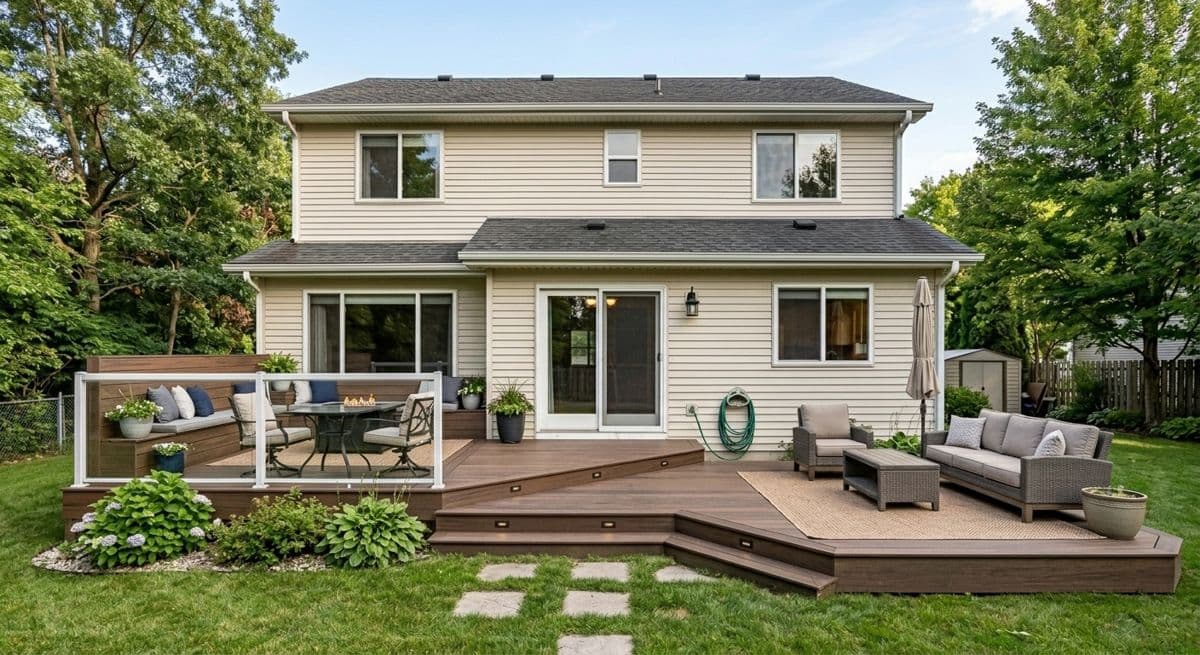
Before
After (AI)
Back yard → deck addition. Made with the AI Architectures remodel tool; both images are AI-generated examples, not a customer project. Try this one
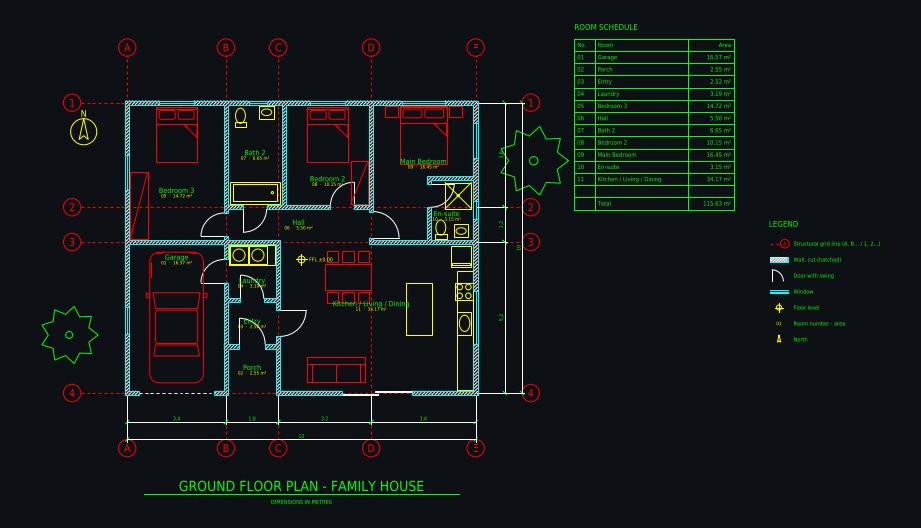
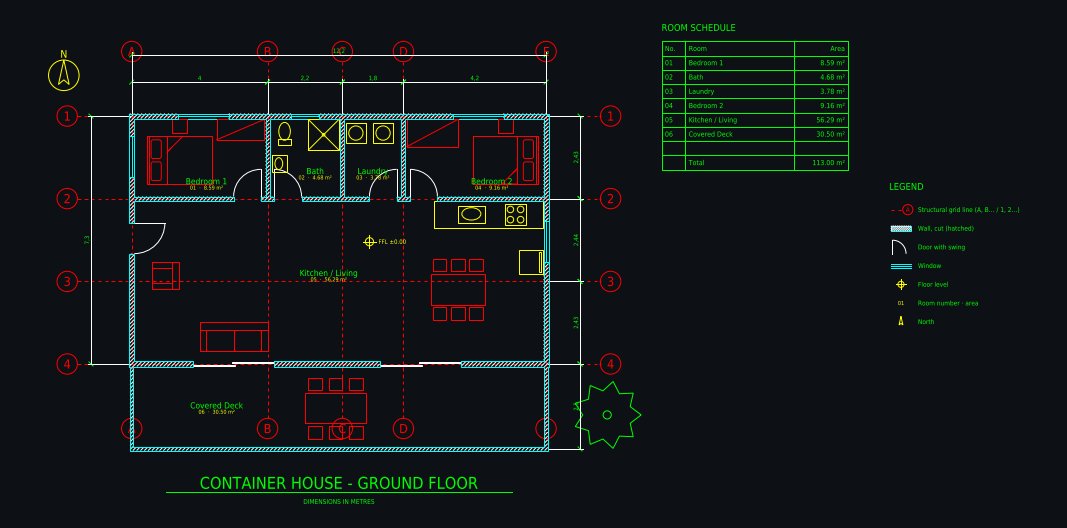
Hand sketch → CAD: ground floor with winter gardenDrawn from a phone photo of a pencil sketch with handwritten metric dimensions; 1 minute of drafting, 5 versions. Open the drawing and its DXFFamily house 12 × 10 m, 3 bedroomsDrawn from a one-paragraph brief: 3 bedrooms, en-suite, open kitchen with island, laundry, single garage, covered porch; 6 versions. Open the drawing and its DXFShipping container home 12.2 × 7.3 mThree 40 ft containers side by side: 2 bedrooms, open kitchen and living, bathroom, laundry, covered deck; 5 versions. Open the drawing and its DXF
Pricing for contractors
Paid plans from $12 a month, priced by usage; Starter is $29 a month. Bigger and busier teams pick a higher usage tier or Team seats. No free trial, commercial use included, cancel anytime. The same account works in Plan Chat for CAD drawings. See all plans.
FAQ
How can contractors use AI?
The fastest wins are in sales and pre-construction: show the client a photoreal preview of the finished job on their own photo, turn the site sketch into a clean CAD floor plan, and write the proposal faster. Estimating and scheduling tools cover the numbers; AI Architectures covers the visuals and the drawing.
What is the best AI for contractors?
For client visuals: a photo-based remodel preview that keeps the client’s house as it is and changes only the work you will do. For drawings: an AI drafter that gives you DXF and DWG, not just a picture. AI Architectures does both on one account. For estimates and takeoffs, use a dedicated estimating tool; see our overview of AI construction software by job.
How long does a preview take?
About 30 seconds per image. Most contractors run two or three options in the first meeting and send the one the client picks with the quote.
Will the preview match what we build?
It shows the design intent on the real photo: layout, materials and colors. It is not a measured drawing. Put the final specifications in the contract and label the image as an AI concept.
Can I get a floor plan for the permit set?
Plan Chat gives you a clean, dimensioned concept floor plan as DXF, DWG and PDF from a sketch or photo. It saves the redrawing, but it is not a stamped permit or construction document; your architect, engineer or drafter completes and checks it.
Do I need design software or training?
No. Everything runs in the browser on a phone, tablet or laptop. Upload a photo, write one sentence about the work, press Create.
What does it cost a contractor?
Paid plans from $12 a month; Starter is $29 a month. No free trial, no per-project fees, commercial use included, cancel anytime. Team plans are $39 per seat a month if the office and the field share an account pool.
Is it only for remodeling contractors?
No. General contractors use it for additions, ADUs and new builds; home builders for renders before the build; trades such as deck, fence, roofing, siding and landscaping companies for the part of the house they change.
Images are AI-generated concepts for planning, sales and client conversations. Drawings from Plan Chat are concept floor plans, not permit, engineering or construction documents; have a licensed professional review any design before anyone builds. AI Architectures does not do estimating, takeoffs, scheduling or site monitoring. Made by 20Vision GmbH, Vienna.
AI for Contractors: job preview
Drop image to upload
Drag & Drop an image anywhere hereAdd a base image to transform
Or clickTapthe button in the prompt box
~30 seconds per generation · 30+ styles · Private workspace · 4K export available
Your Canvas
Your designs will appear here
Create an account to generate and keep every design in your private workspace.