
Sketch to render AI: your architectural sketch as a photoreal image
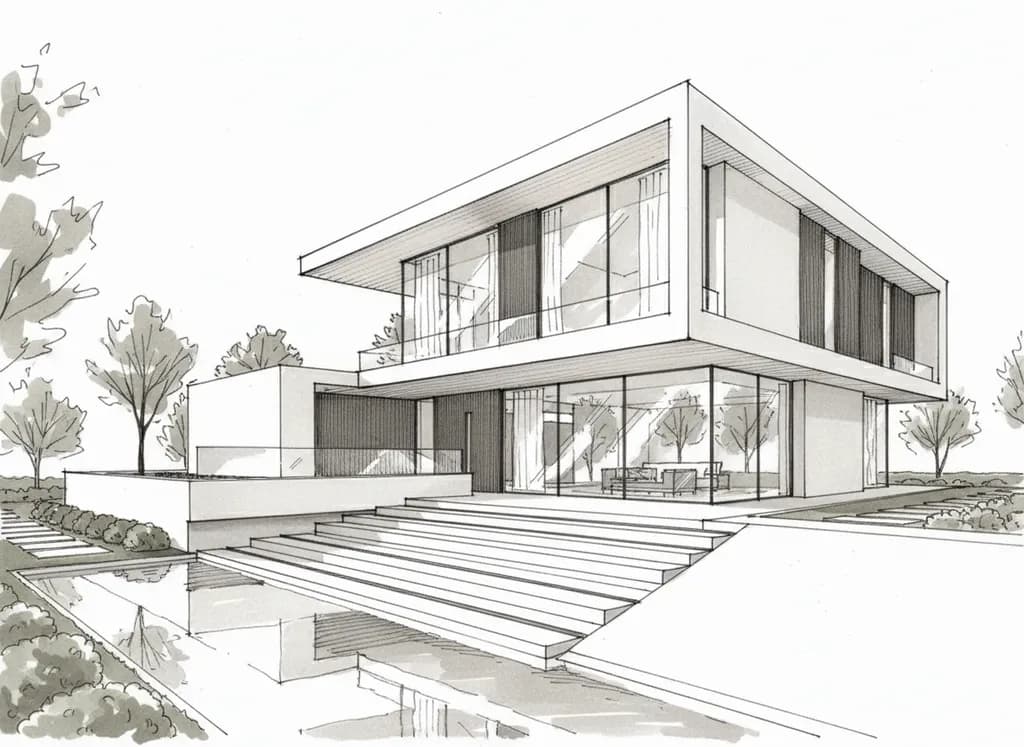
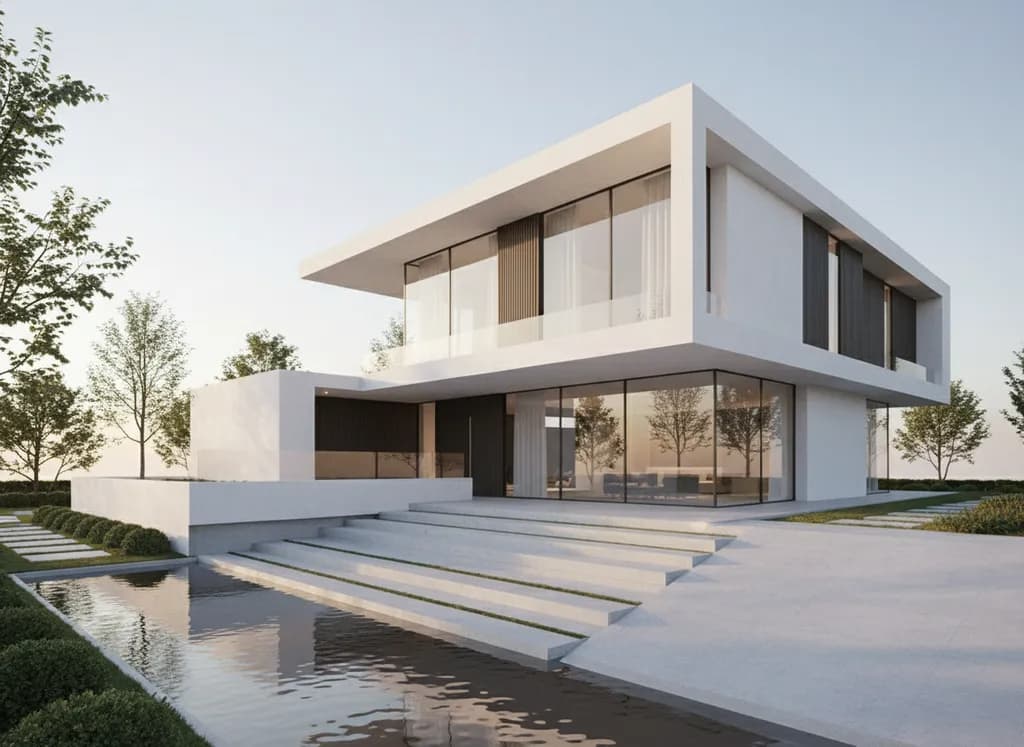
Upload a hand sketch, a facade drawing or a model screenshot. The AI keeps your massing, proportions and camera and adds real materials, light and surroundings: a presentation-ready render in about 30 seconds.
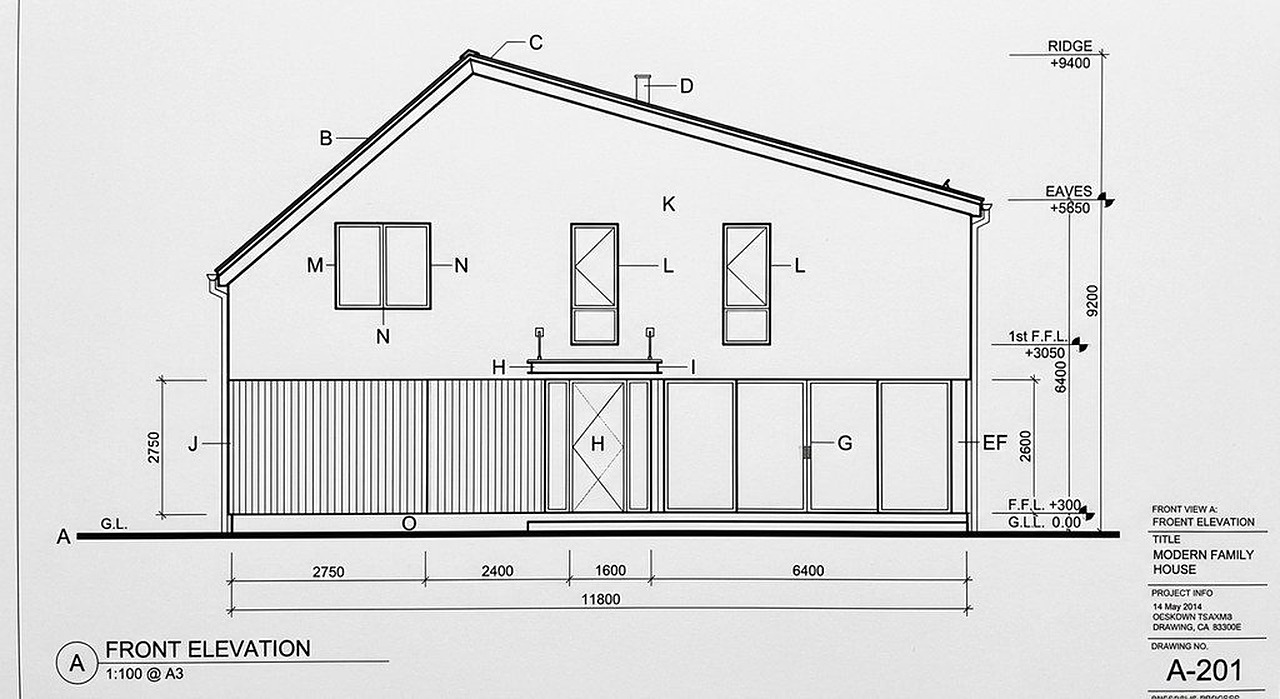
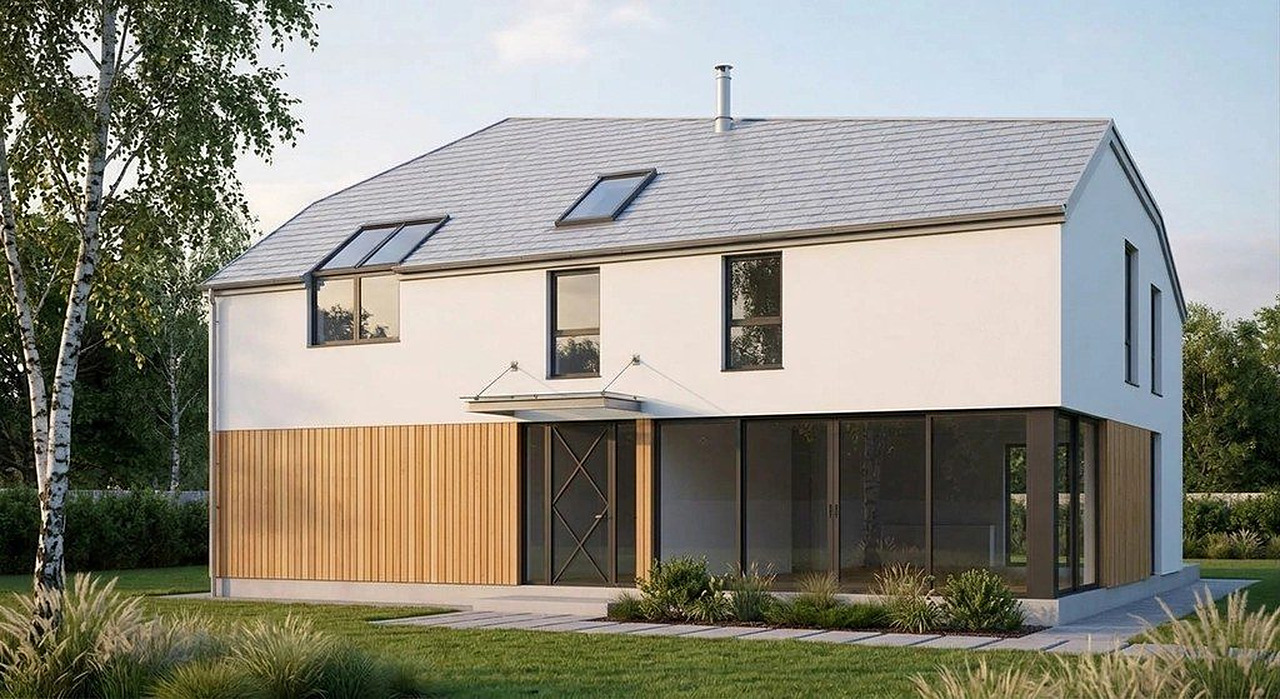
Two real examples
Step by step
1. Photograph or scan the sketch
Straight-on, in good light, with the whole building in frame. Pencil, marker, napkin or tablet sketches all work; firm outlines give the most faithful result.
2. Upload it in the tool above
The prompt is pre-filled with the request customers use most: keep the massing, proportions and openings, add realistic materials and light.
3. Name materials and mood
Add what the sketch cannot show: “white render, larch cladding, black window frames, dusk with interior lights on”.
4. Refine, don't restart
Fix details with short follow-ups: “make the roof flat”, “add a pool in front”, “warmer evening light”.
What you can upload
Hand sketches
Perspective or elevation sketches on paper, napkin or tablet. The clearer the outlines, the closer the render follows them.
Facade and elevation drawings
Line drawings exported from CAD or drawn by hand become a photoreal elevation with materials and sky.
Model screenshots
SketchUp, Revit, Rhino or ArchiCAD views with flat colours or white materials. Details: SketchUp to render and Revit to render guides.
Massing studies and clay renders
Grey boxes from a massing model get windows, cladding, people and planting in the style you describe.
What the AI keeps from your sketch
- Massing, proportions and roof shape of the sketch
- The camera position and perspective you drew
- Openings: where windows and doors sit
- Whatever you name in the prompt: materials, colours, time of day, season, landscaping
Honest limits
- It is an image, not a 3D model: a new viewpoint is a new render, and two renders of the same building can differ in small details.
- Fine details the sketch only hints at (a handrail, a gutter, a vent) can be interpreted, added or dropped. Say what matters in the prompt.
- Exact product specs (a particular tile, brick or window series) are approximated from your description, not matched to a catalogue.
- Measured drawings and floor plans are a different job: Plan Chat draws those as CAD (DXF, DWG, PDF).
Who uses sketch to render
Architects and designers who want a client-ready image of an early idea without building a full 3D model; interior designers and remodel designers who show options from a quick sketch; developers and builders who need a concept image for a pitch or a sales page. A render in 30 seconds means you can show three material options in the same meeting instead of sending one image a week later.
Questions
Can AI turn a sketch into a realistic render?
Yes. Upload a photo or scan of the sketch with a short description of materials and light, and the AI returns a photoreal render in about 30 seconds that keeps your massing, proportions and camera angle. Follow-up instructions change materials, time of day or details without starting over.
What is the best sketch to render AI for architects?
Pick one that keeps the geometry of your drawing instead of inventing a new building, lets you refine with follow-up edits, and lets you use the images commercially. This tool does all three and also handles facade drawings, model screenshots and photos of sites. Comparisons with mnml.ai and Veras are on our compare pages.
Does it work with SketchUp or Revit screenshots?
Yes. Export a view (or take a screenshot) with simple materials, upload it and describe the finish you want. Our SketchUp to render and Revit to render guides show the settings that work best.
How long does a render take?
About 30 seconds per image. Most people run a few variations (materials, daylight vs dusk, landscaping) and pick one.
Is sketch to render free here?
No. There is no free tier and no free trial. Plans start at $12 a month, with commercial use of the images included; cancel anytime.
Can I use the renders for clients and listings?
Yes, paid plans include commercial usage rights. For listings of real buildings, label renders as concept images where your market requires it.
Can I get a floor plan from the sketch instead?
Yes, with a different tool on the same account: the floor plan tools turn a sketch of a plan into a clean 2D floor plan, and Plan Chat draws it as a layered, dimensioned CAD drawing (DXF, DWG, PDF).
Render your own sketch
Plans from $12/month, commercial use included, cancel anytime. See pricing.
Upload a sketchMore rendering tools and guides
- AI architectural rendering
- Sketch to render guide
- SketchUp to render
- Revit to render
- CAD to render (AutoCAD, Rhino, ArchiCAD)
- AI rendering vs traditional 3D rendering
- AI architecture generator
- AI house design
- Architectural styles library
- mnml.ai alternative
- Veras alternative
- Best AI tools for architectural visualization
- Exterior modernization visualizer
- House on an empty lot photo
- Pricing
- Sketch to floor plan
- Sketch to CAD (DXF, DWG)