AI interior design software: from a room photo or sketch to a client-ready render
Upload a photo of the room, a hand sketch or a SketchUp or Revit screenshot, write the brief, and get a photorealistic concept in about 30 seconds. It is AI interior design software built for the concept stage: several style options for one room, then precise edits like a new sofa fabric or a different floor while the rest of the room stays.
Interior designers and remodel pros use it next to their usual design software for interior designers; homeowners use it to see a room before they change it. Runs in the browser, on desktop or phone.
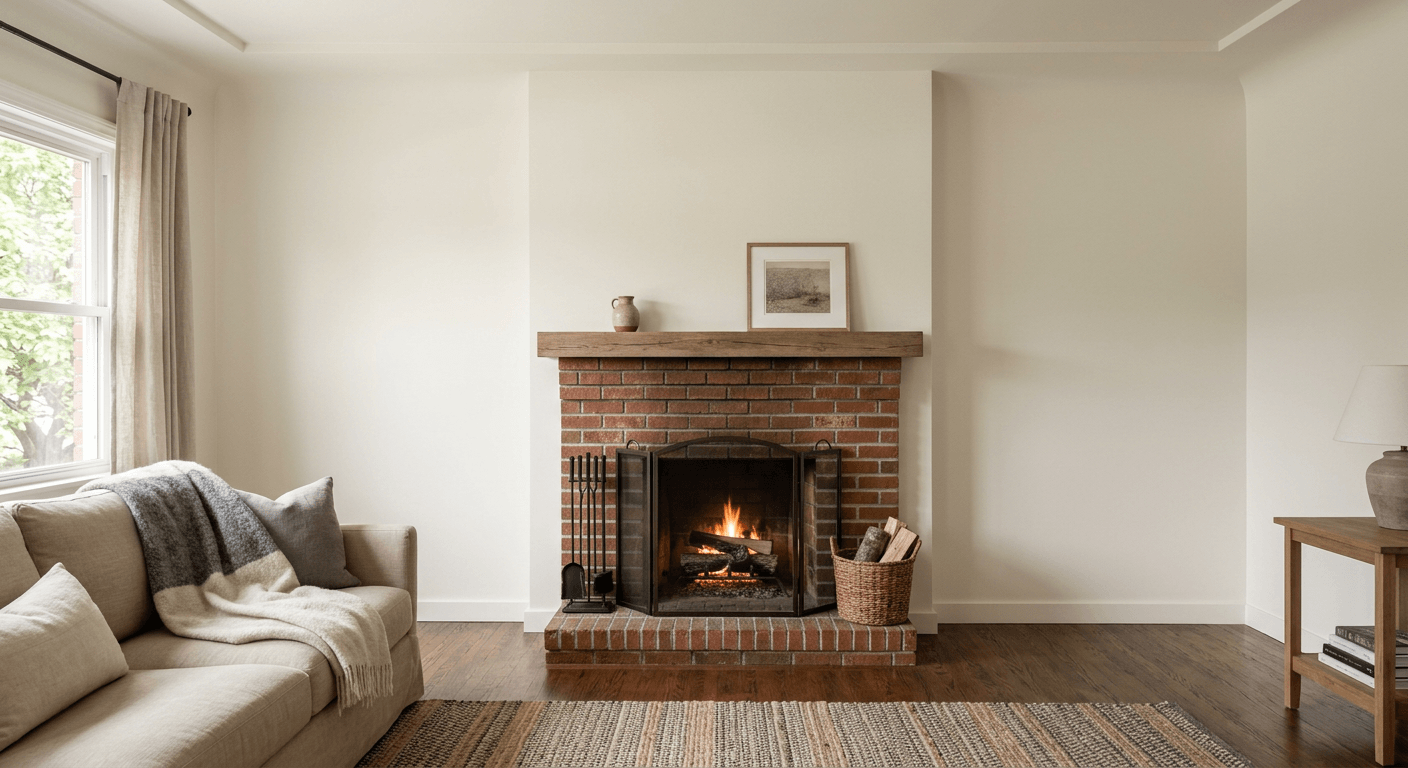
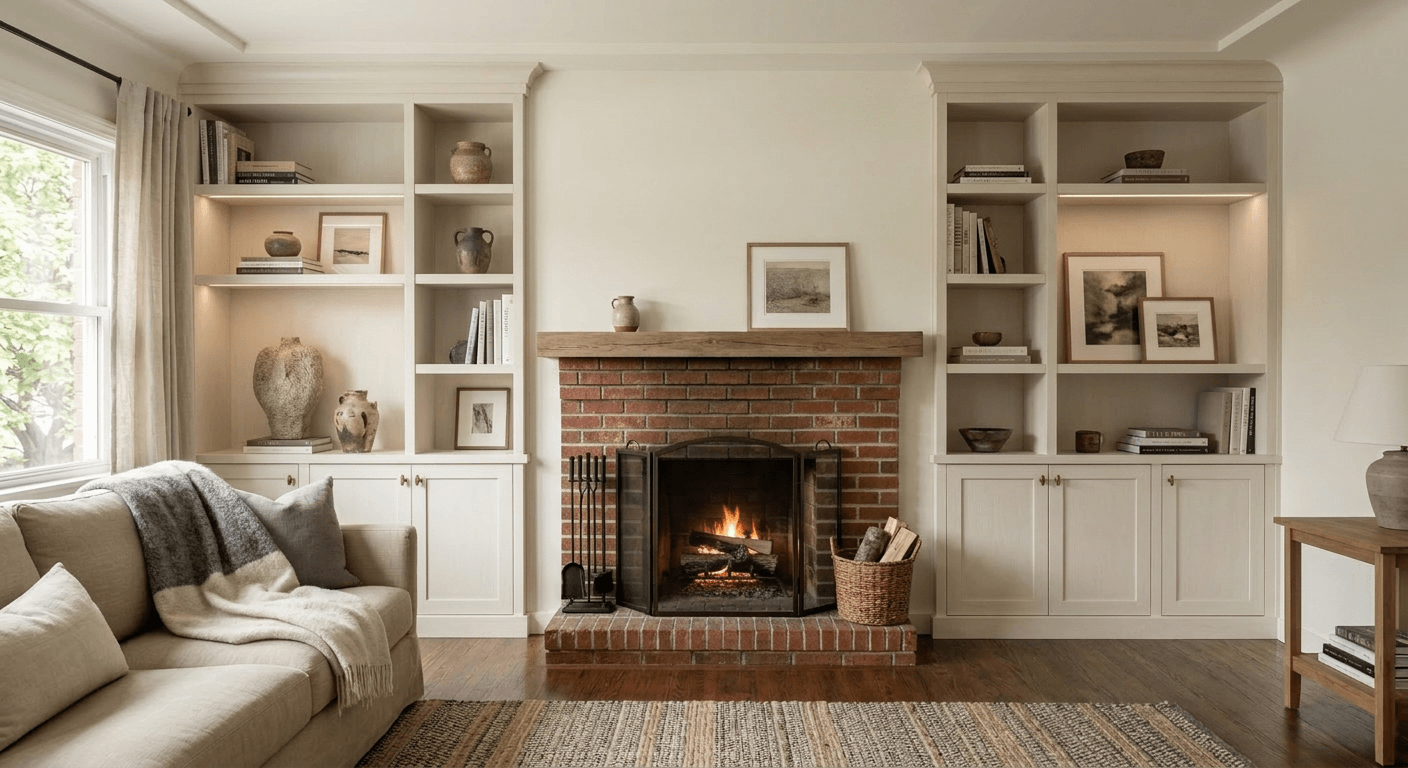
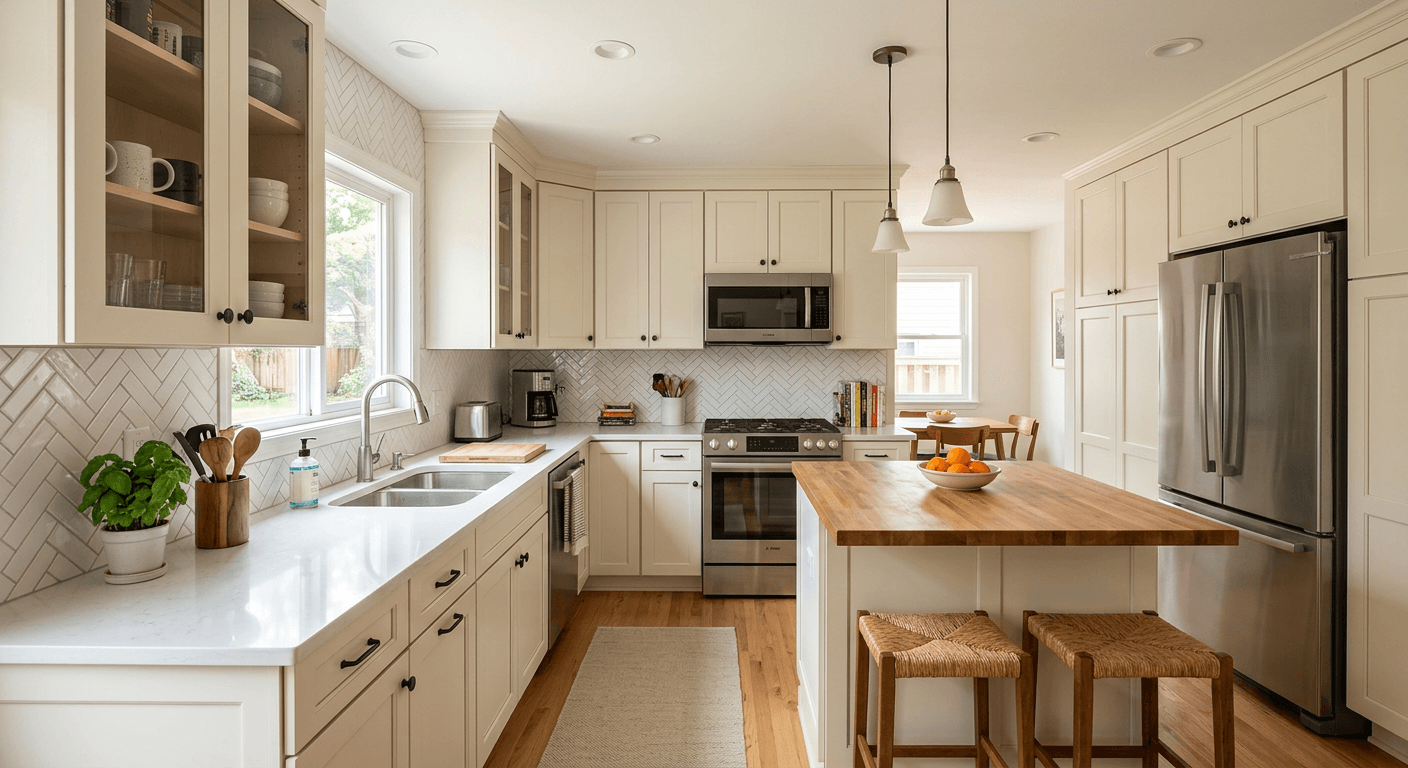
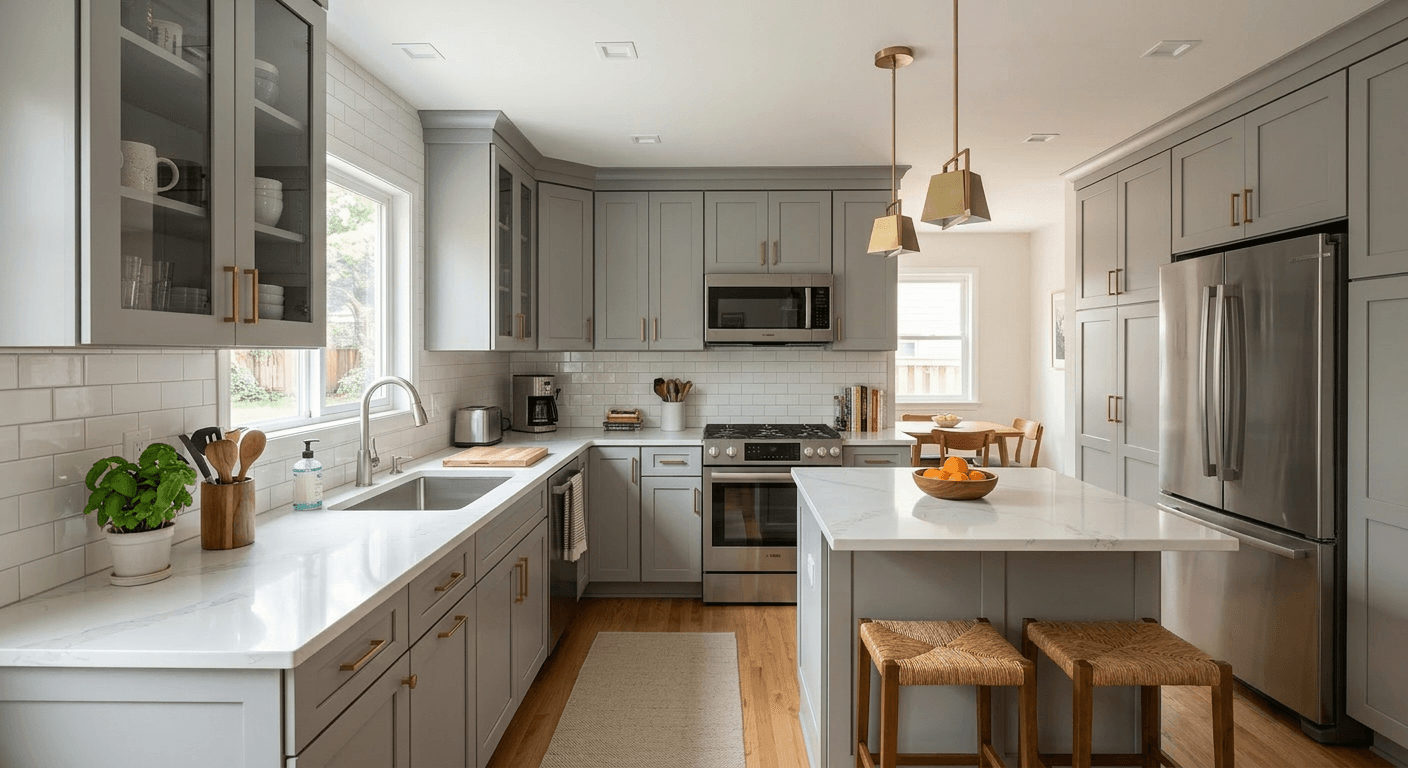
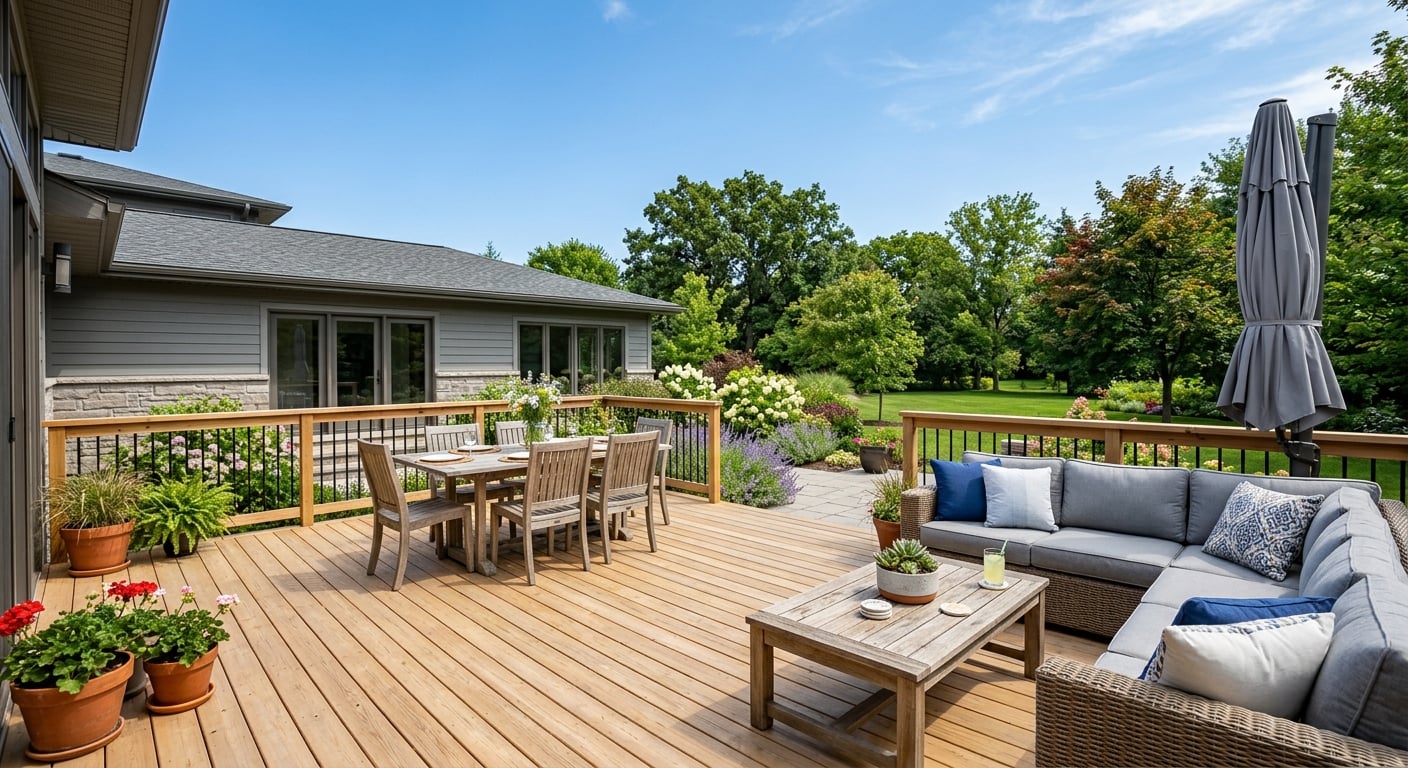
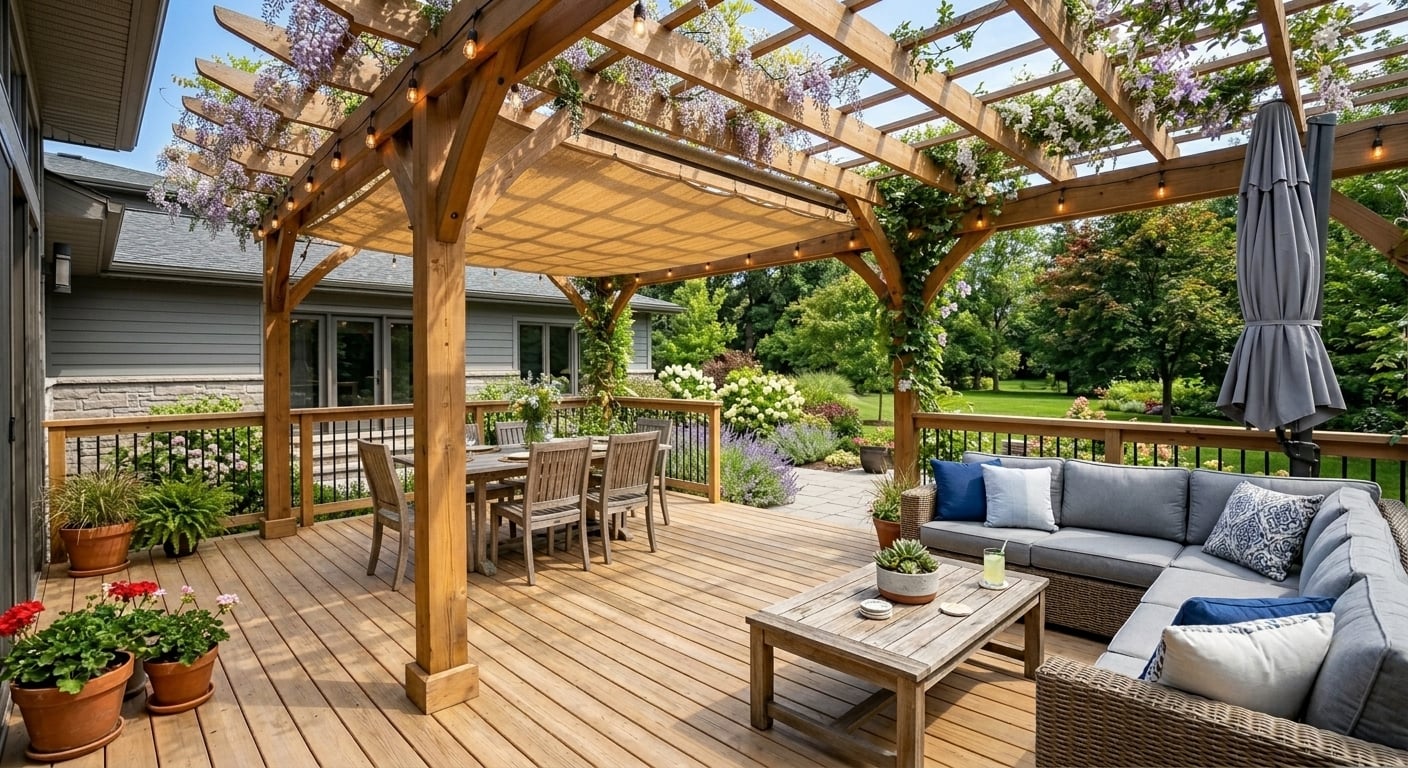
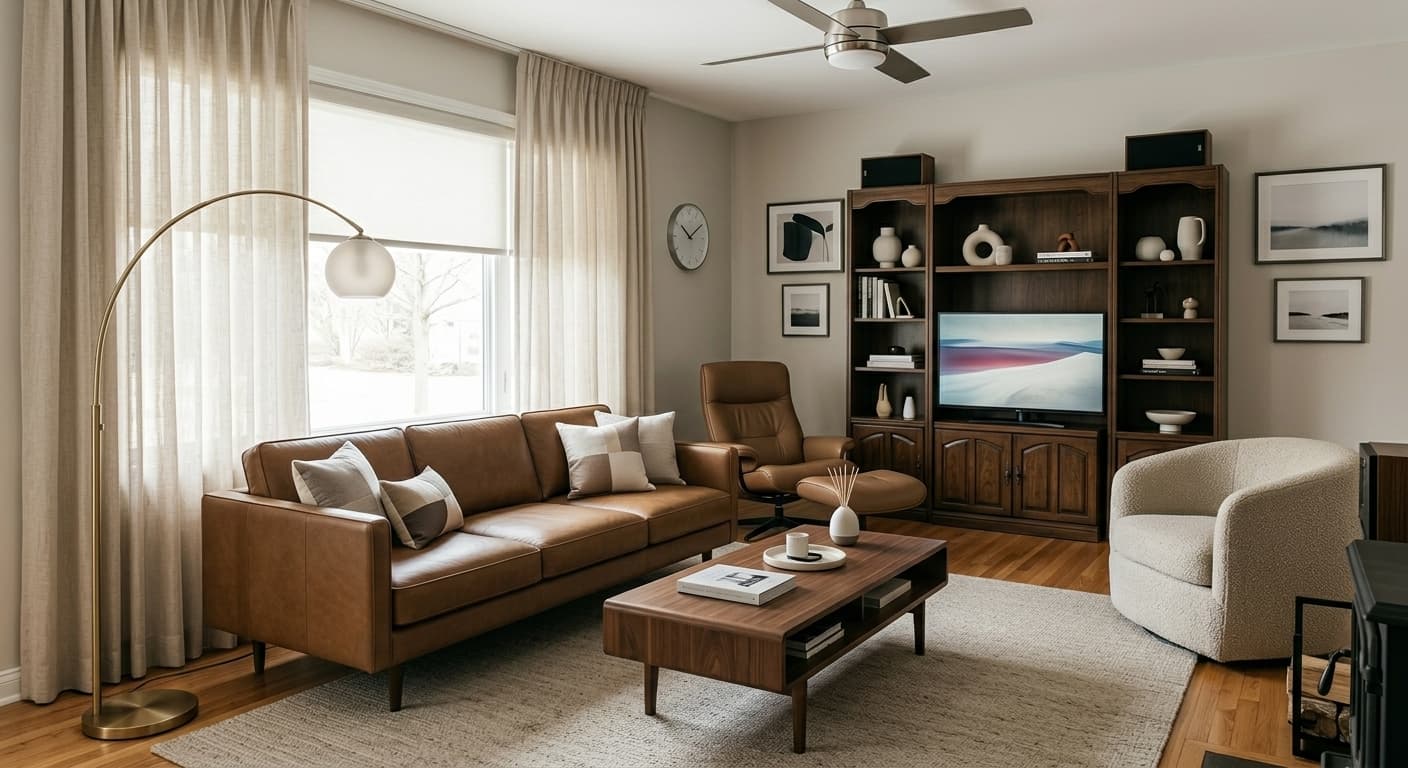
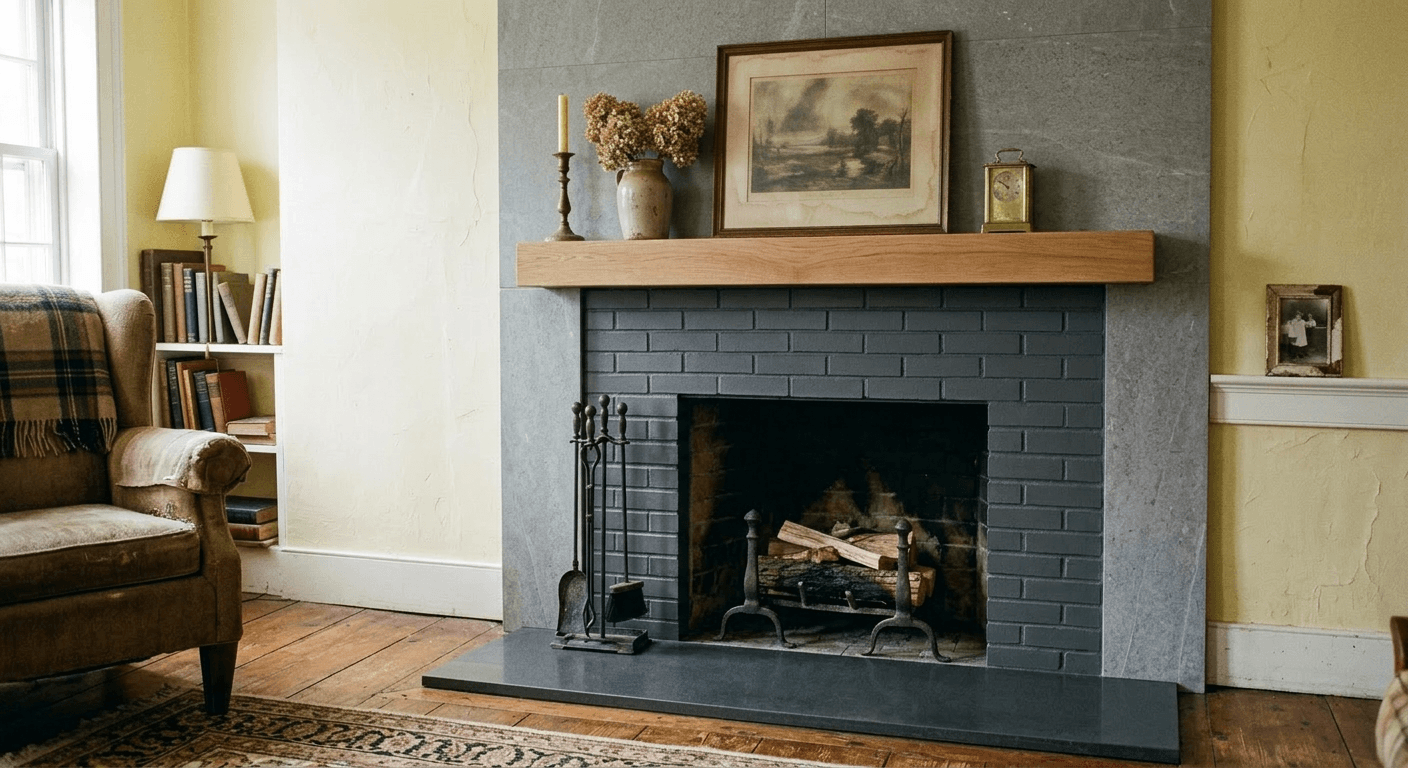
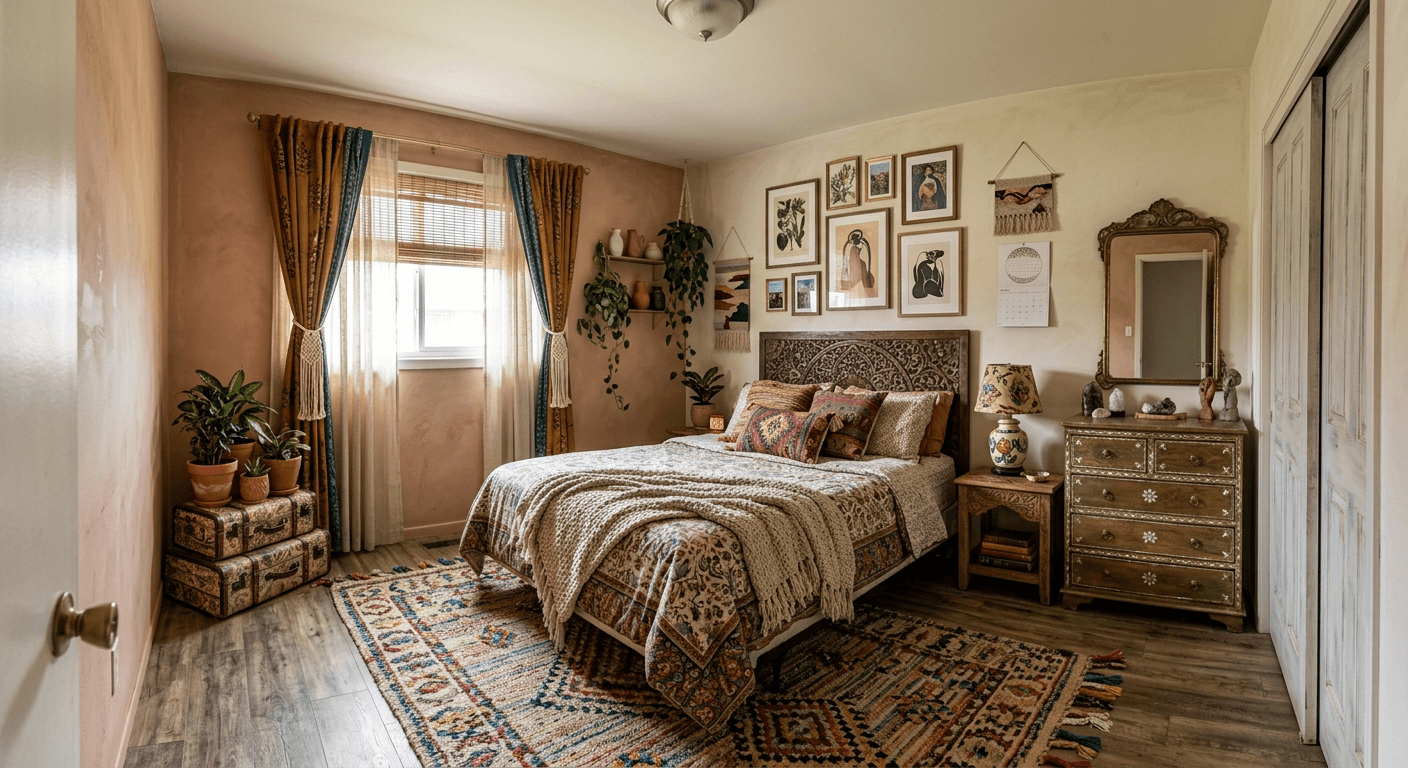
AI interior design before and after
Examples from our gallery. The after image is AI output of this tool; the before photo is an illustrative sample, not a client's home. Each example links to the page for that job.
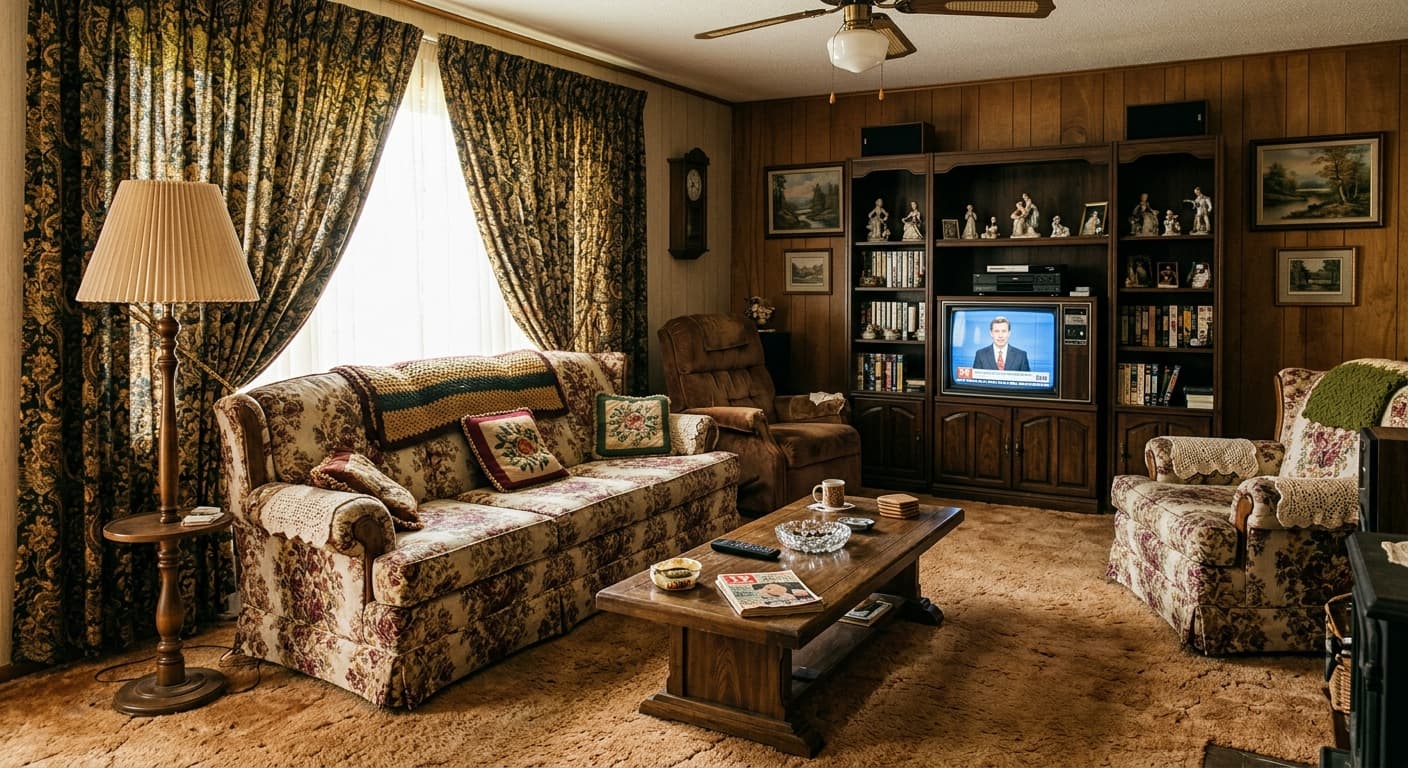
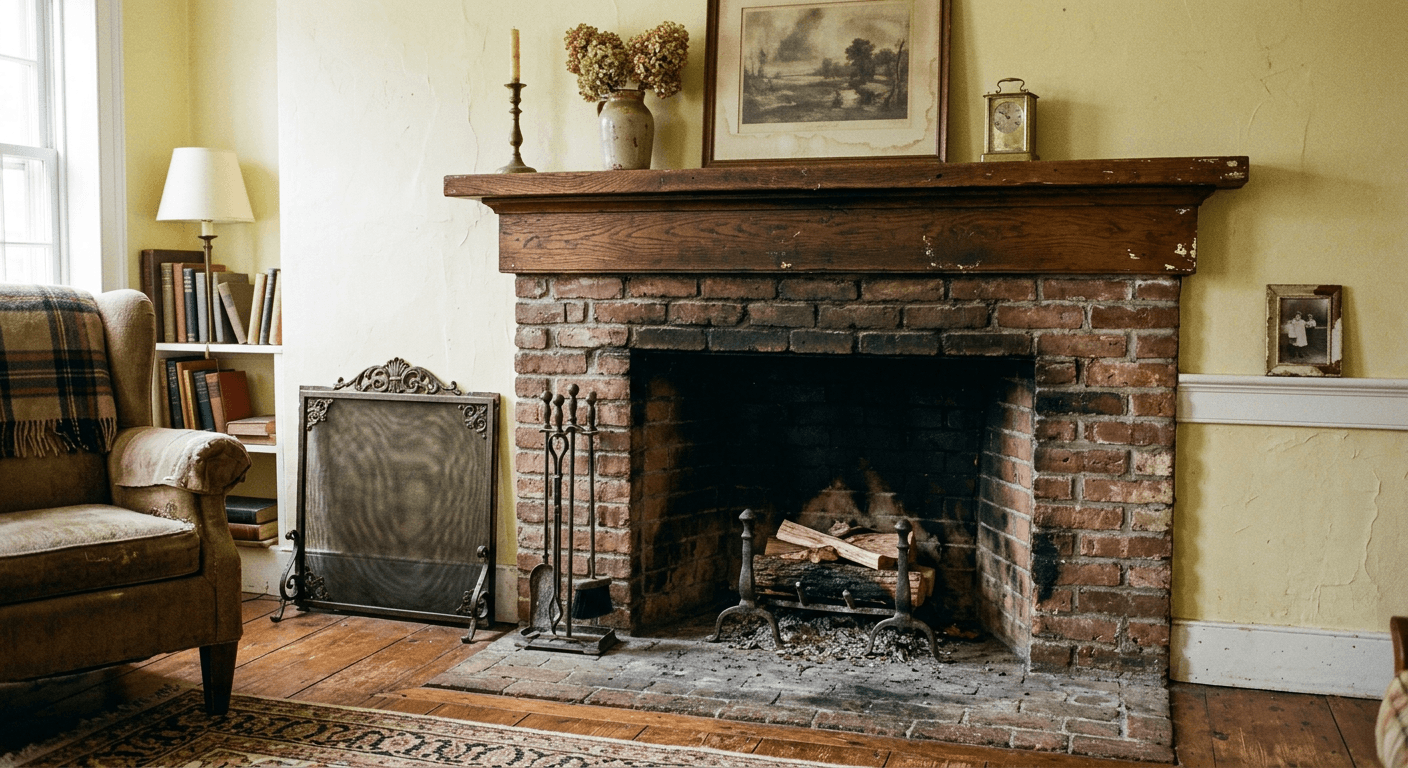
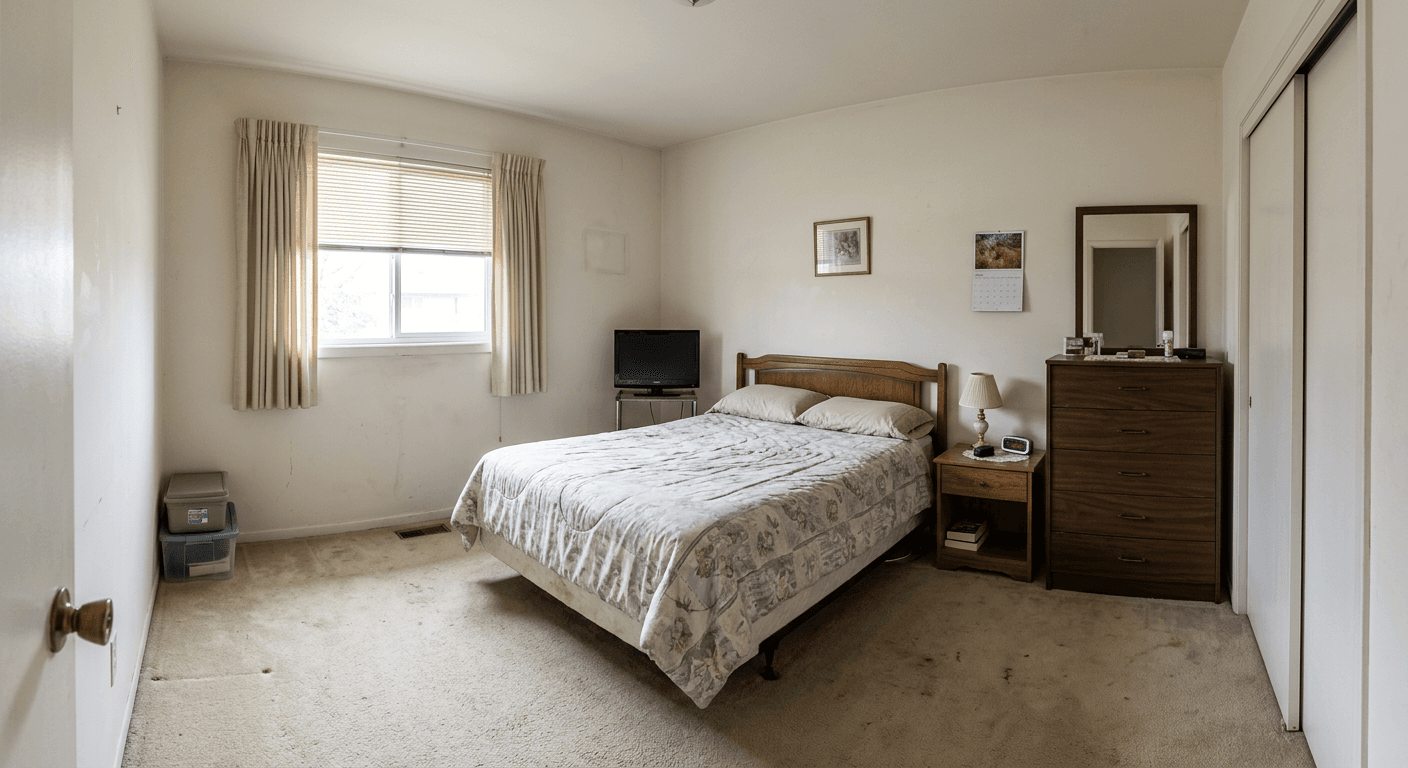
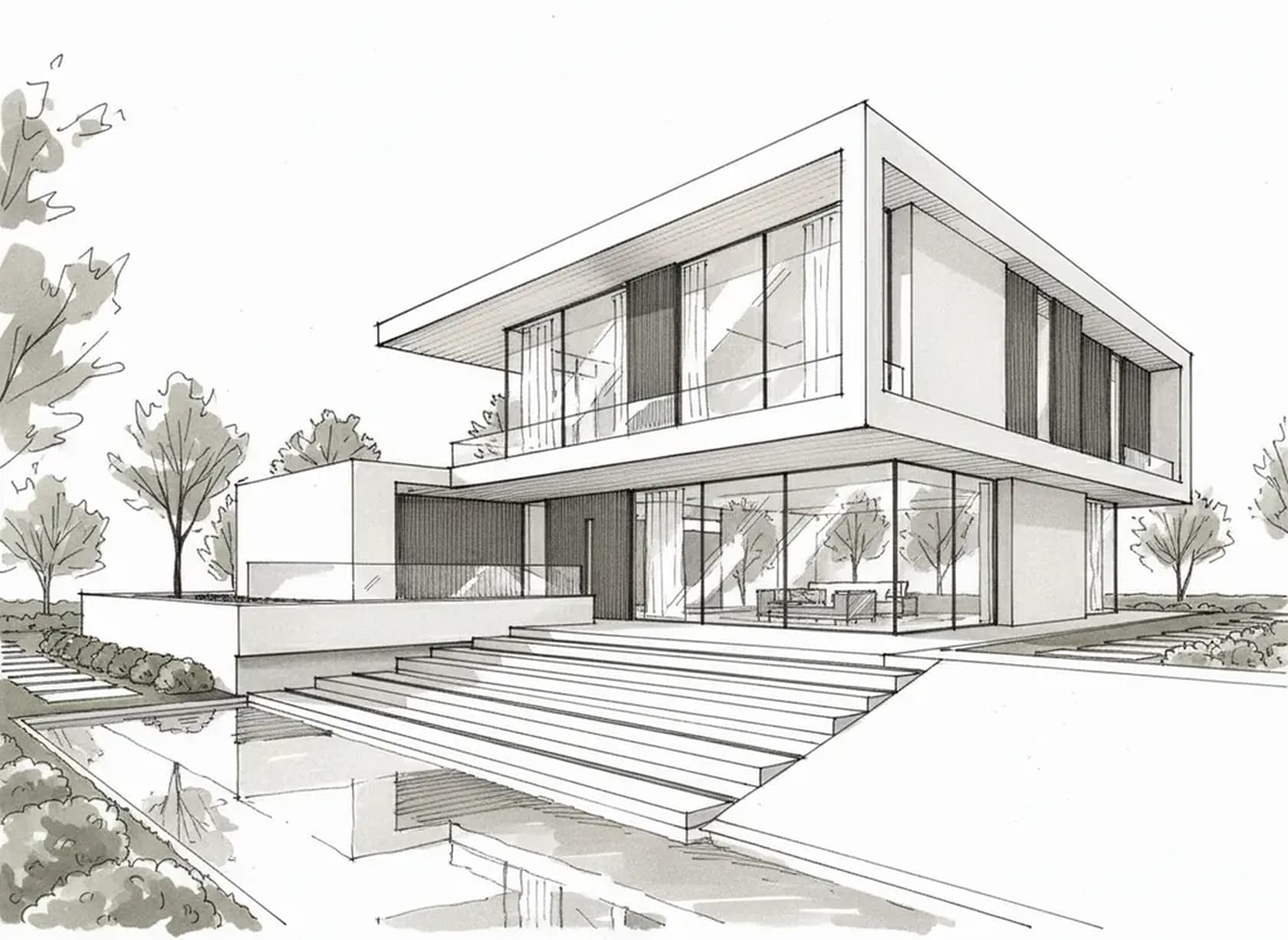 Before: hand sketch
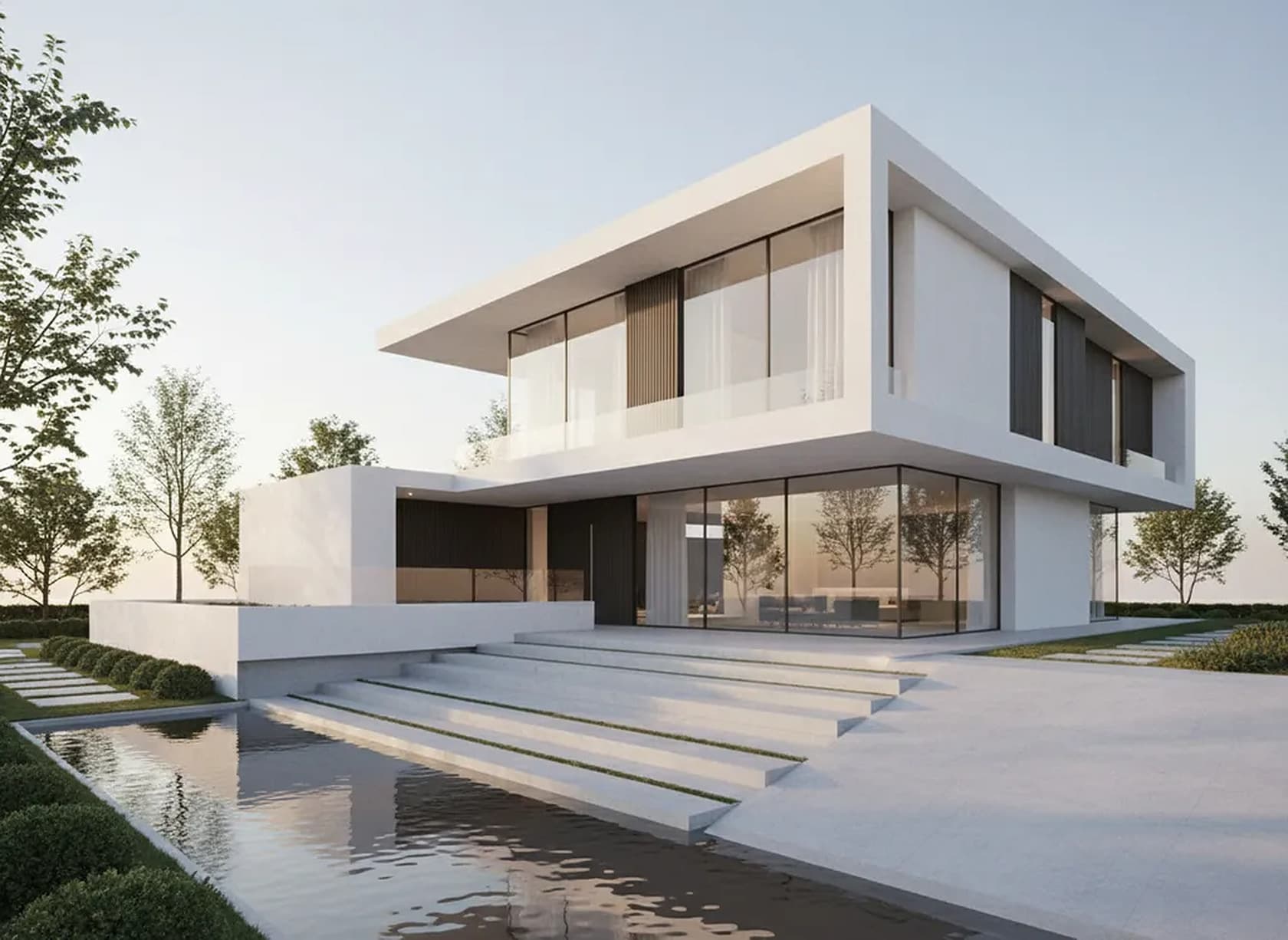 After (AI)
More rooms, exteriors and gardens in the before and after gallery.
How it works
- Upload what you have: a photo of the client’s room, a hand sketch, or a screenshot of the room in SketchUp, Revit or another modeling tool. You can also start from a text brief alone.
- Write the brief the way you would brief a visualizer: the style, the key pieces, the materials and colors, and the light. Then say what must not change: “keep the walls, windows, ceiling and camera angle exactly as in the photo”.
- Generate. A photoreal image comes back in about 30 seconds. Compare it with the original before you show it to anyone.
- Refine with short follow-up prompts instead of rewriting the brief: “change the sofa fabric to rust velvet”, “make the floor wide-plank white oak”, “remove the floor lamp”. Everything else is meant to stay.
- Download the result as a 2K PNG or JPG (4K with a 4K pack) and drop it into your presentation, mood board or proposal.
A good brief names the pieces and materials you would put on a mood board, not adjectives alone. “Warm modern” gives the AI little to work with; “oak floor, limewash walls, low bouclé sofa, travertine coffee table, brass floor lamp” gives it a scheme.
What interior designers do with it
- Show a client three directions for one room in an afternoon. Run the same room photo as Japandi, warm modern and mid-century, put the three images side by side, and let the client react to pictures instead of adjectives. The architectural styles page lists style vocabulary that works well in prompts.
- Turn your own drawing into a presentation image. A hand sketch or a quick SketchUp or Revit view becomes a photoreal image with your materials and light. Step-by-step: SketchUp to render and Revit to render.
- Make precise edits. Swap the sofa fabric, change the floor, try a different rug or wall color, remove a piece of furniture, and keep everything else. Useful when the client says “I like it, but…”.
- Visualize the built work, not only the furniture. Kitchens and baths are where remodel clients hesitate most: kitchen remodel visualizer, open concept kitchen, white kitchen cabinets, adding a kitchen island, marble countertops, butcher block countertops, laminate to quartz, backsplash design, kitchen lighting and new appliances; for baths the bathroom remodel visualizer, shower tile design, bathroom wall tile and tub to walk-in shower conversion.
- Living spaces and finishes. A fireplace makeover (example above), built-in shelving, an accent wall, new flooring or carpet to hardwood.
- Unfinished space. Show what a finished basement, an attic conversion or a garage turned into living space could look like.
- Commercial interiors. Cafés, restaurants, gyms and shops work the same way: see the zen café interior, Asian restaurant and craftsman home gym examples.
Who it is for
Interior designers and decorators who need concept images faster than a full 3D model allows, especially in the first meetings, when the client has not committed to a direction yet and every hour spent modeling is at risk.
Remodel contractors, kitchen and bath showrooms who want to show a homeowner the finished room before the contract is signed: new cabinets, a different tile, a removed wall. If remodeling is most of your work, the home remodel design software page is written for you.
Architects who want quick interior views next to their exterior renders; see the AI for architects overview.
Homeowners redesigning a room themselves. You do not need design training: describe the room you want in plain words, and use the image to decide, or to brief a designer or contractor. Selling rather than living there? Then you want virtual staging, which furnishes empty listing photos.
Where it fits next to your other interior design software
When people search for the best software for interior designers, they usually mean several kinds of tools at once. There are CAD and BIM programs for measured drawings, space-planning and 3D modeling tools for layouts, and project-management platforms for FF&E specifications, client approvals, ordering and invoicing. Most studios use one or more of each. This is not one of those.
This is the visual concept layer. It sits before or alongside the model: you test a direction on a photo or a sketch in minutes, agree it with the client, and then document the chosen scheme in your usual tools. Or you take a screenshot of the model you already built and turn it into a photoreal image without setting up materials, lights and a render engine.
Compared with a traditional rendering workflow, you trade precision for speed. A physically based render from a full model shows the exact geometry and the exact products; an AI image shows a convincing interpretation of your brief in about 30 seconds, without a model. For early options and client conversations that trade is often worth it; for final, measured visuals it is not. The details are in AI vs traditional rendering, and if presentation-grade interior renders are your main job, see interior design rendering software. Evaluating other AI render tools? Here is how we compare as an mnml.ai alternative.
What it does not do
- No measured drawings, dimensions, construction documents or permit drawings.
- No space planning with real furniture sizes, no FF&E schedules, material or quantity lists, and no cost estimates.
- No ordering, procurement, client portal or invoicing.
- No 3D model you can orbit and no walkthrough video: each result is a single image.
- No guaranteed match of a specific product, fabric or SKU. The image shows a close interpretation of your description.
- AI can change details you did not ask for, such as a window, a door, a ceiling beam or the proportions of the room. Compare every result with the original and re-run when something moved, before it goes in front of a client.
If you need a measured floor plan with a 3D model and DXF or IFC files, that is Plan Chat, a separate tool on the same account. To turn a hand-drawn plan into a clean 2D floor plan, use the floor plan tool.
Pricing
Each image, including each follow-up edit, is one generation. Plans from $12/month (Lite, about 20 generations a month; $9/month billed yearly). Starter is $29/month for about 50. Cancel anytime. No free tier or trial. Output is 2K PNG or JPG, 4K with a 4K pack, and commercial use is included. All plans on the pricing page.
AI interior design FAQ
What is the best AI for interior design?
For professional concept work, pick a tool that starts from your own room photo, sketch or model view, keeps the room as it is when you ask it to, lets you make precise follow-up edits and allows commercial use. This one does all of that in about 30 seconds per image from $12 a month. Free consumer apps are fine for ideas but usually restyle the whole room and limit commercial use. For measured plans and specifications you still need CAD or a space planner.
Can AI redesign a room from a photo?
Yes. Upload a photo of the room, describe the style, materials and furniture you want, and say what must stay (walls, windows, floor, camera). You get the redesigned room in about 30 seconds and can change one thing at a time with follow-up prompts.
What is AI interior design software?
It is software that generates images of an interior from an input and a written brief. Here you upload a room photo, a hand sketch or a screenshot of a 3D model, describe the style and materials, and get a photorealistic concept of the redesigned room in about 30 seconds. It shows how a space could look; it does not draw measured plans or produce specifications.
Is this good software for interior designers?
For the concept and presentation stage, yes: many of our paying subscribers are interior designers and remodel professionals who use it to show clients several style options for one room, to turn a sketch or SketchUp view into a photoreal image, and to make precise edits such as swapping a fabric or a floor. For drawings, space planning, specifications, ordering and project management you still need the dedicated tools for those jobs.
Is there an AI interior design app for iPhone or Android?
There is no native app to install. The software runs in the web browser, including the browser on your phone, so you can photograph a room on site, upload it and generate a concept right there. On a laptop or desktop the same account works the same way.
Is there a free trial?
No. Paid plans only, from $12/month; no free tier or trial. Lite is $12/month for about 20 generations ($9/month billed yearly), Starter is $29/month for about 50. Cancel anytime.
Can I edit one thing and keep the rest of the room?
Yes. After the first image, write a follow-up such as “change only the rug to a jute rug, keep everything else”. The result usually keeps the rest of the room. AI can still shift details you did not ask for, such as a window frame or a lamp, so compare with the previous version and re-run if something moved.
Will it show the exact sofa, tile or fabric I specified?
It shows something close to what you describe, not a guaranteed match of a specific product or SKU. Describe the piece by its look (low bouclé sofa, rounded arms, cream; 3 x 12 inch zellige tile in sage) for the closest result, and tell the client the image is a concept.
Can I use the images commercially with clients?
Yes. Commercial use is included on all paid plans, so you can put the images in client presentations, proposals and your own marketing. Mark them as AI-generated concepts so nobody mistakes them for photos of finished work.
Does it make floor plans or 3D models?
Not this generator. It makes images. For a measured floor plan with a 3D model and DXF or IFC files, use Plan Chat on the same account; to turn a hand-drawn plan into a clean 2D floor plan, use the floor plan tool. Neither replaces construction documents.
Does it work for homeowners as well?
Yes. If you are redesigning your own living room, kitchen or bedroom, upload a photo and describe what you want. It helps you decide on a style and explain it to a designer or contractor; it does not tell you what the work will cost.
Related tools
- Interior design rendering software
- Home remodel design software
- AI rendering software for architects
- AI landscape design
Outdoors instead? AI landscape design (linked above) works the same way for gardens and yards, from a photo of the yard.
AI-generated concept images for planning and presentations, not construction documents. Images may differ from the real room and from real products; check every result against the original before you share it. Made by 20Vision GmbH, Vienna.