
AI for real estate agents: listing floor plans, virtual staging and photo fixes
Get a listing market-ready in an afternoon: a clean floor plan, staged empty rooms and every photo fixed, on one account. Here is what each job looks like and where to start.
Paid plans only: Starter $29/month for 50 generations ($14.50 for the first month), Pro $79 for 200. Each photo edit is one generation. No free trial; cancel anytime.
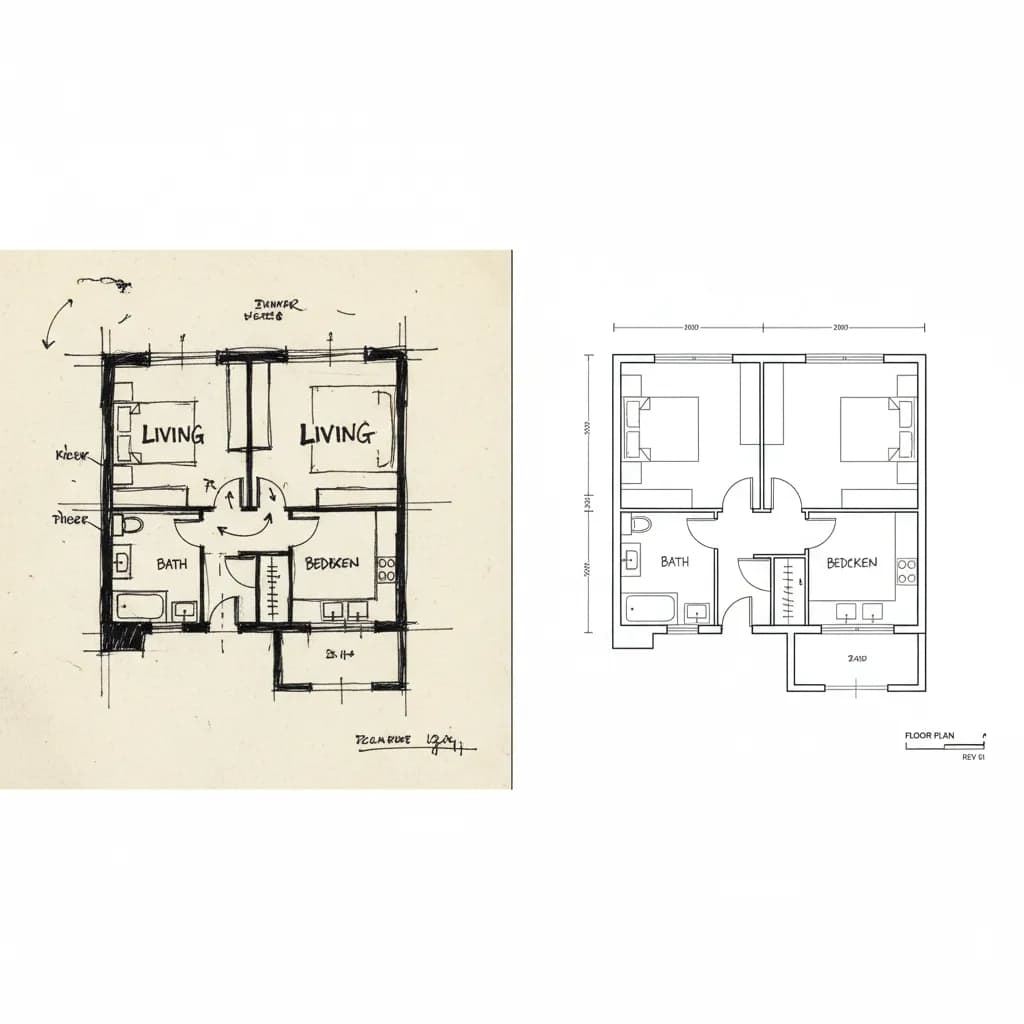
1. A floor plan for the listing
Buyers filter by floor plan. Photograph the seller's old plan, a builder drawing or your own hand-measured sketch, and the AI floor plan generator turns it into a clean, labeled 2D floor plan drawing in under a minute. Room names, walls, doors and windows are redrawn; check the dimensions against your measurements before publishing.
Make the listing floor plan →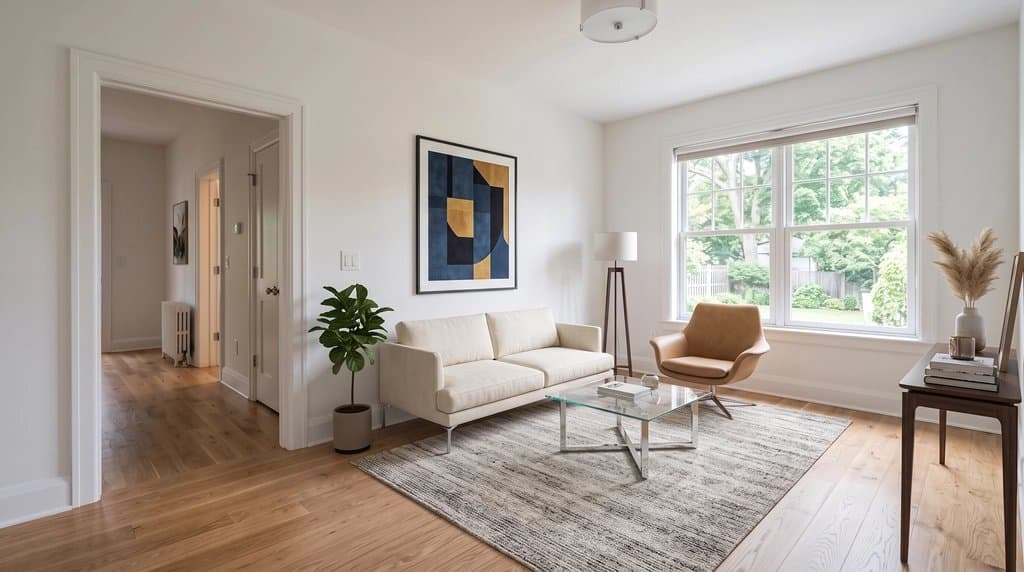
2. Virtual staging for empty rooms
Vacant rooms photograph small and cold. Upload the listing photos to the Listing Kit, choose a staging style per room, and download one ZIP with the staged photos, copies carrying a visible AI label, your untouched originals and a disclosure text for the MLS. The prompt tells the model to keep walls, windows, doors and floors as photographed.
Stage a listing in the Listing Kit →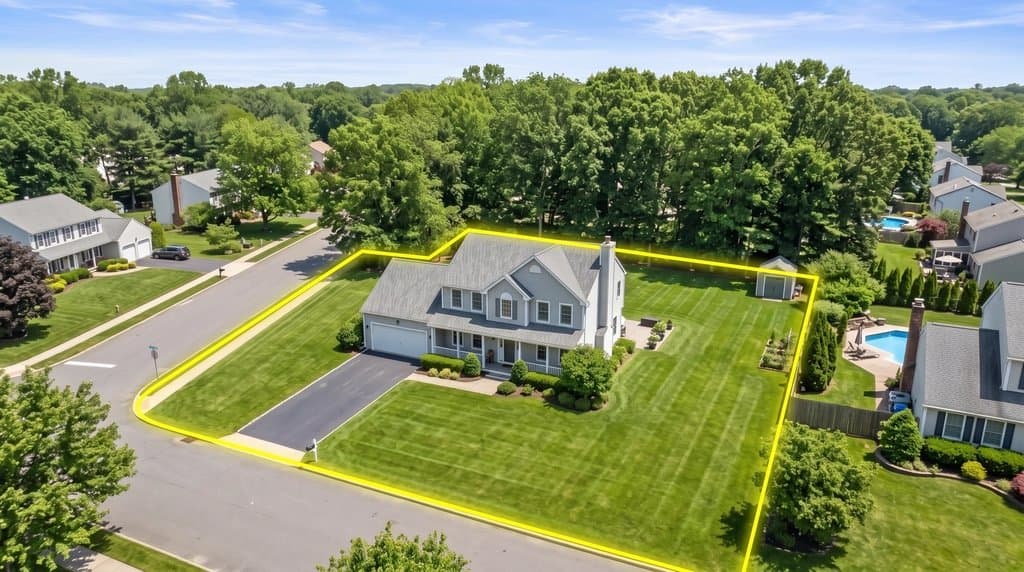
3. Photo fixes, from glare to lot lines
The photos you already have, made listing-ready: window glare and flash hot spots removed, gray skies replaced, clutter and cars removed, day turned into twilight, leaning verticals straightened. For land and acreage, draw lot lines on the drone photo or show a house on the vacant lot. Each fix is one generation with the prompt already written.
Open the real estate photo tools →Why agents stay
Agents and listing photographers are our longest-staying customers. A remodel preview is a one-time job; a listing business brings new photos every week. Customers who came for real estate photo jobs (lot lines, glare, vacant land) kept their plan for close to four months on average, and staging customers make up a large share of our active subscribers.
What matters to them is the same every time: the room must stay the room (same walls, windows and floors), edits must be disclosed, and the work must take minutes, not a day with an editor. Every tool here is built around that: prompts that say what to keep, downloads with an AI label, originals kept, and results in about 30 seconds.
FAQ
What does an agent need from AI Architectures for one listing?
Usually three things: a clean floor plan drawing, staged versions of the empty rooms and a handful of photo fixes (glare, sky, clutter, twilight). Land listings add lot lines on the drone photo and a house on the vacant lot. All of it runs on one account and one plan.
What does it cost?
Starter is $29/month for 50 generations ($14.50 for the first month), Pro $79/month for 200, Studio $199 for unlimited 2K generations. One staged room or one photo fix is one generation. No free trial; cancel anytime.
Is AI staging allowed on the MLS?
Virtual staging is widely accepted when it is disclosed and does not hide defects. Many MLSs require a note, California AB 723 requires disclosure and access to the originals, and the EU AI Act requires AI-edited images to be labeled. The Listing Kit builds all of that into the download.
Are the floor plans measured?
The floor plan generator redraws the plan you upload; it does not measure the home. Dimensions come from your sketch or the old plan, so check them before publishing. For a new design with measured plans and DXF for AutoCAD, use Plan Chat.
Can my photographer or assistant use the same account?
Yes, everything is in one private gallery under your login. Results can be downloaded at full resolution, with or without a visible AI label.
All real estate photo tools
Everything an agent needs for one listing, on one account. See all of them on the real estate photo tools page or read how agents use AI Architectures.
Land, lots & drone photos
- Lot lines on drone photosDraw the property boundary on an aerial listing photo.
- House on vacant landShow buyers a home built on an empty lot.
Listing photo fixes
- Remove window glareClear glare, flash hot spots and blown-out windows.
- Day to twilightTurn a daytime exterior into a dusk shot with lit windows.
- Blue sky replacementSwap a gray sky for a clear one.
- Declutter photosRemove personal items and clutter.
- Remove cars from the drivewayClean up the front of the house.
- Remove snowShow the property in a green season.
- Straighten vertical linesFix leaning walls from wide-angle shots.
Virtual staging
- Listing Kit (batch staging + MLS labels)Stage and fix a whole listing, download with AI disclosure.
- Remove furnitureEmpty a furnished room before restaging.
- Scandinavian stagingLight, minimal staging for empty rooms.
- Coastal stagingRelaxed coastal furniture and decor.
- Screened porch stagingFurnish porches and outdoor rooms.
- Virtual staging guideRules, disclosure and what sells.
Floor plans for listings
- Listing floor plan from a sketch or old planClean, labeled 2D floor plan drawing.