
Virtual staging for realtors: the whole listing, AB 723-ready
Don't stage one photo at a time. Drop in the listing's photos, stage every empty room in one style, fix glare, turn the front to twilight, draw lot lines on the drone shot, and download one ZIP with AI-labeled copies, your untouched originals and a ready disclosure.
Paid plans only: Starter $29/month for 50 generations ($14.50 for the first month), Pro $79 for 200. Each photo edit is one generation. No free trial; cancel anytime.
Drop up to 25 listing photos or
JPG, PNG or WebP · 100 credits per photo · originals stay untouched
The kit contains the edited photos, copies with a visible “AI” label, your untouched originals and a disclosure text you can paste into the MLS remarks. AI can make mistakes: check every photo before you publish it, and never use edits to hide defects of the property.
Real outputs from the kit
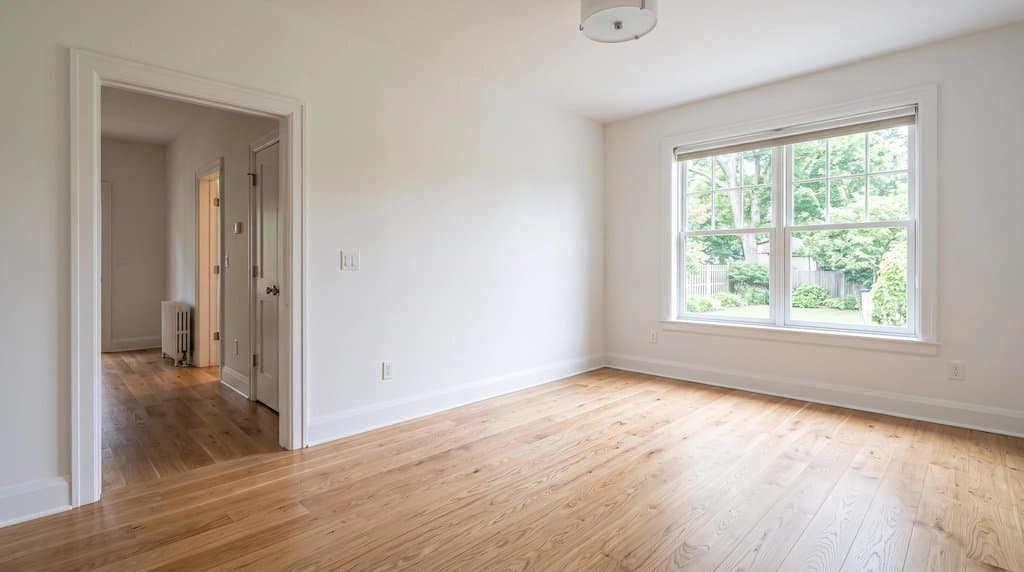
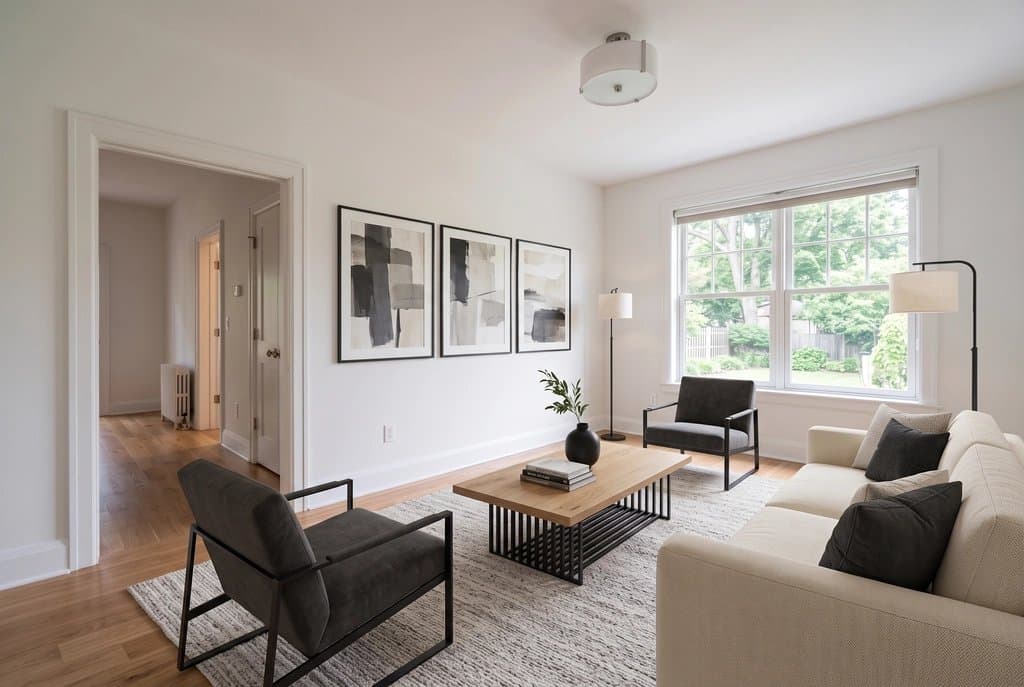
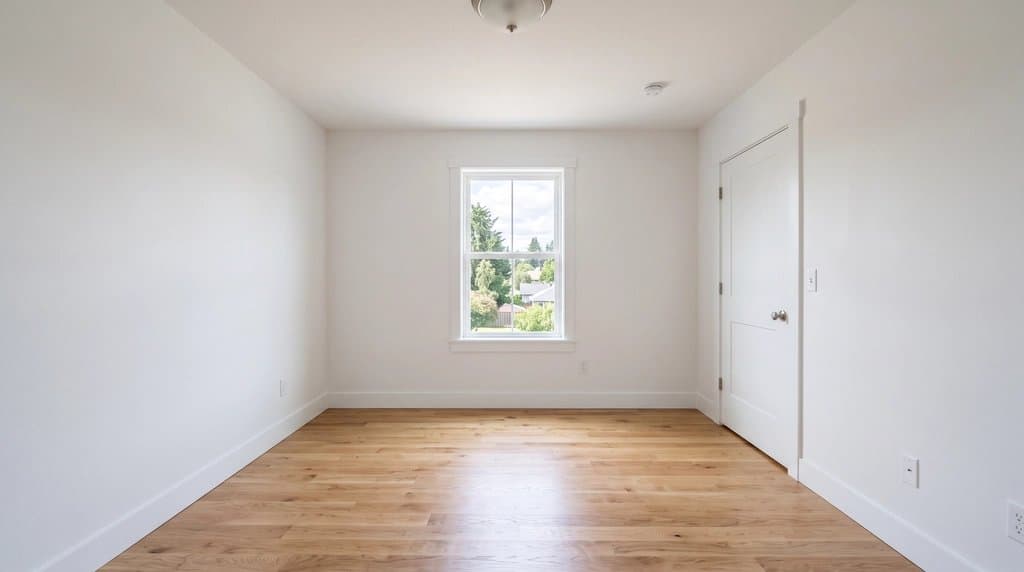
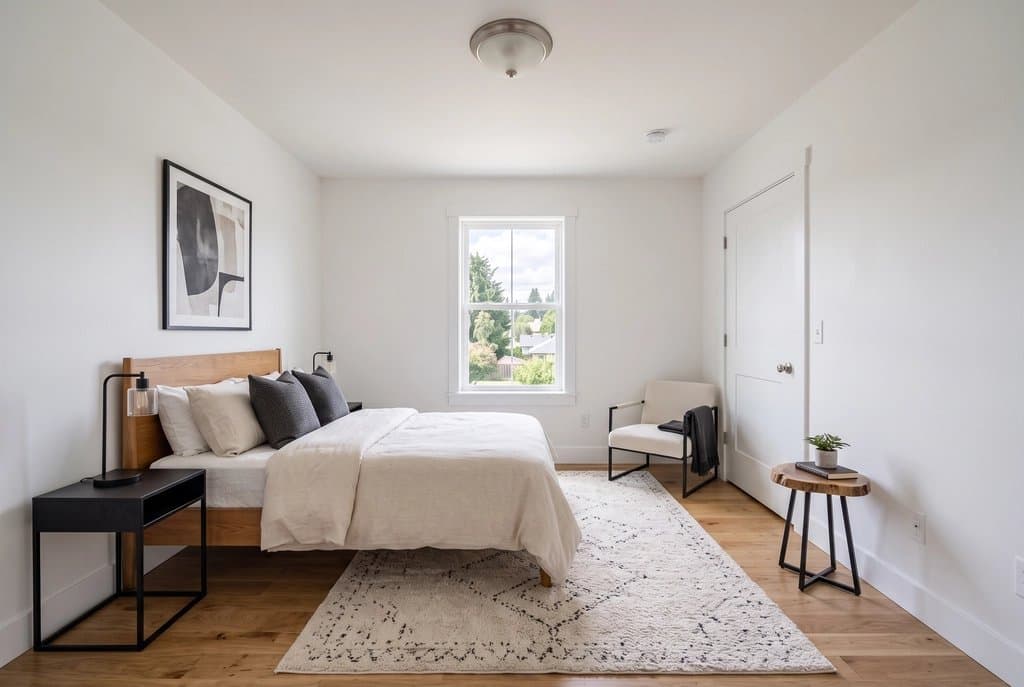
Unretouched results of the kit's own prompts, two rooms of one sample house in one gallery style. The input photos are AI-generated samples, so no client's home is shown.
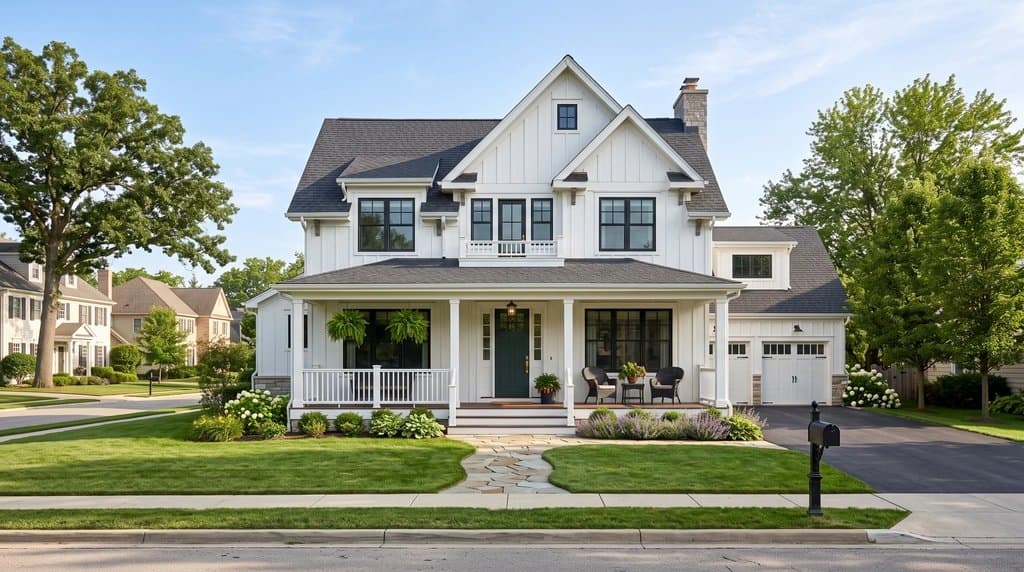
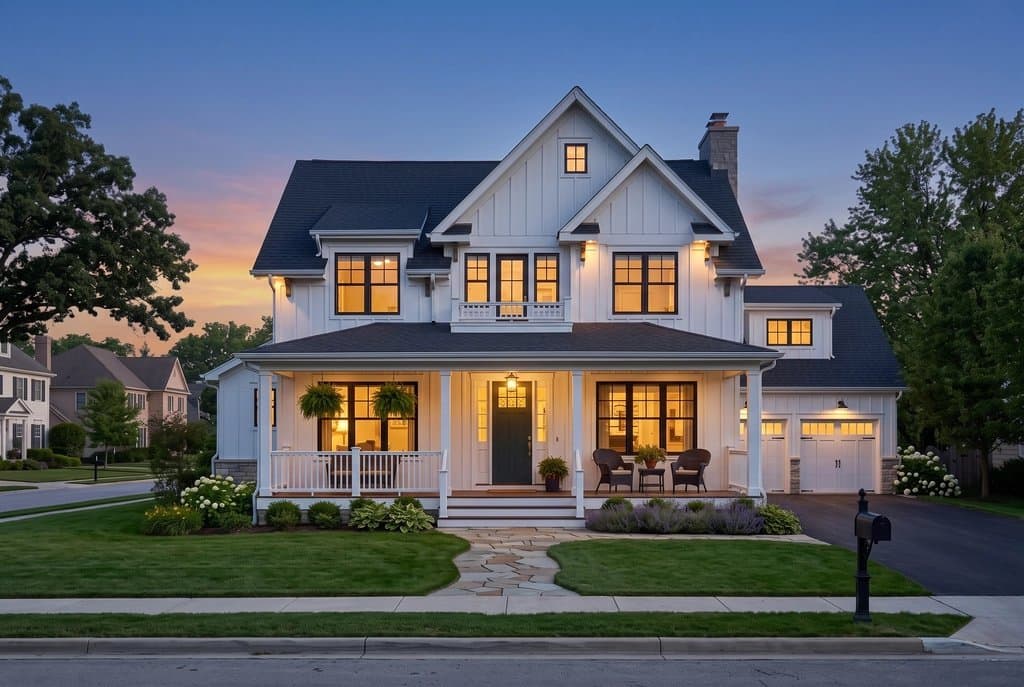
AB 723 and AI labels: what the kit does, what you still do
| Requirement | In the kit today | Your part |
|---|---|---|
| Disclose that a photo was altered (AB 723, most MLSs) | DISCLOSURE.txt with a disclosure paragraph and a suggested MLS remark; a list of which photo was changed how | Paste it into the listing remarks or next to the photos |
| Original, unaltered photo available (AB 723) | originals/ folder with each file exactly as you uploaded it | Publish the originals and link them (or a QR code) from the listing |
| Visible AI marking (EU AI Act Art. 50, many MLS rules) | labeled/ copies with "Virtually staged with AI" or "AI-edited photo" in the image | Use the labeled copies where a visible label is required |
| No misleading edits | Prompts keep walls, windows, doors, floors and camera; lot lines are marked approximate | Check every photo; never hide defects or invent views |
This is a description of the product, not legal advice. Rules differ by state, MLS and country.
Why stage the listing, not the photo
A single staged photo is easy to get anywhere now. What takes an afternoon is the listing: 15 to 25 photos where the rooms look like one home, the windows are not blown out, the hero shot is at dusk, the aerial shows where the lot ends, and every altered photo is disclosed with the original at hand. The kit does that list in one pass.
- One style across the gallery. Pick it once; every staged room gets the same written palette and materials.
- Every listing step in one place. Staging, furniture removal, declutter, brighten, window glare, day to twilight, blue sky, green lawn and lot lines on drone photos.
- MLS order. Arrange the photos once; the ZIP numbers them in that order.
- Disclosure built in. Labeled copies, originals and the disclosure text are part of the same download.
Need the floor plan too? See AI for real estate agents.
How it works
- Drop up to 25 photos of the listing into the kit.
- Pick one staging style for the whole gallery, then set each photo's step: stage, remove furniture, declutter, brighten, remove window glare, day to twilight, blue sky, green lawn or lot lines.
- Add a short instruction where it helps ("this is a bedroom", "outline the lot from the road to the tree line") and put the photos in your MLS order.
- Process the photos, check every result, and redo any photo that changed something it should not have.
- Download the ZIP: edited photos, AI-labeled copies, your untouched originals and DISCLOSURE.txt with a suggested MLS remark.
FAQ
What is AB 723 and what does it ask of agents?
California AB 723 took effect on January 1, 2026. When a listing advertises a digitally altered photo, such as virtual staging, it requires a disclosure that the image was altered and access to the original, unaltered image; for online listings that is usually a link or QR code to the original. Ask your broker or MLS how they want it done. This page is not legal advice.
What exactly does the kit give me for that?
A ZIP with the edited photos, copies with a visible "Virtually staged with AI" or "AI-edited photo" label, the original files exactly as you uploaded them, and DISCLOSURE.txt with a disclosure paragraph, a suggested MLS remark and a list of which photo was changed how. Today the originals are in the ZIP; publishing them behind a link or QR is still up to you (MLS supplement, your website or a shared folder).
Does it cover the EU AI Act?
Article 50 of the EU AI Act requires AI-generated or AI-manipulated images to be marked as such. The labeled copies carry a visible notice in the image. Whether that is all your use needs depends on where and how you publish.
Will every room look like the same home?
The kit sends the same written style (palette, woods, fabrics, metals) with every staged photo, so rooms match much better than staging them one by one. Furniture is still generated per photo, so the same sofa will not appear in two rooms.
Will the AI change the room itself?
Every prompt tells the model to keep walls, windows, doors, floors, ceiling and camera angle exactly as photographed. AI can still make mistakes, so check every image and never use an edit to hide a defect.
What does it cost?
Each processed photo is one generation (100 credits). Starter is $29/month for 50 generations ($14.50 for the first month), Pro $79/month for 200. No free trial; cancel anytime.
Real estate photo tools
Everything an agent needs for one listing, on one account. See all of them on the real estate photo tools page or read how agents use AI Architectures.
Land, lots & drone photos
- Lot lines on drone photosDraw the property boundary on an aerial listing photo.
- House on vacant landShow buyers a home built on an empty lot.
Listing photo fixes
- Remove window glareClear glare, flash hot spots and blown-out windows.
- Day to twilightTurn a daytime exterior into a dusk shot with lit windows.
- Blue sky replacementSwap a gray sky for a clear one.
- Declutter photosRemove personal items and clutter.
- Remove cars from the drivewayClean up the front of the house.
- Remove snowShow the property in a green season.
- Straighten vertical linesFix leaning walls from wide-angle shots.
Virtual staging
- Listing Kit (batch staging + MLS labels)Stage and fix a whole listing, download with AI disclosure.
- Remove furnitureEmpty a furnished room before restaging.
- Scandinavian stagingLight, minimal staging for empty rooms.
- Coastal stagingRelaxed coastal furniture and decor.
- Screened porch stagingFurnish porches and outdoor rooms.
- Virtual staging guideRules, disclosure and what sells.
Floor plans for listings
- Listing floor plan from a sketch or old planClean, labeled 2D floor plan drawing.